connect my normal "non-smart" doorbell to domoticz?

Others (MiLight, Hue, Toon etc...)

Moderator: leecollings

Post Reply
Evelen
Posts: 234
Joined: Thursday 09 July 2015 12:03
Target OS: Linux
Domoticz version: 2.4538
Location: Norway
Contact:

connect my normal "non-smart" doorbell to domoticz?

Post by Evelen »

Hi.
I have a standard normal cable-doorbell.
Like this:

Image
Image
Image


Is it possible to connect this to domoticz in anyway?
I think maybe it exist some 433MHz device i can connect to some of the wires in the box?

Any tips?
http://www.explainthatstuff.com/how-ele ... -work.html
ThinkPad
Posts: 890
Joined: Tuesday 30 September 2014 8:49
Target OS: Linux
Domoticz version: beta
Location: The Netherlands
Contact:

Re: connect my normal "non-smart" doorbell to domoticz?

Post by ThinkPad »

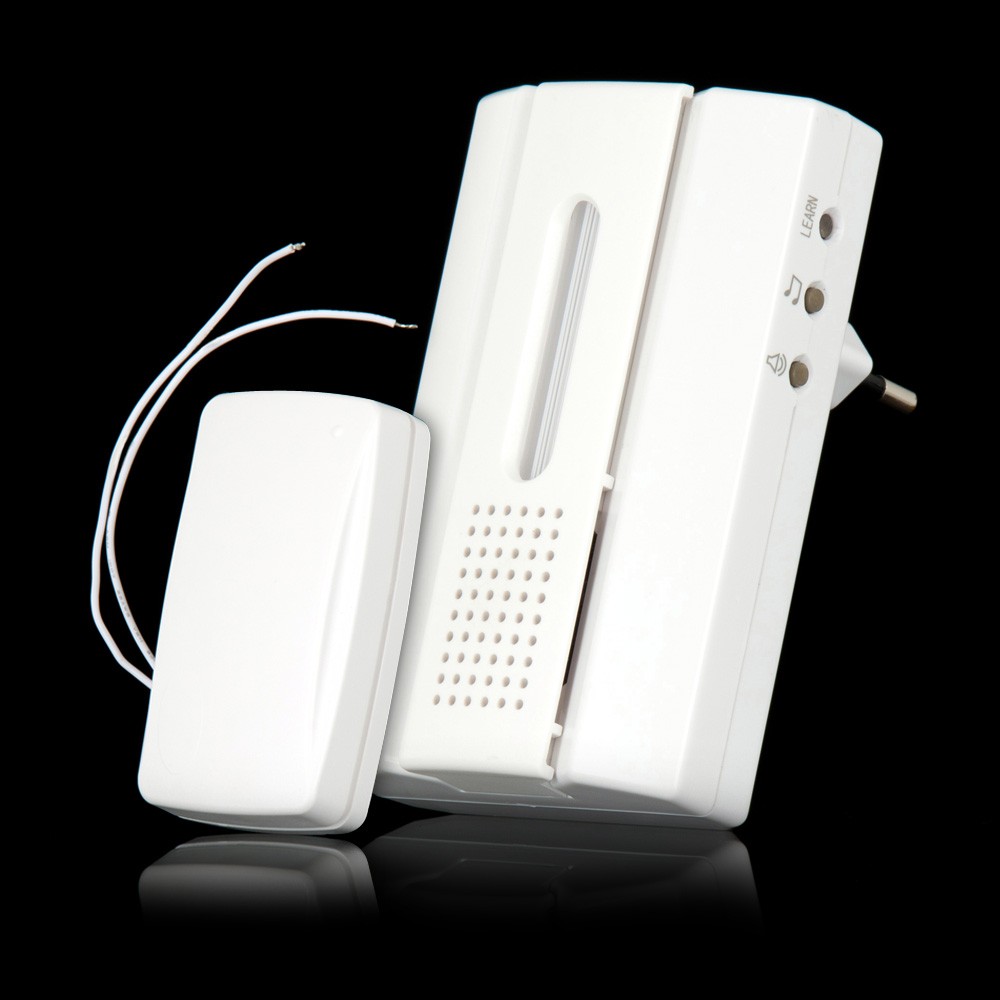
KaKu has some product for this: http://www.klikaanklikuit.nl/shop/nl/be ... cdb-7000b/ but BEWARE: you can't connect this straight to the wires in your doorbell. You will need some sort of relay, the white wires on the KaKu thingy are supposed to be made contact when button is pressed, not directly connecting them to the 8V AC of your transformer

Build it like this:
Doorbell - 8V AC relay - KaKu thingy (or self built)

And it will work. See also here: https://gathering.tweakers.net/forum/li ... %5D=finder


If you are very handy, you could also modify a cheap 433Mhz remote and use that together with some components: http://thinkpad.tweakblogs.net/blog/120 ... aar-433mhz
I am not active on this forum anymore.
jannl
Posts: 825
Joined: Thursday 02 October 2014 6:36
Target OS: Raspberry Pi / ODroid
Domoticz version: 2025.5.x
Location: Geleen
Contact:

Re: connect my normal "non-smart" doorbell to domoticz?

Post by jannl »

A binary zwave switch could do about the same. But also a seperate powersupply is needed.
ThinkPad
Posts: 890
Joined: Tuesday 30 September 2014 8:49
Target OS: Linux
Domoticz version: beta
Location: The Netherlands
Contact:

Re: connect my normal "non-smart" doorbell to domoticz?

Post by ThinkPad »

jannl wrote:A binary zwave switch could do about the same. But also a seperate powersupply is needed.
I have my router and stuff also in the meter cabinet (where the bell and transformer resides), my cheap 433Mhz uses a 12V battery. I made a Y-wire, so that i can leech 12V from my router ;)
You could do the same with the binary sensor (if you prefer Z-Wave), it doesn't need that much power i think.
I am not active on this forum anymore.
D'rMorris
Posts: 138
Joined: Thursday 01 May 2014 9:01
Target OS: Raspberry Pi / ODroid
Domoticz version:
Location: Netherlands - Sittard
Contact:

Re: connect my normal "non-smart" doorbell to domoticz?

Post by D'rMorris »

Or you could use an Arduino, like described here.
The Arduino needs 3.3V, you could take that from the transformer by using step-up / step-down modules.
However: this requires also an Arduino gateway connected to Domoticz. They're very cheap, but if you already have z-wave, I can imagine that you do not want to add yet another protocol.
User avatar
sincze
Posts: 1302
Joined: Monday 02 June 2014 22:46
Target OS: Raspberry Pi / ODroid
Domoticz version: 2024.4
Location: Netherlands / Breda Area
Contact:

Re: connect my normal "non-smart" doorbell to domoticz?

Post by sincze »

Haha damn.
Great idea the Arduino solution.
I already had the ACDB7000 so I used the relais solution running separate from my existing doorbell.
Image

Great descriptions on how to do this can be found here:
http://eye-vision.homeip.net/5994/draad ... ment-67455

And here:
http://www.nodo-domotica.nl/forum/viewt ... =12&t=1572

Wiring things up
Image

Components needed: RELAIS for the appropriate voltage:
Image

This is how Henri did his wiring:
Image

So I ended op like this:
Doorbell
Doorbell
doorbell.jpg (323.28 KiB) Viewed 2827 times
Pass2php
LAN: RFLink, P1, OTGW, MySensors
USB: RFXCom, ZWave, Sonoff 3
MQTT: ZIgbee2MQTT,
ZWAVE: Zwave-JS-UI
WIFI: Mi-light, Tasmota, Xiaomi Shelly
Solar: Omnik, PVOutput
Video: Kodi, Harmony HUB, Chromecast
Sensors: You name it I got 1.
Post Reply

Who is online

Users browsing this forum: No registered users and 1 guest