Page 1 of 2
Using P1-device form Dutch Homewizard
Posted: Wednesday 23 December 2020 0:55
by florisjan
Hi,
I try to connect the P1-device (that is connected to my LAN via WiFi) to my Domoticz-application on my NAS (Synology).
I use the type P1-meter with LANinterface combined with remote address: localIP//api/v1/data:20000
In the logs I find this errors:
2020-12-23 00:47:24.298 Error: Restarting: Homewizard
2020-12-23 00:47:29.641 Error: SolarEdgeAPI: Error getting http data!
2020-12-23 00:47:38.493 Error: P1MeterTCP: Host not found (authoritative)
2020-12-23 00:48:08.549 Error: P1MeterTCP: Host not found (authoritative)
2020-12-23 00:48:33.935 Error: Homewizard hardware (13) nothing received for more than 1 Minute!....
2020-12-23 00:48:34.946 Error: Restarting: Homewizard
2020-12-23 00:48:38.580 Error: P1MeterTCP: Host not found (authoritative)
2020-12-23 00:48:40.148 Error: SolarEdgeAPI: Error getting http data!
2020-12-23 00:49:08.613 Error: P1MeterTCP: Host not found (authoritative)
2020-12-23 00:49:43.653 Error: P1MeterTCP: Host not found (authoritative)
2020-12-23 00:49:44.510 Error: Homewizard hardware (13) nothing received for more than 1 Minute!....
2020-12-23 00:49:45.518 Error: Restarting: Homewizard
Is it posible to connect this device?
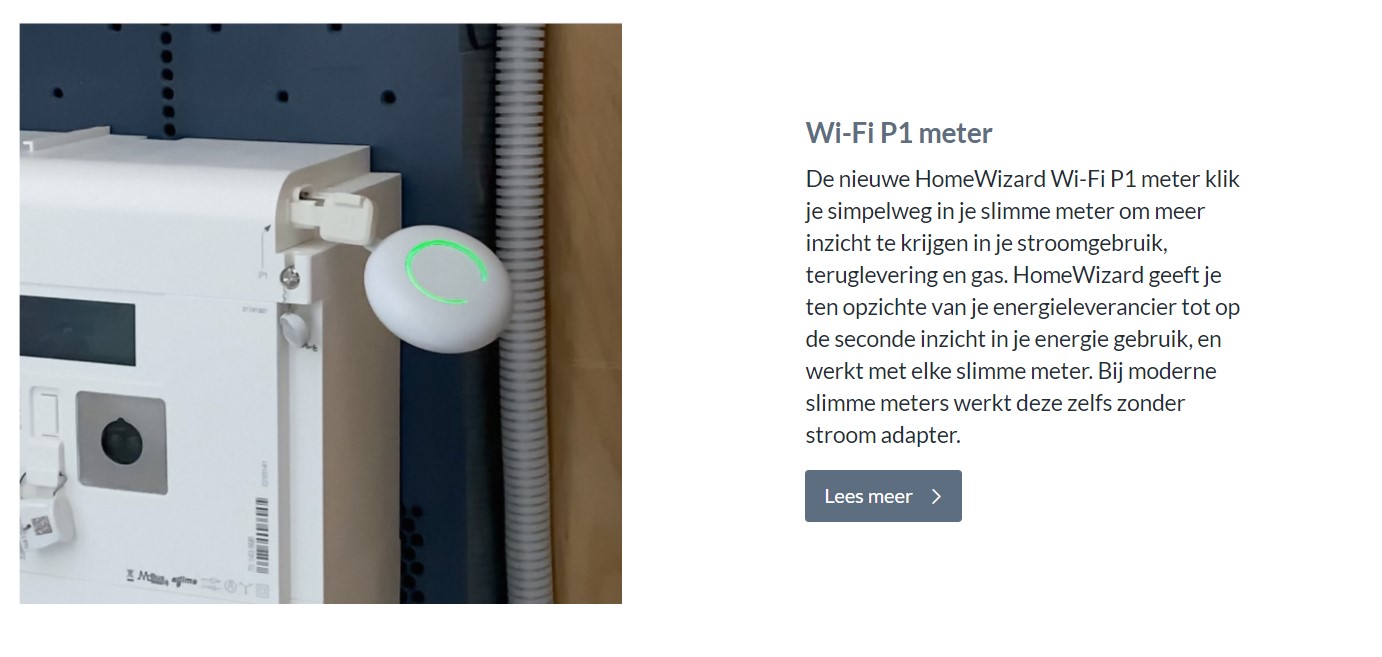
- P1-meter_Homewizard.jpg (118.57 KiB) Viewed 11443 times
Regards,
Florisjan
Re: Using P1-device form Dutch Homewizard
Posted: Friday 01 January 2021 23:45
by smaus
I will follow this
Re: Using P1-device form Dutch Homewizard
Posted: Thursday 11 March 2021 10:15
by SanderRoelofs
Hi,
You need to use the HTTP/HTTPS poller.
Method = GET
ContentType = application/JSON
url = http://{p1 ipadres}/api/v1/data
Command = p1.lua
Interval = {value in seconds}
Two virtual sensors (Gas and Smart Energy Meter)
and lua script saved in scripts folder
p1.lua script:
------ BEGIN ------
-- Read API values
s = request['content'];
--
-- Gasmeter
--
local idGas = 101
local a = domoticz_applyJsonPath(s,'.total_gas_m3')
domoticz_updateDevice(idGas,'',a*1000)
--
-- Energiemeter
--
-- Dal import value
local b = domoticz_applyJsonPath(s,'.total_power_import_t1_kwh')
-- Piek import value
local c = domoticz_applyJsonPath(s,'.total_power_import_t2_kwh')
-- Dal return value
local d = domoticz_applyJsonPath(s,'.total_power_export_t1_kwh')
-- Piek return value
local e = domoticz_applyJsonPath(s,'.total_power_export_t2_kwh')
-- Active Watt Usage
local f = domoticz_applyJsonPath(s,'.active_power_w')
local g = domoticz_applyJsonPath(s,'active_power_l1_w')
local h = domoticz_applyJsonPath(s,'active_power_l2_w')
local i = domoticz_applyJsonPath(s,'active_power_l3_w')
--
local idEnergy = 100
domoticz_updateDevice(idEnergy,'',b*1000 ..";"..c*1000 ..";"..d..";"..e..";"..f..";"..'0')
------ END ------
It's a simple script to read the values (it is not perfect because I'm not a script person but it works
lookup your idx numbers for the sensors and replace in script
local idGas = 101
local idEnergy = 100
Re: Using P1-device form Dutch Homewizard
Posted: Thursday 11 March 2021 11:46
by waltervl
Re: Using P1-device form Dutch Homewizard
Posted: Thursday 11 March 2021 12:02
by SanderRoelofs
Thanks for your update. SO use general information about General HTTP/HTTPS Poller instruction and use mine p1.lua script for reading the values.
Re: Using P1-device form Dutch Homewizard
Posted: Sunday 05 September 2021 14:28
by rboerdijk
For the newbies (like me), script needs to be under in the folder /scripts/lua_parsers and you want to use the "Idx" value as shown under devices (not "ID")

Also, the values look a bit mess up, is this expected?

- docker-p1-energy.png (40.69 KiB) Viewed 10853 times
Re: Using P1-device form Dutch Homewizard
Posted: Sunday 26 September 2021 0:56
by brax
rboerdijk wrote: Sunday 05 September 2021 14:28
For the newbies (like me), script needs to be under in the folder /scripts/lua_parsers and you want to use the "Idx" value as shown under devices (not "ID")
Also, the values look a bit mess up, is this expected?
docker-p1-energy.png
Hi
i got the same issue with negative values coming from the P1 meter
I found this solution...
https://github.com/domoticz/domoticz/issues/4521
Re: Using P1-device form Dutch Homewizard
Posted: Sunday 26 September 2021 12:08
by brax
brax wrote: Sunday 26 September 2021 0:56
rboerdijk wrote: Sunday 05 September 2021 14:28
For the newbies (like me), script needs to be under in the folder /scripts/lua_parsers and you want to use the "Idx" value as shown under devices (not "ID")
Also, the values look a bit mess up, is this expected?
docker-p1-energy.png
Hi
i got the same issue with negative values coming from the P1 meter
I found this solution...
https://github.com/domoticz/domoticz/issues/4521
Hi
I found the solution in the Lua script (a little bit trial & error)
don't forget to change the idx numbers
------ BEGIN ------
-- Read API values
s = request['content'];
--
-- Gasmeter
--
local idGas = 5
local a = domoticz_applyJsonPath(s,'.total_gas_m3')
domoticz_updateDevice(idGas,'',a*1000)
--
-- Energiemeter
--
-- Dal import value
local b = domoticz_applyJsonPath(s,'.total_power_import_t1_kwh')
-- Piek import value
local c = domoticz_applyJsonPath(s,'.total_power_import_t2_kwh')
-- Dal return value
local d = domoticz_applyJsonPath(s,'.total_power_export_t1_kwh')
-- Piek return value
local e = domoticz_applyJsonPath(s,'.total_power_export_t2_kwh')
-- Active Watt Usage
local f = domoticz_applyJsonPath(s,'.active_power_w')
local g = math.abs(domoticz_applyJsonPath(s,'.active_power_w'))
if f<0 then f = 0 elseif f>0 then g = 0 end
local h = domoticz_applyJsonPath(s,'active_power_l1_w')
local i = domoticz_applyJsonPath(s,'active_power_l2_w')
local j = domoticz_applyJsonPath(s,'active_power_l3_w')
--
local idEnergy = 4
domoticz_updateDevice(idEnergy,'',b*1000 ..";"..c*1000 ..";"..d*1000 ..";"..e*1000 ..";"..f..";"..g)
------ END ------
works great for my belgian digital meter with the homewizard P1-meter
Re: Using P1-device form Dutch Homewizard
Posted: Tuesday 23 August 2022 11:04
by pauldune
The solution from Brax works perfectly! With the LUA script provided, and the right Idx (you'll need the Idx and not the ID!) and the http/https poller, I get now perfect results.
Even better, I used this method to make a sensor for the Shelly EM1 too, works perfect, no node red or mqtt necessary.
Thanks Brax!
Re: Using P1-device form Dutch Homewizard
Posted: Wednesday 28 September 2022 20:48
by Pheinstra
I know it has been quite some time since this post was active.
I have just purchased a Homewizard P1 meter and used this method and it works like a charm! So thanks for that.
I was wondering if it is also possible to get readings on the seperate fases.......does anyone know how to do that properly? I have managed to get readings on the current usage for the different fases by changing the "f" (in the "domoticz_updateDevice" part) in the letters of the fases (so, 1 for G, 1 for H and 1 for I). but the graphs in the log of the device still show the total usage of the 3 fases combined...... as i sometimes have weird peaks in the total amount i want to find out on which fase they occur.
I am quite a noob (or maybe even a total noob

) on scripting........
Thanks in advance for your help!!
Regards,
Koen
Re: Using P1-device form Dutch Homewizard
Posted: Saturday 01 October 2022 18:32
by guidohuijnen
I'm a complete noob with Lua...
Can someone help why I get this error:
input:3: attempt to index a nil value (global 'request')
Thnx & regards,
Guido
Re: Using P1-device form Dutch Homewizard
Posted: Sunday 02 October 2022 10:21
by willemd
guidohuijnen wrote: Saturday 01 October 2022 18:32
I'm a complete noob with Lua...
Can someone help why I get this error:
input:3: attempt to index a nil value (global 'request')
Thnx & regards,
Guido
You need to add some more info before anyone can help.
What have you done/configured? When do you get this error? What is the code/script used that produces this error?
Re: Using P1-device form Dutch Homewizard
Posted: Monday 02 January 2023 14:17
by SanderRoelofs
Hi,
Little late response but I have readings for 3 phases and extra.
since my first script I've now solar panels, 3 phase system and waiting for water meter. So I have updated my first script several times now.
Code: Select all
-- Read API values
s = request['content'];

--
-- Gasmeter
--
local idGas = {idx value}
local a = domoticz_applyJsonPath(s,'.total_gas_m3')
domoticz_updateDevice(idGas,'',a*1000)

--
-- Energiemeter
--

-- Dal import value
local b = domoticz_applyJsonPath(s,'.total_power_import_t1_kwh')
-- Piek import value
local c = domoticz_applyJsonPath(s,'.total_power_import_t2_kwh')
-- Dal return value
local d = domoticz_applyJsonPath(s,'.total_power_export_t1_kwh')
-- Piek return value
local e = domoticz_applyJsonPath(s,'.total_power_export_t2_kwh')
-- Active Watt Usage
local w = domoticz_applyJsonPath(s,'.active_power_w')
if w > 0 then f = w g = 0 else f = 0 g = w end
local L1 = domoticz_applyJsonPath(s,'active_power_l1_w')
local L2 = domoticz_applyJsonPath(s,'active_power_l2_w')
local L3 = domoticz_applyJsonPath(s,'active_power_l3_w')
--

local idEnergy = {idx value}
domoticz_updateDevice(idEnergy,'',b*1000 ..";"..c*1000 ..";"..d*1000 ..";"..e*1000 ..";"..f..";"..g*-1)

-- Actual Watt Usage incl Fase 1,2,3
local idWatt = {idx value}
domoticz_updateDevice(idWatt,'',w)
local idWatt = {idx value}
domoticz_updateDevice(idWatt,'',L1)
local idWatt = {idx value}
domoticz_updateDevice(idWatt,'',L2)
local idWatt = {idx value}
domoticz_updateDevice(idWatt,'',L3)

-- Actual Usage 2
local idWatt = {idx value}
domoticz_updateDevice(idWatt,'',w)

--
-- Watermeter
--
local idWater = {idx value}
local m = domoticz_applyJsonPath(s,'.active_liter_lpm')
domoticz_updateDevice(idWater,'',m)

local idWaterTotaal = {idx value}
local n = domoticz_applyJsonPath(s,'.total_liter_m3')
domoticz_updateDevice(idWaterTotaal,'',n)
BTW it's also possible to read voltage from phase 1 upto 3 through Telegram values in DZVentz
Code: Select all
local scriptVar = 'readTelegram'

return
{
    on =
    {
        timer =
        {
            'every minute',
        },
        httpResponses =
        {
            scriptVar,
        },
    },

    logging =
    {
        level = domoticz.LOG_DEBUG,
        marker = scriptVar,
    },

    execute = function(dz, item)

        local debug = _G.logLevel == dz.LOG_DEBUG

        local voltL1 = dz.devices('Input Voltage L1') -- change to name of your virtual voltage device
        local voltL2 = dz.devices('Input Voltage L2') -- change to name of your virtual voltage device
        local voltL3 = dz.devices('Input Voltage L3') -- change to name of your virtual voltage device

        local frequency = 6 -- every 60 / frequency seconds
        local P1Reference =
        {
             voltageL1 = '32.7.0',
             voltageL2 = '52.7.0',
             voltageL3 = '72.7.0',
        }

        local function openURL(delay)
            dz.openURL(
            {
                url = 'http://{ipaddress_from_meter}/api/v1/telegram',
                callback = scriptVar,
            }).afterSec(delay or 0)
        end

        function table.invert(t)
           local it = {}
           for k,v in pairs(t) do
             it[v]=k
           end
           return it
        end

        local function readResult( telegram, it )

            local function crLines(s)
                return s:gsub('\r\n?', '\n'):gmatch('(.-)\n') -- Normalize CR/LF
            end

            local lines = {}
            for line in crLines(telegram) do
                if line:find(':') then
                    key = it[line:match(':(%d+.%d+.%d+)')]
                    if key then
                        lines[key] = math.floor((line:match('%b()%s*%c*$'):match('%d+%.*%d*') or -1) * 1000)
                    end
                end
            end

            if debug then dz.utils.dumpTable(lines) end

            return lines

        end

        local function updateDevices(t)

            voltL1.updateVoltage( dz.utils.round( t.voltageL1 / 1000 ,1 ) )
            voltL2.updateVoltage( dz.utils.round( t.voltageL2 / 1000 ,1 ) )
            voltL3.updateVoltage( dz.utils.round( t.voltageL3 / 1000 ,1 ) )

        end

        local function showResults(t, it)
            if not(debug) then return end
            for code, value in pairs(t) do
                if it[code] then
                    dz.log(it[code] .. ' ==>> ' .. value, dz.LOG_DEBUG)
                end
            end
        end

        -- main code
        if item.isTimer then
            openURL()

            local interval = math.floor(60/frequency)
            for secondsDelay = interval, (60 - interval), interval do
                openURL(secondsDelay)
            end
        elseif item.isHTTPResponse and item.ok then
            local invertedTable = table.invert(P1Reference)

            local actual = readResult(item.data, invertedTable)
            showResults(actual, invertedTable)
            updateDevices(actual, invertedTable)
        else
            dz.log('Problem reading the telegram', dz.LOG_ERROR)
            dz.log(tostring(item.data), dz.LOG_DEBUG)
        end
    end
}
Pheinstra wrote: Wednesday 28 September 2022 20:48
I know it has been quite some time since this post was active.
I have just purchased a Homewizard P1 meter and used this method and it works like a charm! So thanks for that.
I was wondering if it is also possible to get readings on the seperate fases.......does anyone know how to do that properly? I have managed to get readings on the current usage for the different fases by changing the "f" (in the "domoticz_updateDevice" part) in the letters of the fases (so, 1 for G, 1 for H and 1 for I). but the graphs in the log of the device still show the total usage of the 3 fases combined...... as i sometimes have weird peaks in the total amount i want to find out on which fase they occur.
I am quite a noob (or maybe even a total noob
) on scripting........
Thanks in advance for your help!!
Regards,
Koen
Re: Using P1-device form Dutch Homewizard
Posted: Monday 02 January 2023 14:22
by SanderRoelofs
I had the same error with my new meter. This problem occurs because the gas meter isn't connected to the p1 meter.
you can disable gasmeter readings until it works or i did this
if a == not nil then domoticz_updateDevice(idGas,'',a*1000) else domoticz_updateDevice(idGas,'',{manual_value}*1000) end
update my readings once a day manual.
guidohuijnen wrote: Saturday 01 October 2022 18:32
I'm a complete noob with Lua...
Can someone help why I get this error:
input:3: attempt to index a nil value (global 'request')
Thnx & regards,
Guido
Re: Using P1-device form Dutch Homewizard
Posted: Monday 02 January 2023 14:33
by waltervl
@SanderRoeloefs
It would be nice if you modified your posts with code so that the code comes in code brackets and becomes readable....

Re: Using P1-device form Dutch Homewizard
Posted: Monday 02 January 2023 15:27
by SanderRoelofs
Sorry and done
waltervl wrote: Monday 02 January 2023 14:33
@SanderRoeloefs
It would be nice if you modified your posts with code so that the code comes in code brackets and becomes readable....
Re: Using P1-device form Dutch Homewizard
Posted: Friday 28 November 2025 15:17
by fdemees
Hello,
I am from Belgium. In our country we get the same model of smart meters as in Netherlands and other European countries, with the P1 port being a non-standard unidirectional reversed-polarity serial port, and a 5V power supply, fed via an RJ12.
I quickly purchased this device:
https://smartgateways.nl/en/product/sma ... i-gateway/
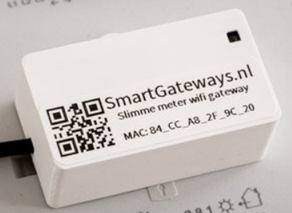
- 2025-11-28 14_42_50-Smart Meter WiFi Gateway - SmartGateways.nl — Mozilla Firefox.png (61.09 KiB) Viewed 3877 times
This device acts in a transparent way. Telnet to it, the TCP connection stays open and you receive every second a "telegram" containing all the readings of the meter.
In Domoticz you use the hardware "P1 Smart Meter with LAN interface" and it works fine.
However the small thingie is unreliable, loses often its Wifi connection and vanishes from the network. (*more on this later)
Finally I decided to replace it with the HomeWizard dongle
https://www.homewizard.com/fr-be/p1-meter/ .
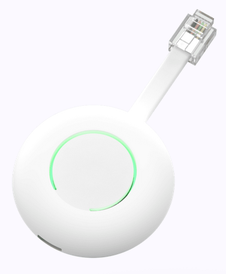
- 2025-11-28 14_43_18-Découvrez notre compteur Wi-Fi P1 ici - HomeWizard — Mozilla Firefox.png (23.17 KiB) Viewed 3877 times
It works quite differently. The digital meter feeds it every second, and it constantly stores the readings in its internal variables.
Your application has to poll the dongle via its API, the reply is formatted with JSON.
That's why I jump here in this thread which has been dormant some time.
I have found a plugin (github.com/Eraser3/HomeWizard-Wifi-p1-plugin).
I think that it does more or less the same as the LUA poller mentioned above.
The plugin works but I will have to dig in the code, because the electricity consumption shown in Dz is ten times the real value.
(*) about the Wifi problems and SmartGateways.nl -- I have deployed a Mesh wifi network in my home, with 3 routers. All 3 have the same SSID and same credentials, and support from 802.11 b/g/n up to Wifi 6.
The basic 802.11 devices such as ESP's discover multiple independent routers instead of a unique entity. Maybe did the dongle try to switch from one router to another, as two of them are in the range of my basement ? No logfile, no display, no diagnostic possible.
Re: Using P1-device form Dutch Homewizard
Posted: Friday 28 November 2025 15:22
by waltervl
for the plugin, also check topic
viewtopic.php?p=293717#p293717
Re: Using P1-device form Dutch Homewizard
Posted: Saturday 29 November 2025 21:09
by fdemees
Thanks @waltervl
Unfortunately there is no useful info for me in this thread.
The Homewizard dongle reports correct values for instant watt consumption, but Domoticz shows values multiplied by 10 (except in the device log).
So the hardware is not to be blamed.
The plugin has initially created a device of Type=243, Subtype=29 . Is this correct ? Where can I find a reference of Types and Subtypes ?
Anyway thanks for your reply !
Re: Using P1-device form Dutch Homewizard
Posted: Saturday 29 November 2025 21:46
by azonneveld