Page 1 of 1
How to enable logging
Posted: Saturday 02 December 2017 20:32
by DomoticaRob
I use Domoticz V3.8153 and can make dzVents scripts. Unfortunately I have no logging. The dzVents Wiki says that I can enable logging in the settings:
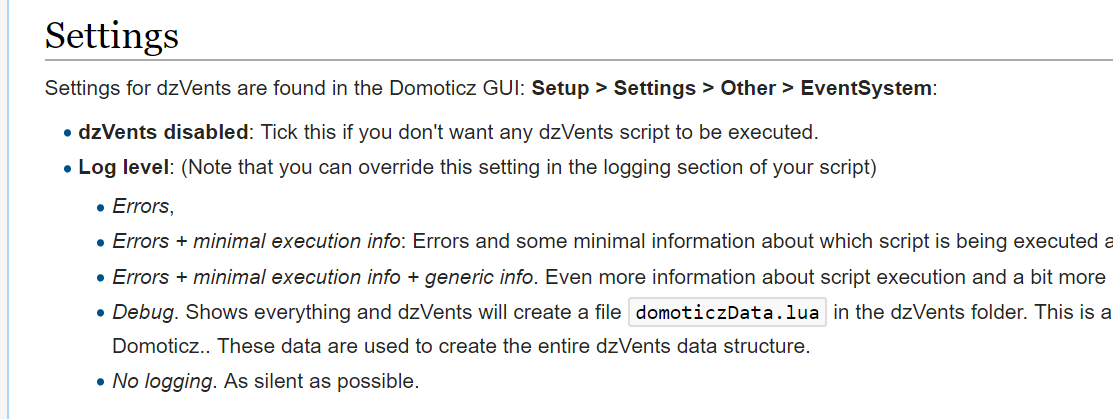
- Tutorial_dzVents_Settings.png (55.57 KiB) Viewed 3337 times
In my settings there is not such an option.
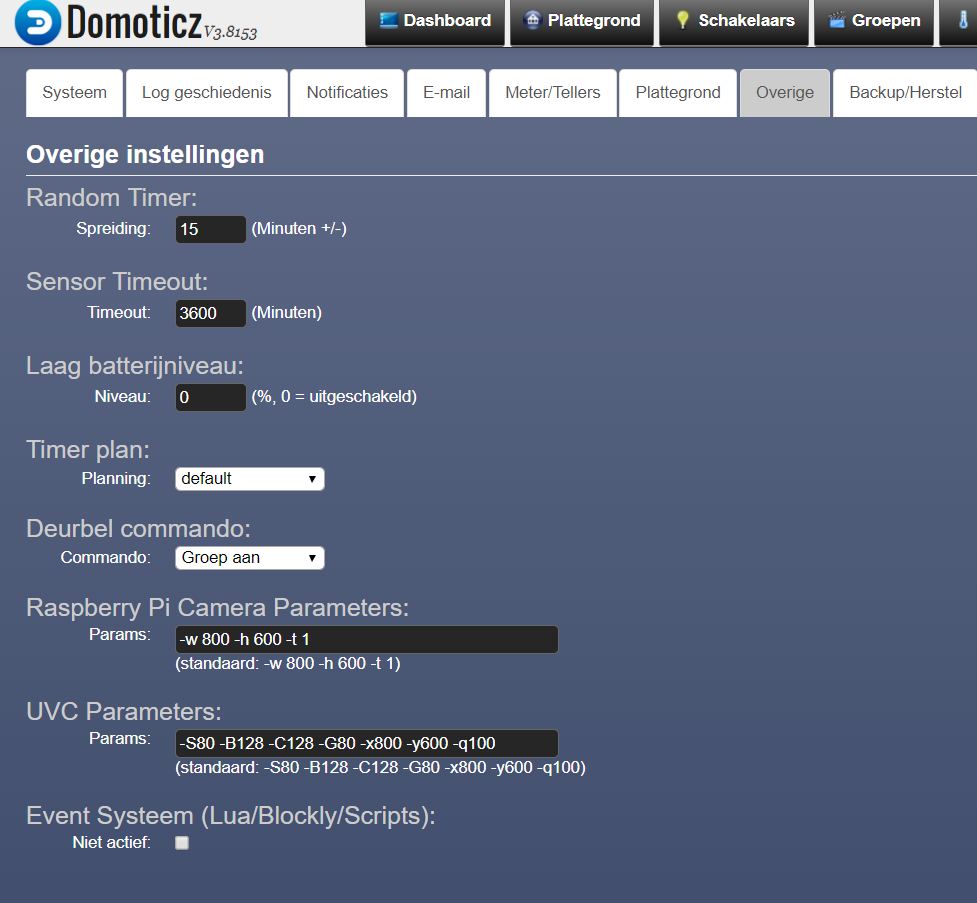
- Overige_instellingen.png (76.37 KiB) Viewed 3337 times
In the normal lua I could use print().
How can I get it?
Re: How to enable logging
Posted: Sunday 03 December 2017 11:29
by dannybloe
There should be more on the settings page than I see in your screenshot. There should be dzVents settings at the bottom. I suggest to upgrade your Domoticz, preferably to the latest beta version.
Re: How to enable logging
Posted: Sunday 03 December 2017 12:59
by DomoticaRob
Hello Danny,
No, this is all there is.
I did an ./updatebeta:

- updatebeta.png (16.91 KiB) Viewed 3309 times
As you can see, it ends with an error and Domoticz doesn't work any more.
So after that I did an ./updaterelease:

- updaterelease.png (14.02 KiB) Viewed 3309 times
As you can see, it ends fine and Domoticz works again, but still without dzVents in the settings. In the Domoticz lua-editor I can make dzVents scripts, but still without logging.
Re: How to enable logging
Posted: Thursday 14 December 2017 10:53
by DewGew
Maybe you already fixed it but you have to clear cache after upgrade also.
Re: How to enable logging
Posted: Thursday 14 December 2017 11:45
by DomoticaRob
For me, the logging is not yet fixed. In my case was clearing the cache not the solution. As you can see I can't install the Beta version. For now I have dzVents in the Release version without 'logging'. I use the 'print' statement to log. For now that is ok and I'll wait till the next Release version.