Page 2 of 3
Re: flat-blue - new metro look theme
Posted: Tuesday 02 August 2016 14:34
by piokuc
If looks ok but why you dont add it to official Domoticz ?
Re: flat-blue - new metro look theme
Posted: Tuesday 02 August 2016 14:36
by SchattenMann
never thought about it till now
Re: flat-blue - new metro look theme
Posted: Tuesday 02 August 2016 14:41
by piokuc

Good option to think about it
Thanks for very good theme
Re: flat-blue - new metro look theme
Posted: Tuesday 02 August 2016 15:04
by piokuc
I found a small bugs and have suggestion to change color size on desktop as show on screen or white and blue split in half equally.
I test in chrome web browser
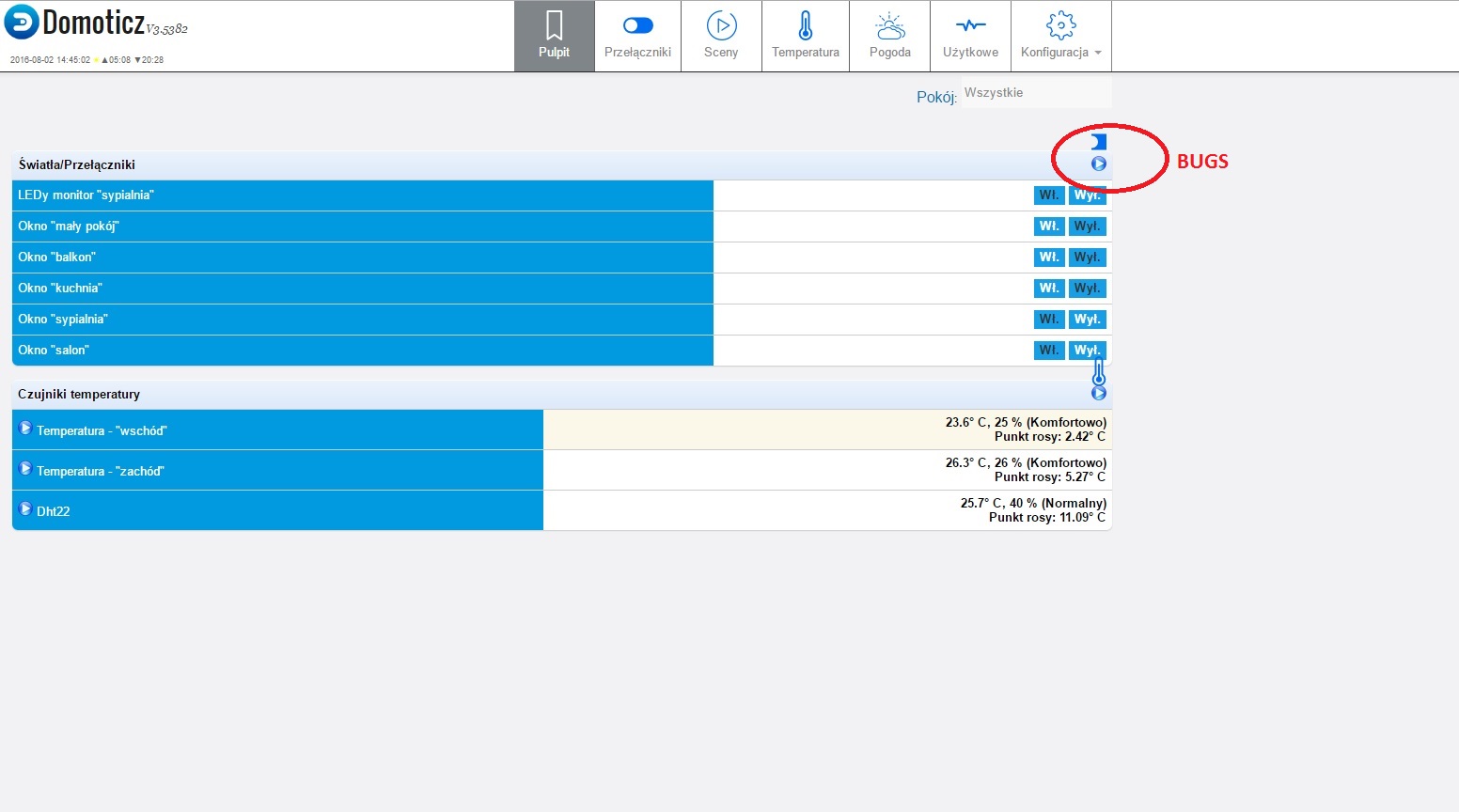
- desktop1.jpg (143.09 KiB) Viewed 2062 times
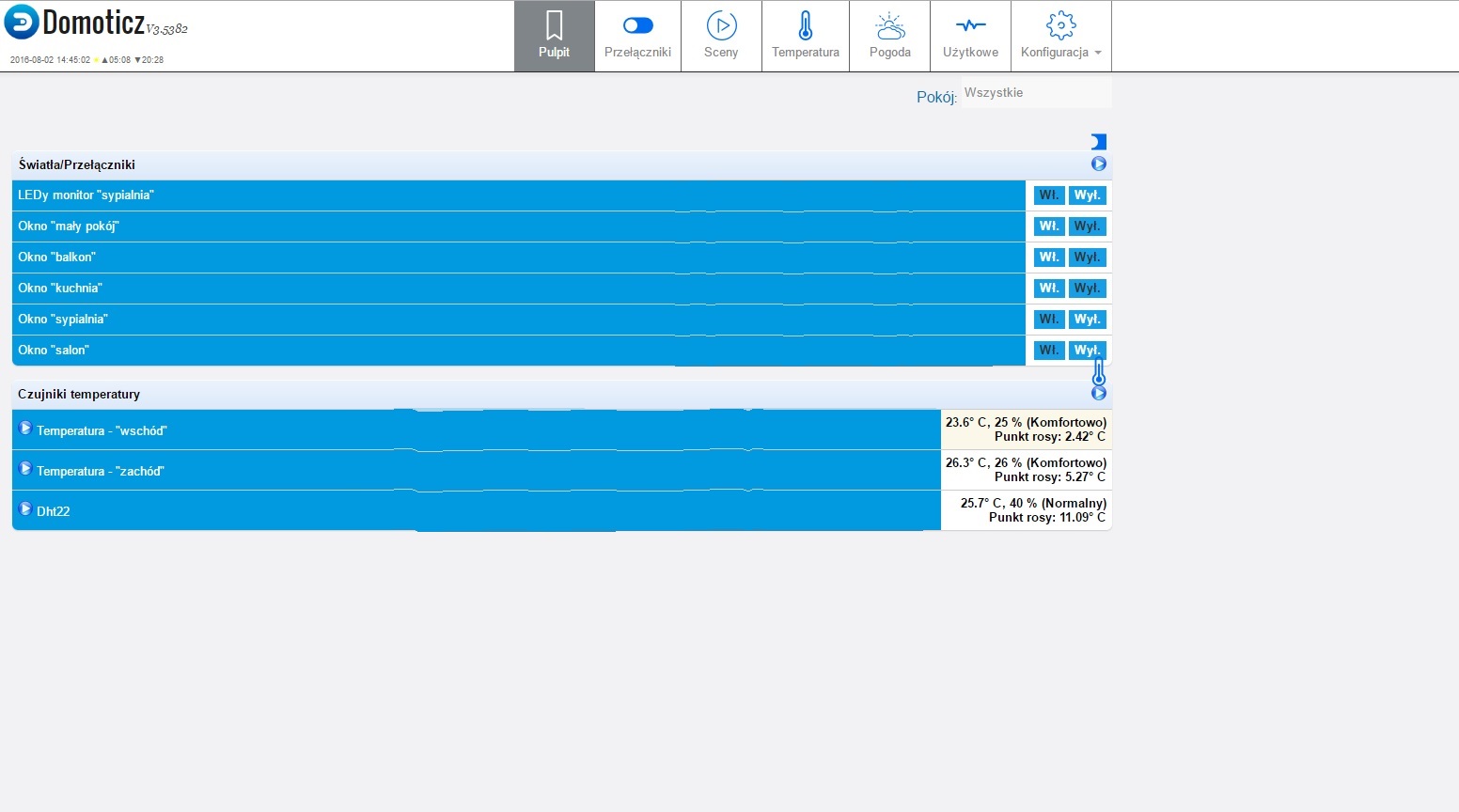
- desktop2.jpg (145.19 KiB) Viewed 2062 times
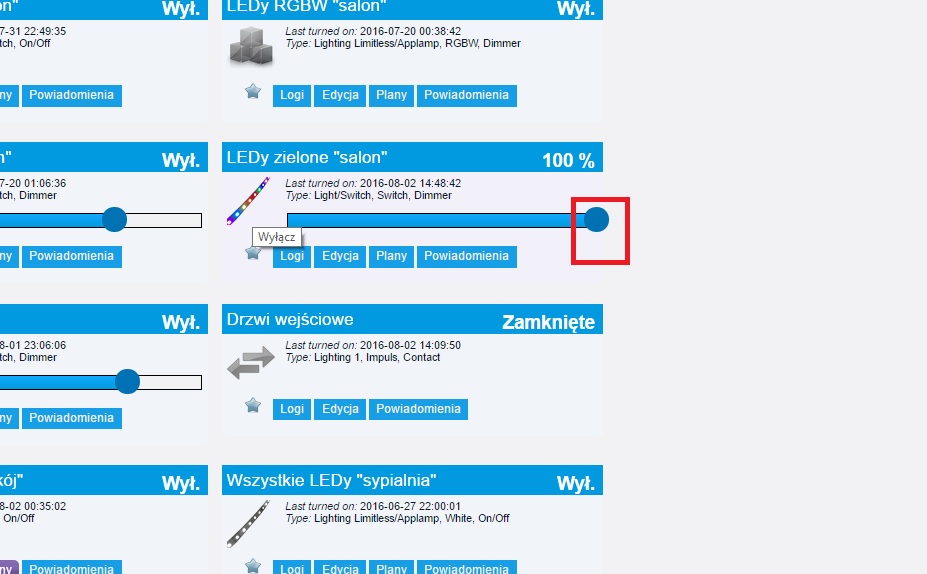
- oversize.jpg (109.97 KiB) Viewed 2062 times
Oversize dimmer-change to smaller(short)
Re: flat-blue - new metro look theme
Posted: Tuesday 02 August 2016 15:08
by piokuc
Re: flat-blue - new metro look theme
Posted: Tuesday 02 August 2016 15:14
by piokuc
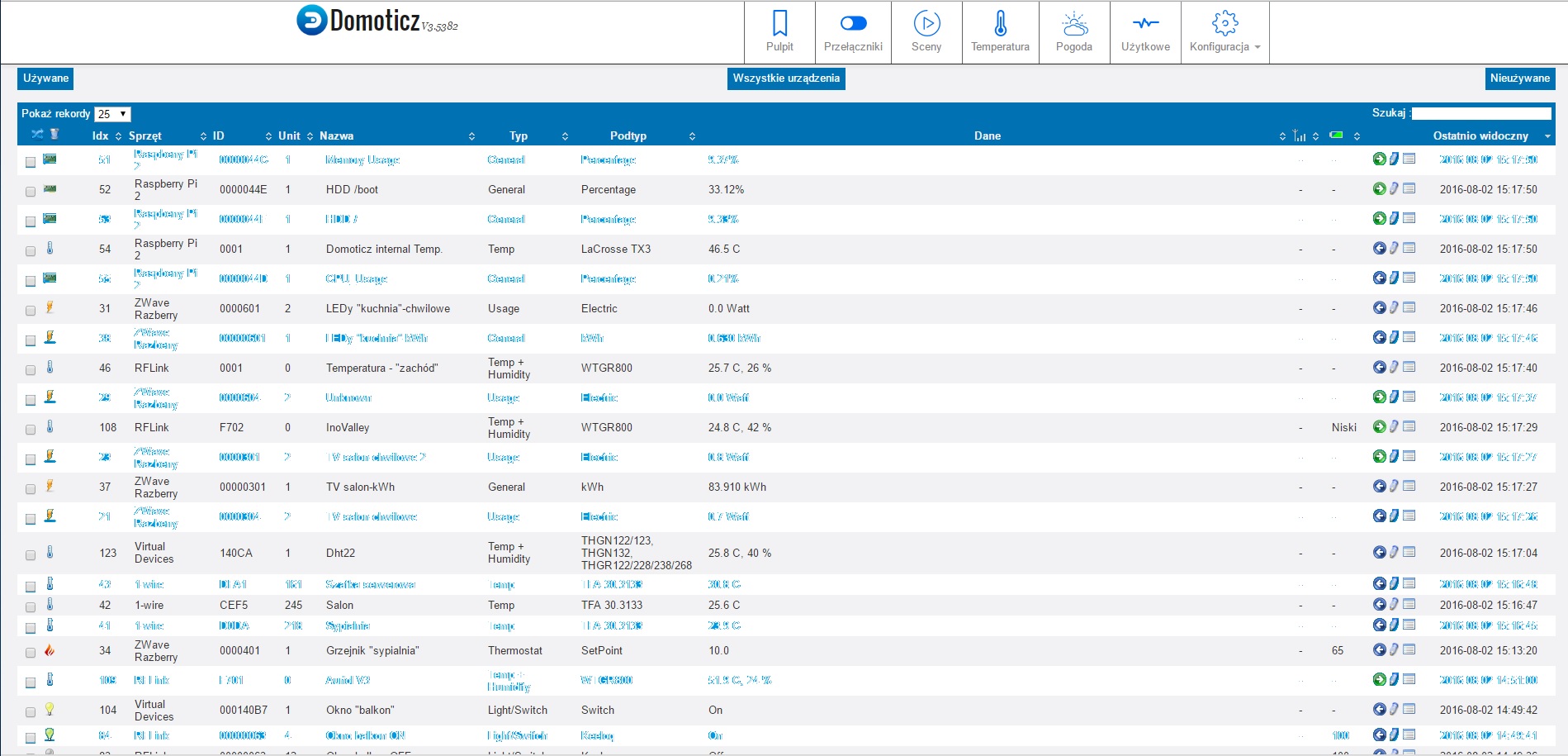
Fields which user can edit should be white but fields which can not be edited shoud be darker. Color rows in table also should be white and color background. Looks better than light blue... and seemd that will be lighter.
Look on screen
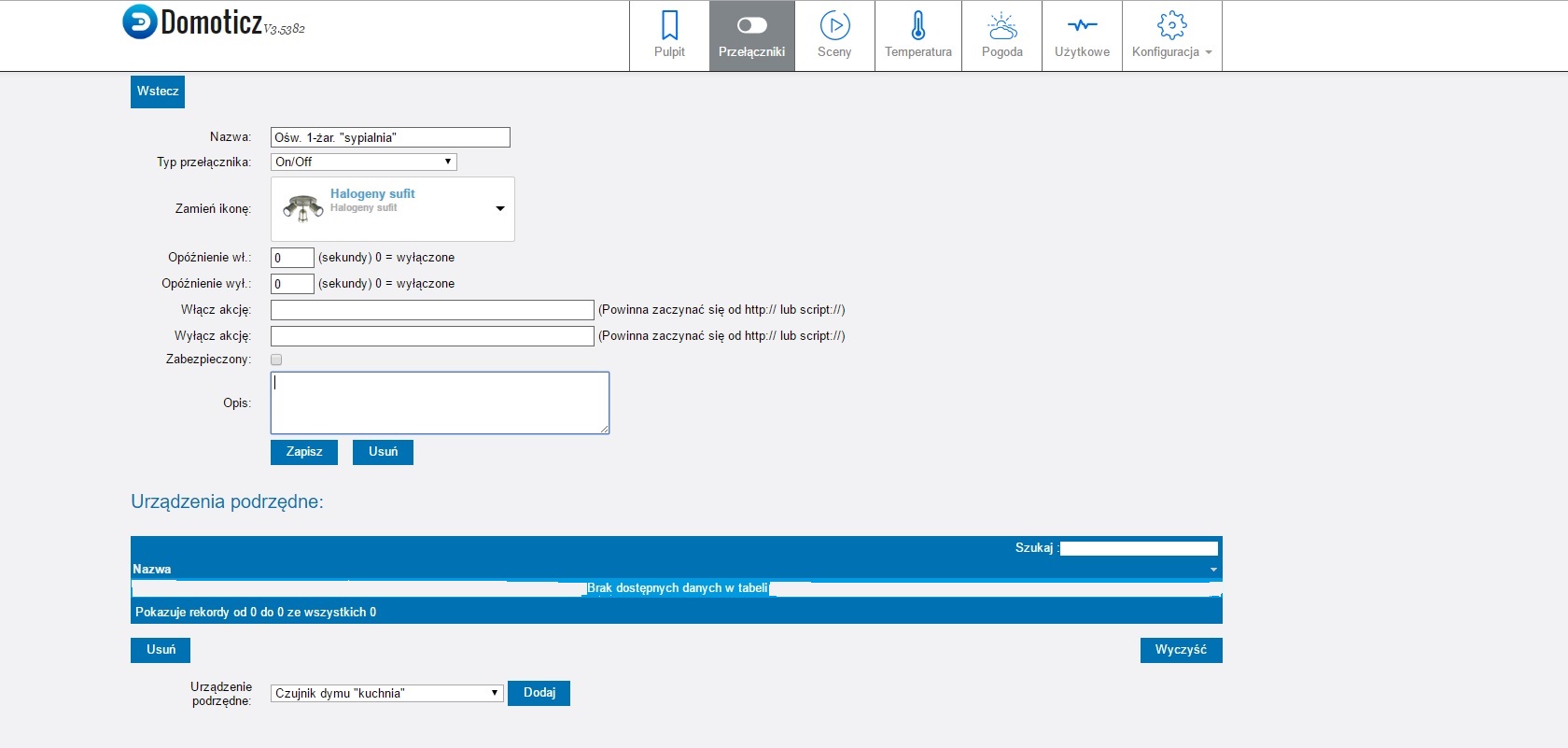
- field.jpg (130.22 KiB) Viewed 2059 times
- tables.jpg (343.76 KiB) Viewed 2056 times
Sorry for my image but i edites it in fast time in Paint
Re: flat-blue - new metro look theme
Posted: Wednesday 03 August 2016 8:18
by piokuc
Hi
I done some changes in theme and add pull request on your gihub
Re: flat-blue - new metro look theme
Posted: Wednesday 03 August 2016 13:39
by piokuc
Re: flat-blue - new metro look theme
Posted: Thursday 04 August 2016 15:45
by SchattenMann
I appreciate the effort and time you've put into this.
Unfortunately I can't accept all the changes as some doesn't seem to add up to the overall look of this theme. The general idea is to keep it clean and simple: the use of blacks and too many icons simple go against that.
I've made a few changes myself, feel free to try them out
Re: flat-blue - new metro look theme
Posted: Thursday 04 August 2016 21:32
by piokuc
But can i use your theme as base to my new theme with my future which you dont want add ?
Re: flat-blue - new metro look theme
Posted: Friday 05 August 2016 10:19
by SchattenMann
Sure, no problem!
Re: flat-blue - new metro look theme
Posted: Friday 05 August 2016 10:21
by piokuc
Ok thanks. When infinish i also share my theme
but again very thanks for good job
Re: flat-blue - new metro look theme
Posted: Friday 05 August 2016 13:38
by piokuc
SchattenMann i have a question. Did you know how resolve problem when sensor timeout in default theme show on tab in red color. On your theme is not show as red color. Show as normal sensor which should work ok. But should be show in red color.
Re: flat-blue - new metro look theme
Posted: Friday 05 August 2016 13:42
by SchattenMann
Yeah that's one of the things I wanted to fix but not sure I can be done.
Problem is the "red colour" is hard coded on the widget instead of being a proper class. Not sure why it's done this way as it makes no sense to me but there's a lot of "in-line" CSS in domoticz...
Unless someone changes this to proper CSS class then this will be a PITA to fix
Re: flat-blue - new metro look theme
Posted: Friday 05 August 2016 13:45
by piokuc
If you find solution please send me
Second question is did you know how add to menu CHECK UPDATE icon as i add to other items in menu. I add for other by add to css example:
Code: Select all
#cHardware {
    background-image: url("/styles/blue-domo/images/hardware.png") !important;
    background-position: left center;
    background-repeat: no-repeat;
}

#cDevices {
    background-image: url("/styles/blue-domo/images/devices.png") !important;
    background-position: left center;
    background-repeat: no-repeat;
}

#cSetup {
    background-image: url("/styles/blue-domo/images/setup.png") !important;
    background-position: left center;
    background-repeat: no-repeat;
but for update is no string example
. Sorry for my question but i am begginer in CSS.
Re: flat-blue - new metro look theme
Posted: Friday 05 August 2016 13:49
by SchattenMann
Yes I'm afraid there's quite a few like that where CSS is hard coded instead of using proper CSS classes
Code: Select all
li [ng-show="config.HaveUpdate"] {

}
may just work
Re: flat-blue - new metro look theme
Posted: Friday 05 August 2016 13:53
by piokuc
i set this:
Code: Select all
li [ng-show="config.HaveUpdate"] {
    background-image: url("/styles/blue-domo/images/update.png") !important;
    background-position: left center;
    background-repeat: no-repeat;
}
and not show icon...
EDIT
I change to:
Code: Select all
li [ng-hide="config.HaveUpdate"] {
    background-image: url("/styles/blue-domo/images/update.png") !important;
    background-position: left center;
    background-repeat: no-repeat;
}
and works ok
Thanks
EDIT
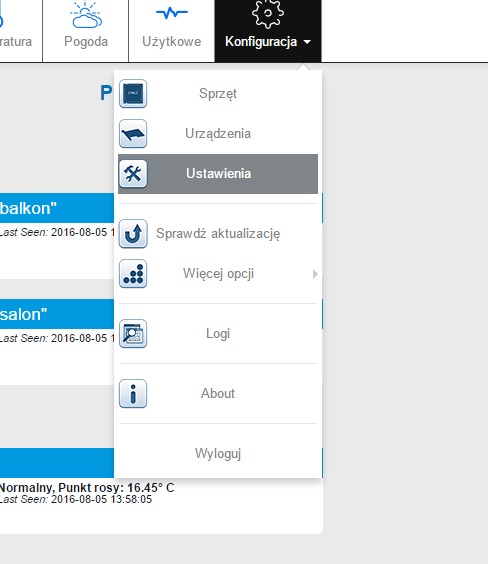
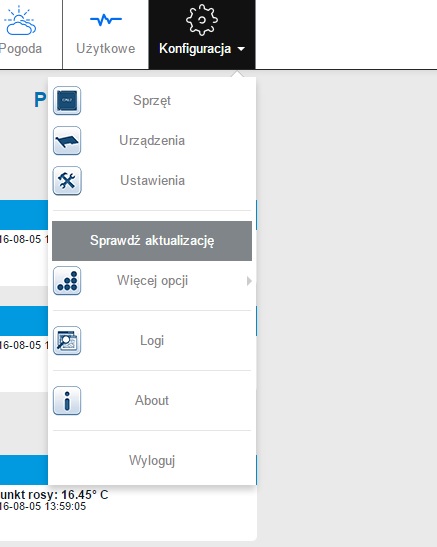
But when i select mouse this item it is hide icon:
Select other menu show icon update:
- 1.jpg (43.19 KiB) Viewed 1919 times
select menu update hide icon:
- 2.jpg (34.96 KiB) Viewed 1919 times
This is my code for icon to menu update:
Code: Select all
li [ng-hide="config.HaveUpdate"], li [ng-show="config.HaveUpdate"] {
	background-image: url("/styles/blue-domo/images/update.png") !important;
    background-position: left center;
    background-repeat: no-repeat;
}
Re: flat-blue - new metro look theme
Posted: Friday 05 August 2016 14:33
by piokuc
Do you any idea to fix it ?
Re: flat-blue - new metro look theme
Posted: Friday 05 August 2016 14:46
by SchattenMann
nop
Re: flat-blue - new metro look theme
Posted: Friday 05 August 2016 14:51
by piokuc
