Dashticz, alternative dashboard based on HTML, CSS, jQuery
Moderators: leecollings , htilburgs , robgeerts
Chris12
Posts: 243 Joined: Tuesday 18 August 2020 8:41Target OS: NAS (Synology & others)Domoticz version: 2021.1Location: NL
Contact:
Post
by Chris12 Monday 26 April 2021 17:38
By using the follwoing code, I have managed to get the same look as with the old weather_owm:
Spoiler: show Code: Select all
.standby .weather 	{font-size: 30px !important;}
.standby .weather .weatherday .icon .skycon	{width: 50% !important;height: 50% !important;}
.standby .weather .weatherday  .day	{font-size: 60px !important;font-weight: bold !important;}
Still not sure why this isn't working with the data-id, maybe I was missing an extra weather div.
One other question: can the days of the week be formated with a first capitalized char?
M onday instead of
m onday etc.
Domoticz beta | Dashticz beta | Synology DS415+ | Wall tablet Teclast 11.6inch (Android) | TADO v3 controlled heating
sammyke007
Posts: 204 Joined: Monday 08 May 2017 20:48Target OS: Raspberry Pi / ODroidDomoticz version: 2022.1Location: Belgium
Contact:
Post
by sammyke007 Monday 26 April 2021 22:32
Anyone know how to fix this please?
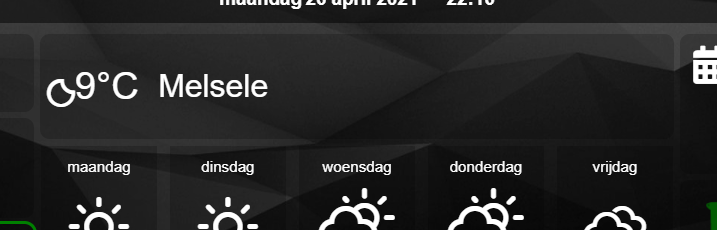
The old widget was properly aligned to the center.
config.js:
Code: Select all
blocks['weather1'] = {
    type: 'weather',
	width: 12,
	refresh: 3600,
	decimals: 0,
	scale: 1,
    layout: 2
}
Lokonli
Posts: 2296 Joined: Monday 29 August 2016 22:40Target OS: Raspberry Pi / ODroidDomoticz version:
Contact:
Post
by Lokonli Monday 26 April 2021 22:59
sammyke007 wrote: Anyone know how to fix this please?
The old widget was properly aligned to the center.
config.js:
Code: Select all
blocks['weather1'] = {
    type: 'weather',
	width: 12,
	refresh: 3600,
	decimals: 0,
	scale: 1,
    layout: 2
}
Please double check that you added 'weather1' to a column.
Can you post your custom.css?
Verstuurd vanaf mijn AC2003 met Tapatalk
sammyke007
Posts: 204 Joined: Monday 08 May 2017 20:48Target OS: Raspberry Pi / ODroidDomoticz version: 2022.1Location: Belgium
Contact:
Post
by sammyke007 Monday 26 April 2021 23:03
Lokonli wrote: Monday 26 April 2021 22:59 sammyke007 wrote: Anyone know how to fix this please?
The old widget was properly aligned to the center.
config.js:
Code: Select all
blocks['weather1'] = {
    type: 'weather',
	width: 12,
	refresh: 3600,
	decimals: 0,
	scale: 1,
    layout: 2
}
Please double check that you added 'weather1' to a column.
Can you post your custom.css?
Verstuurd vanaf mijn AC2003 met Tapatalk
config.js:
Code: Select all
columns[2] = {
  blocks: ['weather1','weather2','bt4','49_1','TempZolder','TempOutside','bt2','Sammy','Vero','MC',62],
  width: 4
}
custom.css:
Code: Select all
/*
CUSTOM CSS FILE
*/

.transbg[class*="col-xs"] {
  border-radius: 10px;                   /* Rounded corners */
}

.transbg[class*="col-xs"] {
  border: 3px solid rgba(255,255,255,0); /* border: 7px -> 3px - Smaller space between blocks */
}

span.av_temp {
    font-size: 16px;					/* border: 24px -> 16px - Textsize weatherblock */
}

.trashcan {
    width: 150% !important;
	max-width: 50px;
}

/* Block 15 en 16 (alarm en arm status) minder hoog maken */

.block_15 {
  height: auto !important;
}

.block_16 {
  height: auto !important;
}

.warningred {
  border-color: red !important;
}
.warningorange {
  border-color: orange !important;
}

.warninggreen {
  border-color: green !important;
}

/* background-color: green !important; */
/* border-color: green !important; */

/* ----- Alarmpaneel fullscreen 2 kleuren flikkeren ----- */

.alarm {
  -webkit-animation: flash 1s infinite; 	/* Safari 4+ */
  -moz-animation: flash 1s infinite; 		/* Fx 5+ */
  -o-animation: flash 1s infinite; 		/* Opera 12+ */
  animation: flash 1s infinite; 		/* IE 10+, Fx 29+ */
}

@keyframes flash {
  0%, 49% {
    background-color: #681717;	/* DONKERROOD */
  }
  50%, 100% {
    background-color: #e50000;	/* ROOD */
  }
}

/* Al deze secpanel CSS items staan in dashticz/css/creative.css rond lijn 2750 */

.sec-frame .keypad-header .fas {
-webkit-animation: none;
animation: none;
}

/* Geen strobe animatie in status van secpaneel */

.text-strobe {
    animation: none;
	color: white;
}

/*
.sec-frame {
    background-image: none;
    background: rgba(0,0,0,0.2);
    -webkit-box-shadow: none;
    box-shadow: none;
}

.sec-frame .keypad-header {
    display: none;
}
*/

.sec-frame .keypad-footer {
    display: none;
}

.sec-frame .screw {
    display: none;
} */
sammyke007
Posts: 204 Joined: Monday 08 May 2017 20:48Target OS: Raspberry Pi / ODroidDomoticz version: 2022.1Location: Belgium
Contact:
Post
by sammyke007 Monday 26 April 2021 23:28
I "fixed" it for now temporarily with:
custom.css
Code: Select all
.weathercurrent .icon {
    margin-left: 1em !important;
}

.weathercurrent .temp {
    font-size: 22px !important;
    margin-right: 1em !important;
    margin-left: 1em !important;
}

.weathercurrent .city {
    font-size: 22px !important;
    font-weight: bold !important;
}

.weather_2 {
    height: 70px !important;
Last edited by
sammyke007 on Tuesday 27 April 2021 10:16, edited 1 time in total.
sammyke007
Posts: 204 Joined: Monday 08 May 2017 20:48Target OS: Raspberry Pi / ODroidDomoticz version: 2022.1Location: Belgium
Contact:
Post
by sammyke007 Tuesday 27 April 2021 10:11
Also, the code
custom.css
Code: Select all
.transbg[class*="col-xs"] {
  border-radius: 10px !important;                   /* Rounded corners */
}
doesn't work for weather_0 / layout 0. The corners stay sharp instead of rounded.
I needed to apply:
custom.css
Code: Select all
.weatherday {
  border-radius: 10px !important;                   /* Rounded corners  weather*/
}
Chris12
Posts: 243 Joined: Tuesday 18 August 2020 8:41Target OS: NAS (Synology & others)Domoticz version: 2021.1Location: NL
Contact:
Post
by Chris12 Wednesday 28 April 2021 7:55
Lokonli wrote: Monday 26 April 2021 13:47
[data-id='mycoolweatherblock'].weather .weatherday {
padding-top: 0px;
padding-bottom: 0px;
}
[/code]
I tried this piece of css but is does not seems to work.
What I want to accomplish is that the space between the items can be smaller, see picture below.
The bottom of the OWM block for example has now a lot of empty space.
Domoticz beta | Dashticz beta | Synology DS415+ | Wall tablet Teclast 11.6inch (Android) | TADO v3 controlled heating
Lokonli
Posts: 2296 Joined: Monday 29 August 2016 22:40Target OS: Raspberry Pi / ODroidDomoticz version:
Contact:
Post
by Lokonli Thursday 29 April 2021 13:59
sammyke007 wrote: Monday 26 April 2021 23:03 Lokonli wrote: Monday 26 April 2021 22:59 sammyke007 wrote: Anyone know how to fix this please?
The old widget was properly aligned to the center.
config.js:
Code: Select all
blocks['weather1'] = {
    type: 'weather',
	width: 12,
	refresh: 3600,
	decimals: 0,
	scale: 1,
    layout: 2
}
Please double check that you added 'weather1' to a column.
Can you post your custom.css?
Verstuurd vanaf mijn AC2003 met Tapatalk
config.js:
Code: Select all
columns[2] = {
  blocks: ['weather1','weather2','bt4','49_1','TempZolder','TempOutside','bt2','Sammy','Vero','MC',62],
  width: 4
}
The styling of the current weather block, especially with static weather icons, was not very elegant.
In the most recent beta I split the total width into three pieces of 33%, and the icon, temperature and city are centered within each block.
If the default styling should be different let me know.
Lokonli
Posts: 2296 Joined: Monday 29 August 2016 22:40Target OS: Raspberry Pi / ODroidDomoticz version:
Contact:
Post
by Lokonli Thursday 29 April 2021 14:31
Chris12 wrote: Wednesday 28 April 2021 7:55 Lokonli wrote: Monday 26 April 2021 13:47
[data-id='mycoolweatherblock'].weather .weatherday {
padding-top: 0px;
padding-bottom: 0px;
}
[/code]
I tried this piece of css but is does not seems to work.
What I want to accomplish is that the space between the items can be smaller, see picture below.
The bottom of the OWM block for example has now a lot of empty space.
Your block boundaries are difficult to see. To change the empty space around the weather forecast blocks and the weather icons, add the following to custom.css:
Code: Select all
.weatherday {
    padding-top: 0px !important;
    padding-bottom: 0px !important
}

/* Next block reduces the empty space around the animated weather icons
*/

.weatherday .skycon {
    margin-top: 0px;
    margin-bottom: 0px
}

/* Next block reduces the empty space around the static weather icons
*/
 .weatherday .wi {
    padding-top: 0.1em !important;
    padding-bottom: 0.1em !important;
}
weather.jpg (6.86 KiB) Viewed 2006 times
Current the height of the weather description is fixed to two lines, since the text can be two lines (like 'zeer licht bewolkt').
You can set the height to auto, but then the vertical postition of the other blocks may be shifted downwards it the description text is two lines.
Code: Select all
.weatherday .description {
  min-height: 1em !important
}
Chris12
Posts: 243 Joined: Tuesday 18 August 2020 8:41Target OS: NAS (Synology & others)Domoticz version: 2021.1Location: NL
Contact:
Post
by Chris12 Thursday 29 April 2021 16:39
Hi @lokonli,
I tried the css code, but I can see no difference in the padding.
Below a new screenshot, more clear (changed my background)
Especially the padding below the rain forcast and the forecast and weatehr description, I want to half (50%) that space.
Domoticz beta | Dashticz beta | Synology DS415+ | Wall tablet Teclast 11.6inch (Android) | TADO v3 controlled heating
Lokonli
Posts: 2296 Joined: Monday 29 August 2016 22:40Target OS: Raspberry Pi / ODroidDomoticz version:
Contact:
Post
by Lokonli Thursday 29 April 2021 16:59
The icon also is a bit smaller than what I would expect.
Chris12
Posts: 243 Joined: Tuesday 18 August 2020 8:41Target OS: NAS (Synology & others)Domoticz version: 2021.1Location: NL
Contact:
Post
by Chris12 Thursday 29 April 2021 18:56
Hi @lokonli, I just sent you a PM with my custom.css
I already found the part resising the icon:
Code: Select all
div[data-id='weather-owm-new'] .skycon {width: 80px;margin-top: -5px;margin-left: -20px;display: inline-block !important;text-align:center !important;}
When removing this the block is now much better fitted:
now replaced that with:
Code: Select all
div[data-id='weather-owm-new'] .skycon {width: 80% !important;height: 80% !important; }
So now I only need to know how to remove the padding at the bottem of the block (below the rain forecast).
As the padding options you suggested do not seem to work (yet).
Domoticz beta | Dashticz beta | Synology DS415+ | Wall tablet Teclast 11.6inch (Android) | TADO v3 controlled heating
Lokonli
Posts: 2296 Joined: Monday 29 August 2016 22:40Target OS: Raspberry Pi / ODroidDomoticz version:
Contact:
Post
by Lokonli Thursday 29 April 2021 19:13
try:
Code: Select all
.weatherday .skycon {
  width: 75%
}
Chris12
Posts: 243 Joined: Tuesday 18 August 2020 8:41Target OS: NAS (Synology & others)Domoticz version: 2021.1Location: NL
Contact:
Post
by Chris12 Thursday 29 April 2021 19:19
thanks lokonli, the option you suggested per PM works fine.
Code: Select all
div[data-id='weather-owm-new'] {height: 280px !important;}Domoticz beta | Dashticz beta | Synology DS415+ | Wall tablet Teclast 11.6inch (Android) | TADO v3 controlled heating
Lokonli
Posts: 2296 Joined: Monday 29 August 2016 22:40Target OS: Raspberry Pi / ODroidDomoticz version:
Contact:
Post
by Lokonli Thursday 29 April 2021 20:17
Chris12 wrote: Monday 26 April 2021 17:38
One other question: can the days of the week be formated with a first capitalized char?
M onday instead of
m onday etc.
With UK language it will already be capitalized.
To capitalize the Dutch words as well, add the following to custom.css:
Code: Select all
.weather .day {
    text-transform: capitalize;
}
Chris12
Posts: 243 Joined: Tuesday 18 August 2020 8:41Target OS: NAS (Synology & others)Domoticz version: 2021.1Location: NL
Contact:
Post
by Chris12 Friday 30 April 2021 9:04
Lokonli wrote: Thursday 29 April 2021 20:17 Chris12 wrote: Monday 26 April 2021 17:38
One other question: can the days of the week be formated with a first capitalized char?
M onday instead of
m onday etc.
With UK language it will already be capitalized.
To capitalize the Dutch words as well, add the following to custom.css:
Code: Select all
.weather .day {
    text-transform: capitalize;
}
Thanks!!
Domoticz beta | Dashticz beta | Synology DS415+ | Wall tablet Teclast 11.6inch (Android) | TADO v3 controlled heating
sammyke007
Posts: 204 Joined: Monday 08 May 2017 20:48Target OS: Raspberry Pi / ODroidDomoticz version: 2022.1Location: Belgium
Contact:
Post
by sammyke007 Friday 30 April 2021 9:46
Lokonli wrote: Thursday 29 April 2021 20:17 Chris12 wrote: Monday 26 April 2021 17:38
One other question: can the days of the week be formated with a first capitalized char?
M onday instead of
m onday etc.
With UK language it will already be capitalized.
To capitalize the Dutch words as well, add the following to custom.css:
Code: Select all
.weather .day {
    text-transform: capitalize;
}
CSS is so powerful... I should dig in to it deeper. Tnx for all your tips and quick reply Lokonli!
Lokonli
Posts: 2296 Joined: Monday 29 August 2016 22:40Target OS: Raspberry Pi / ODroidDomoticz version:
Contact:
Post
by Lokonli Friday 30 April 2021 16:34
And if you like colored weather icons, try latest beta.
It only works for the animated weather icons.
orangeclouds.jpg (38.91 KiB) Viewed 1936 times
By default, the colors are not orange
I used the following block:
Code: Select all
blocks['weather4'] = {
    type: 'weather',
    layout: 4,
    count: 6,
    name: 'Amsterdam',
    showDetails: false,
    showHourly: false,
//    monochrome: true,
    colors: {
        cloud: 'orange',
        light_cloud: 'orange',
        dark_cloud: 'orange',
    }
}
This is also an example of the added layout:4 option.
https://dashticz.readthedocs.io/en/beta ... ather.html
Chris12
Posts: 243 Joined: Tuesday 18 August 2020 8:41Target OS: NAS (Synology & others)Domoticz version: 2021.1Location: NL
Contact:
Post
by Chris12 Friday 30 April 2021 19:54
Lokonli wrote: Friday 30 April 2021 16:34
And if you like colored weather icons, try latest beta.
Nice adition, just tried it and it works fine!
Maybe also get an option to add the wind in the forecast overview as well, below the rain?
Like SW 3 or NO 15m/s etc.
Domoticz beta | Dashticz beta | Synology DS415+ | Wall tablet Teclast 11.6inch (Android) | TADO v3 controlled heating
Chris12
Posts: 243 Joined: Tuesday 18 August 2020 8:41Target OS: NAS (Synology & others)Domoticz version: 2021.1Location: NL
Contact:
Post
by Chris12 Friday 30 April 2021 20:06
Another question about the weather layout 3 option.
Is it possible to re-form the wind directon notation to "N-NW" instead of "noord-noordwest"?
And have the wind speed in Beaufort instead of m/s ? It somehow needs to be recalculated based on for example this table:
http://www.kuijntjes.nl/weer/windsnelheid.htm Domoticz beta | Dashticz beta | Synology DS415+ | Wall tablet Teclast 11.6inch (Android) | TADO v3 controlled heating