Page 1 of 1
New theme (LittleTheme)
Posted: Saturday 15 November 2025 17:31
by TiXav
I created a new theme, I hope that somoene will enjoy it (I saw device with 3 buttons in css but I do not have it so I was not able to see the rendering)
I tested it on Computer, tablet and mobile phone
On phone, You will notice that the dimmer is not visible in switches sheet (not very usefull on little screen, and there is popup in case of)
COMPUTER
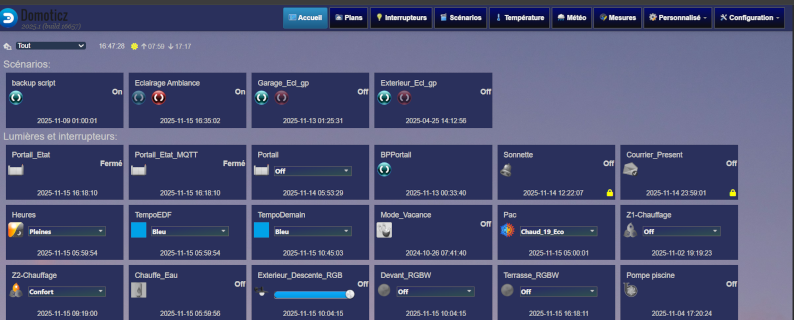
- 0 screenshot_dashboard.png (186.18 KiB) Viewed 319 times
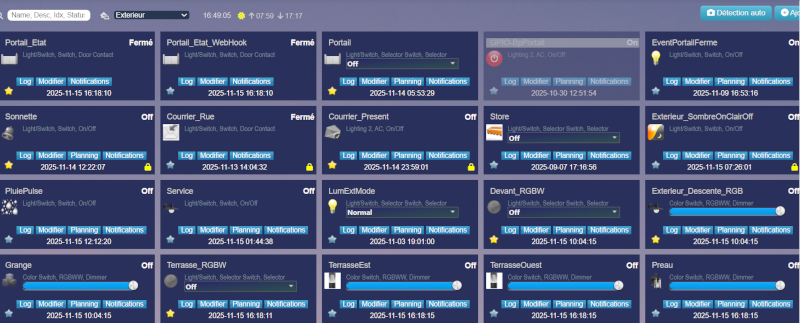
- 1 screenshot_switches.png (218.19 KiB) Viewed 319 times
TABLET
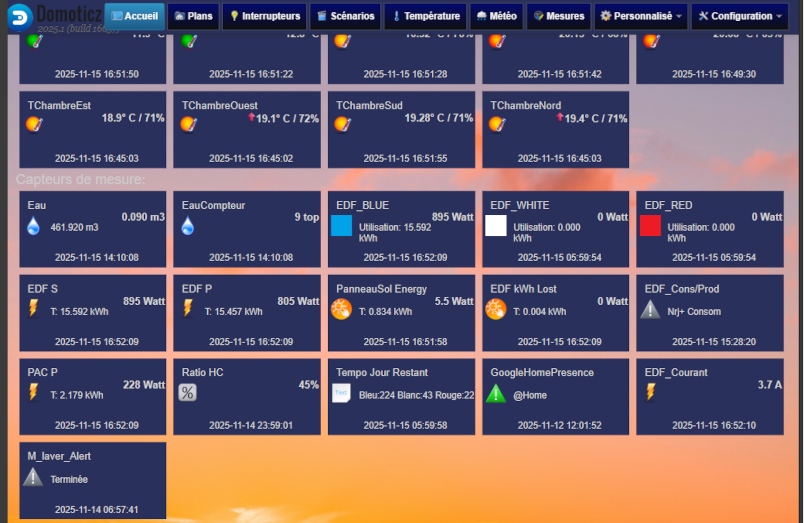
- 2 tablet dashboard.png (304.71 KiB) Viewed 319 times
- 2 tablet dashboard.png (304.71 KiB) Viewed 319 times
https://github.com/Tixav/LittleTheme.git
Re: New theme (LittleTheme)
Posted: Saturday 15 November 2025 17:32
by TiXav
Mobile
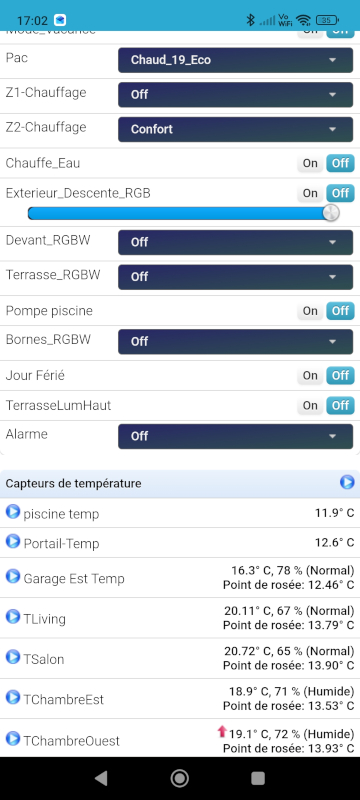
- 5 mobile dashbord.jpg (148.19 KiB) Viewed 318 times
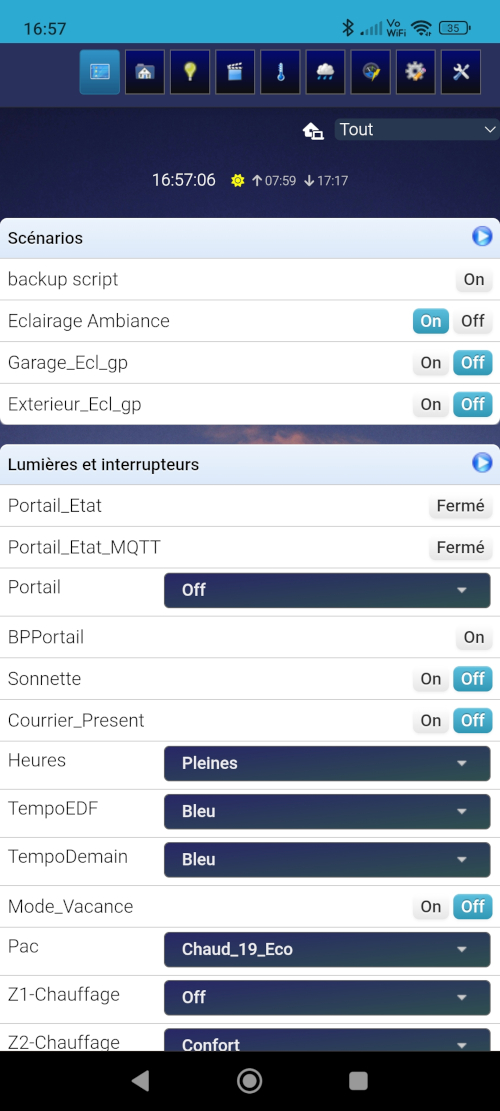
- 4 mobile.jpg (246.99 KiB) Viewed 318 times
Re: New theme (LittleTheme)
Posted: Saturday 15 November 2025 17:43
by TiXav
HEre the zip file to detatch and unzip in the domoticzFolder/www/styles/LittleTheme/images
Place an image of your choice in the domoticzFolder/www/styles/LittleTheme/images and name it "av4.jpg" (sorry my picture is too big I can't upload it)
a view of switches sheet (mobile)
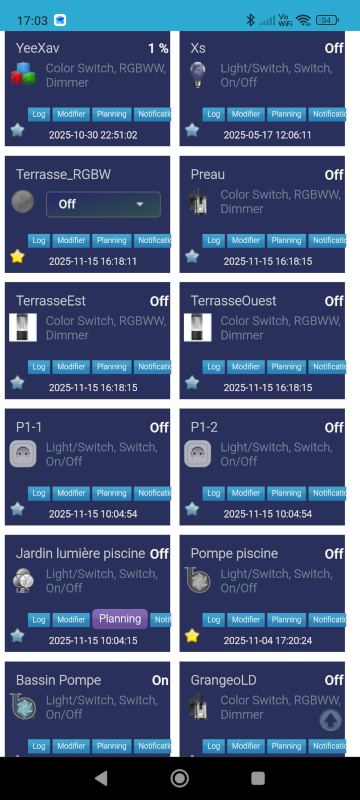
- 6 mobile switches.jpg (241.28 KiB) Viewed 313 times
Re: New theme (LittleTheme)
Posted: Saturday 15 November 2025 18:25
by madpatrick
Great job.
We try it soon
Re: New theme (LittleTheme)
Posted: Saturday 15 November 2025 18:50
by MYXOMOP
Good job.
But we don't need that!

Re: New theme (LittleTheme)
Posted: Saturday 15 November 2025 19:50
by TiXav
I did it for myself first, and after a lot of year of using/learning due to dz, it seems obvious to me to share a little bit for the community
to move things forward. Strange attitude ?,
Re: New theme (LittleTheme)
Posted: Saturday 15 November 2025 20:06
by waltervl
Thanks! If you want to test the 3 button devices just create a dummy device, see the wiki how to do that.
You can delete the devices after you have tested them.
https://wiki.domoticz.com/Dummy_for_virtual_Switches
Re: New theme (LittleTheme)
Posted: Sunday 16 November 2025 11:22
by rron
Thank you for the effort. I will try this.
Re: New theme (LittleTheme)
Posted: Sunday 16 November 2025 19:11
by TiXav
I finished (I think) with the device with 3 icons
@ the same time I add a little script in custom.js to replace the text options (edit,log,schedule...) by integrated "Font Awesome"
and solve some little object location
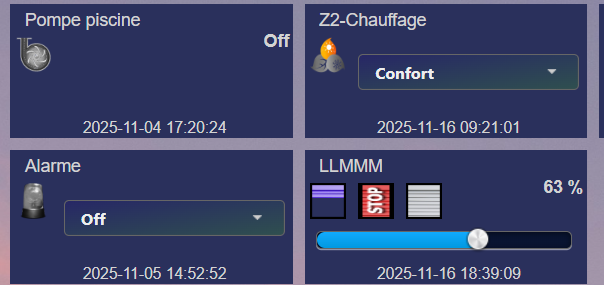
- 0 3icons block in dasboard.png (60.67 KiB) Viewed 246 times
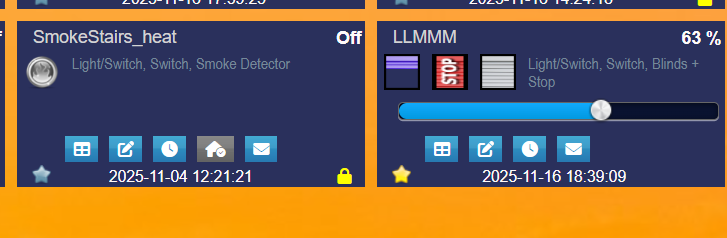
- 1 3icons block in switches tab.png (49.93 KiB) Viewed 246 times
Re: New theme (LittleTheme)
Posted: Sunday 16 November 2025 20:45
by madpatrick
Maybe making it available via Git?
Easier for updates
Re: New theme (LittleTheme)
Posted: Sunday 16 November 2025 21:23
by TiXav
You're right, but I am not an expert on Git, I will try and come back with al link
Re: New theme (LittleTheme)
Posted: Monday 17 November 2025 0:27
by TiXav
Re: New theme (LittleTheme)
Posted: Tuesday 18 November 2025 10:49
by TiXav
Last version does not need custom.js any more
Re: New theme (LittleTheme)
Posted: Tuesday 18 November 2025 11:23
by TiXav
I found some missing code in domoticz/www/views/temperature_widget.html that avoids to replace option's text by icons
data-i18n="Log" is missing line 43
data-i18n="Forecast" line 49/50
certainly that also cause translation issue
I will report this in domoticz github issue
Re: New theme (LittleTheme)
Posted: Wednesday 26 November 2025 18:22
by TiXav
Problem fixed by gizmocuz. Now its working