Using the following scripts it's possible to get a complete burglar alarm system with Domoticz controller running in a RaspberryPI (single board computer with 2.3W power consumption) or another type of hardware.
Why Domoticz? Because Domoticz is free and very reliable, it can be automatically updated without any surprise; also it supports LUA scripting that permits to make easy-to-manage automations: in this case, a simple lua script that is called when devices change, a configuration file, and two simple bash scripts: one is called at the activation of the scenes AlarmAway, AlarmNight, AlarmDay, and onother one is called to record video from IPcams in case of outdoor sensors activation. Just change the config file to set which sensors and sirens to manage.
The alarm can be enabled/disabled through 3 scenes/group, as showing in the picture, or by pushbuttons, fingerprint readers, keyboards, RFID or NFC tags, ....
Detailed esplanation with pictures and videos is available at https://www.creasol.it/freeBurglarAlarm
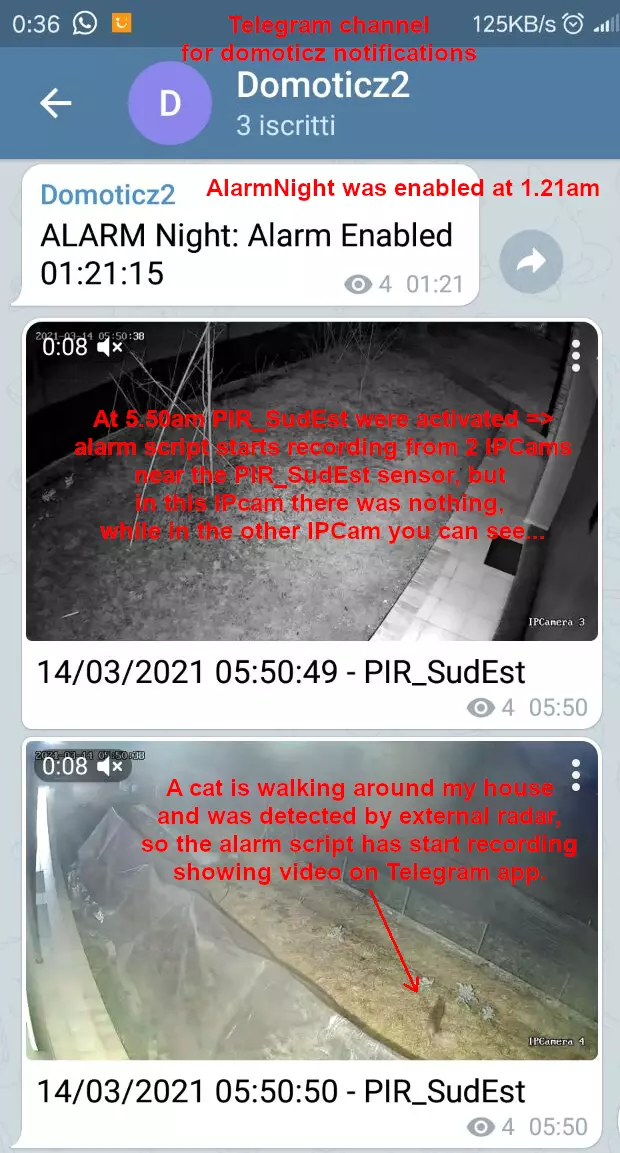
All notifications will be available in Telegram, as like as short videos that are automatically recorded when an external sensor is activated:
Features
- Three types of alarm: day (only emits a short pulse on internal siren, if someone open a door or window or shutter), night (activates only internal sirens and some lights), away (activates internal and external sirens).
- full notifications through Telegram app
- manages up to 64+64 magnetic contact sensors (but can be easily expandable to a higher number), 32 PIRs, 32 tampers, 32 sirens
- alarm can be activated/disactivated by pushbuttons, smartphone or other devices (fingerprint readers, keyboards, ...)
- the script is able to send a short IP-Cam video (15-20s) when external PIRs/Radar/sensors have been activated, showing the video in Telegram to let the owner know what happen externally. This is useful to monitor if someone (or maybe a cat!) is walking around the building while alarm is activated.
- Also, one or more displays connected to IP-Cam or NVR can be power-on when a external sensor has been activated, showing the external IP-CAMs
Installation
From linux shell, type the following commands (copy&paste):
Code: Select all
sudo su -   #get root access
apt update; apt install lua-dkjson git   #install lua dkjson library and git
cd ~pi/domoticz/scripts/lua
git clone https://github.com/CreasolTech/domoticz_lua_scripts   #get all scripts from CreasolTech into domoticz_lua_scripts dir
cd domoticz_lua_scripts
#add some files, if they not exists
cp -n alarmSet.sh alarm_sendsnapshot.sh config_alarm.lua globalfunctions.lua globalvariables.lua script_device_alarm.lua ..
cd ..First, name all devices using the following prefixes:
MCS_ for magnetic contact sensors, for example MCS_Door_Garage, MCS_Window_Kitchen, ...
PIR_ for PIRs, for example PIR_Garage, PIR_Kitchen, ...
TAMPER_ for tampers, for example TAMPER_Blinds_GroundFloor, ...
SIREN_ for sirens, for example SIREN_External, SIREN_Internal
ALARM_ for pushbuttons used to activate/disable alarm, for example ALARM_Pushbutton_Bedroom, ...
Configure the file scripts/lua/globalvariables.lua writing your telegram chatid, api key, ....
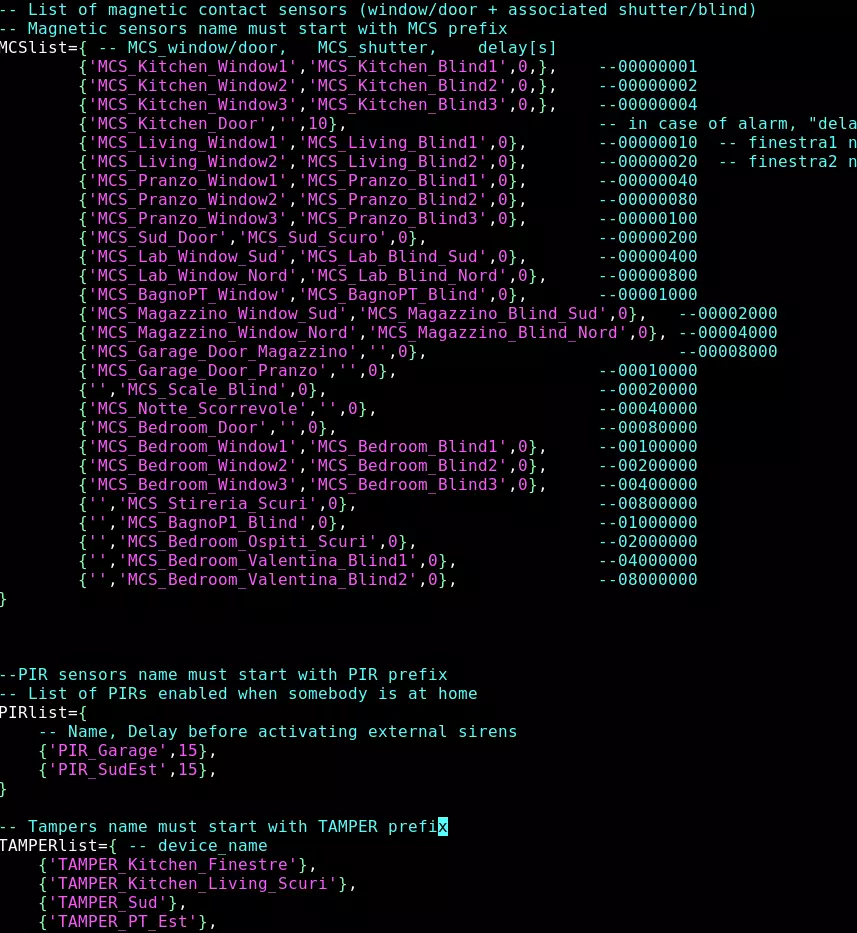
Configure the file scripts/lua/config_alarm.lua writing the list of sensors and your preferences
Configure the file scripts/lua/alarmSet.sh writing in the SIREN_IDX the list, separated by a space, of all idx of devices that are activated in case of alarm (external siren, internal siren, lights, buzzers, ...): in this case if a alarm occurr, it's possible to push the Off button on AlarmXXXX scene/group to activate the alarmSet.sh script that will disable all sirens/buzzer/lights that have been activated by the script_device_alarm.lua script.