
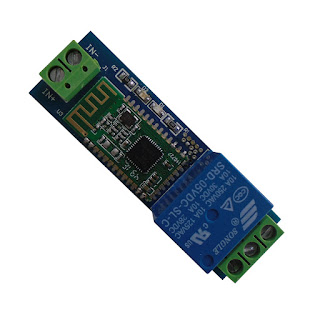
I bought a DSD Tech Bluetooth 4.0 Relay with a HC-08 Bluetooth module and I wanted to switch a device with it from Domoticz. Normally they are controlled by a Android/IOS app made by DSD Tech. There is little info how to control these devices without using the app.
As I have a linux sbc (a Udoo X86) as the Domoticz host, I can use the bluetooth build in with the Wireless module (Wifi/Bluetooth).
I suppose with (or even without?) some tweaking this method can also be used for a Raspberry Pi. What helped me was the following site about a controlling a bluetooth BLE Bulb https://learn.adafruit.com/reverse-engi ... with-bluez
In the Manual of DSD Tech https://drive.google.com/file/d/1aUKZaK ... AJmQk/view there are the following commands noted for switching the relay(s). In my case I have only 1 Channel.
Channel 1 ON: A00101A2
Channel 1 OFF: A00100A1
Channel 2 ON: A00201A3
Channel 2 OFF: A00200A2
Channel 3 ON: A00301A4
Channel 3 OFF: A00300A3
Channel 4 ON: A00401A5
Channel 4 OFF: A00400A4
The problem is to get the correct BLE UUID to write the command string to the relay with gattool. According the screenshots in the manual it is UUID FE01
I found out that it was in hex 0x0025
So to test you can run in a linux terminal:
Code: Select all
sudo hcitool lescan   -- to get the mac address of the DSD Relay
sudo gatttool -I
connect <relay mac address>
char-write-cmd 0x0025 0xA00101A2    -- to switch Relay Channel 1 On
char-write-cmd 0x0025 0xA00100A1 -- to switch Relay Channel 1 OffYou can make a script for just turning On and onbe script for off and sve them in the script folder
Those scripts can then be used in a dummy Domoticz switch device when you enter them in the appropriate script field.
Just a warning: These Bluetooth devices are not secured so everyone with the DSD app within range can controll these relays!!! This is one of the reasons I am not using them. The other reason was that the bluetooth range was too small fo my application. I found that it only went for a couple of meters outside the room where my main unit is located.
The script to copy and paste into the file blerelayswitchonoff.py :
Code: Select all
# DSD Tech Bluetooth Relay Control With Bluez
#
# This script will cycle a DSD Tech Bluetooth Low Energy Relay
# through a rainbow of different hues.
#
# Dependencies:
# - You must install the pexpect library, typically with 'sudo pip install pexpect'.
# - You must have bluez installed and gatttool in your path.
#
# License: Released under an MIT license: http://opensource.org/licenses/MIT
import math
import sys
import time
import pexpect

# Configuration values.
SLEEP_SEC  = 1.0        # Amount of time to sleep between loop iterations.

# Get ble relay address from command parameters.
if len(sys.argv) != 2:
    print 'Error must specify relay address as parameter!'
    print 'Usage: sudo python blerelayswitchonoff.py <relay address>'
    print 'Example: sudo python blerelayswitchonoff.py 5C:31:3E:F2:16:13'
    sys.exit(1)
blerelay = sys.argv[1]

# Run gatttool interactively.
gatt = pexpect.spawn('gatttool -I')

# Connect to the device.
gatt.sendline('connect {0}'.format(blerelay))
gatt.expect('Connection successful')

last = time.time()
print 'Press Ctrl/C to stop.'
while True:
	print 'Switching on/off.'
	gatt.sendline('char-write-cmd 0x0025 0xA00101A2')
	time.sleep(SLEEP_SEC)
	gatt.sendline('char-write-cmd 0x0025 0xA00100A1')
	time.sleep(SLEEP_SEC)