In dir domoticz/www/templates i created an html page for each cam
It will show in the custom dropdown menu on top in the domoticz page (all HTML pages in templates dir will be populated there)
you just have to create a page with an image snapshot of you cam that refreshes automticaly, no rocketscience HTML needed.
Code: Select all
<p align="center">
<a href="https://xxx.xxx.xxx.xxx:xxxx/camsnapshot.jpg?idx=x"><img id="camfeed72" src="https://xxx.xxx.xxx.xxx:xxxx/camsnapshot.jpg?idx=x&count=167?t=" onload='setTimeout(function() {src = src.substring(0, (src.lastIndexOf("t=")+2))+(new Date()).getTime()}, 750)' onerror='setTimeout(function() {src = src.substring(0, (src.lastIndexOf("t=")+2))+(new Date()).getTime()}, 10000)' style="border: 1px solid rgb(30, 40, 50); width: 83%; max-width: 96%;"></a>
</p>
the part after the idx=x is just javascript for refreshing the image. the 750 says every 750 ms refresh. the 10000 is 10000 ms timeout action.
Width is set as % of the page. (make it usable in more platforms a client)
Just replace https://xxx.xxx.xxx.xxx:xxxx with you domoticz instance IP:Port and idx=x replace x by the idx of you cam setup in domoticz.
Tip :
- crossdomain scripting will not work ! EG if you call https://youdomain:your port to see domotixz it has to be an exact match
- for HTTPS you need a certificate : selfsigned probably will not work, letsencryot will do the trick
- IDX can be found in th database or just by checking in your browser if you can call the image by https://xxx.xxx.xxx.xxx:xxxx/camsnapshot.jpg?idx=tryanynumber from 1 to 10

- With CSS you can make it as fency as you want.
- Having domoticz expose to the internet never is a good idea, i use a VPN to dial in to avoid this.( Maybe Http could be used over VPN ... thats up to you.)
- if you need to do cross domain it would be doable by smart css usage hiding and showing elements based on the calling origin. I do not use this.
- I used a href so i can download the image by clicking on it to store it when needed ( on my device i am using like my phone)
BUT : if you make many pages for many cams : i found it can clashup the storage in browser history if you have many camera's : When it becomes slow after hopping true camera's just clear browser refresh
I do not use it a lot to view when not at home : just when my domoticz alerts me on special events to check what happens.
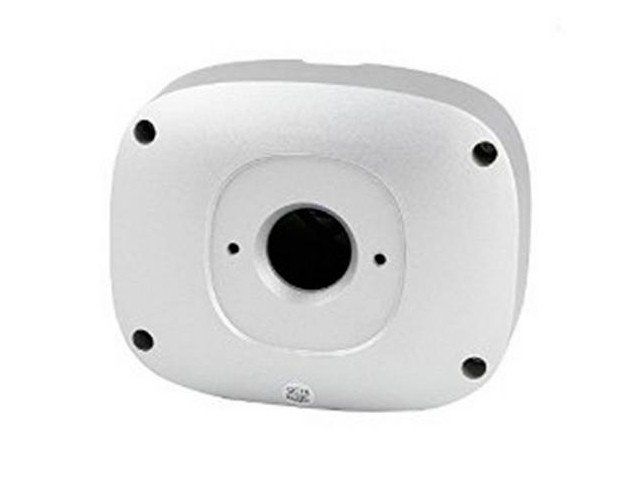
General and on topic : If you use a cam with a junction box : Always make sure the junctionbox will NEVER be with the feed in water.
The capilar working will draw moisture inside the junction box. As i use the junction box horizontally, i mounted 2 mm feed below the juntcion box. It has costed me a broken camera due to oxidation of contacts. Since the 2 mm no problems of these kind occured.
Hope it helps
 ).
).