Page 1 of 1
Z-wave auto read switch status light
Posted: Tuesday 11 September 2018 23:58
by EdddieN
Hello,
I have most of my lights with Z-wave dimmers and switchers and they work ok, no issue there. However I noticed that when I trigger these manually (from the wall pad that sends the wired signal to the for example Fibaro switch), Domoticz does not have a log of it. I can see the logs when Domoticz triggers the event, but not when manually overrided by the wall switch.
Is this normal behaviour? I was keen to know more about my routines to start digging into ML....
Any thoughts... or do I just have an issue on my Z-wave network?
Re: Z-wave auto read switch status light
Posted: Wednesday 12 September 2018 7:46
by gizmocuz
Could you check in the manual if there is a 'group' that notifies the controller that there are updates ?
For example this could be Group 3, in that case, from the OpenZWave setup, select Groups&Network from the dropdown,
and add Node 1 (the controller) to this group for that node
Re: Z-wave auto read switch status light
Posted: Wednesday 12 September 2018 17:35
by EdddieN
Hi,
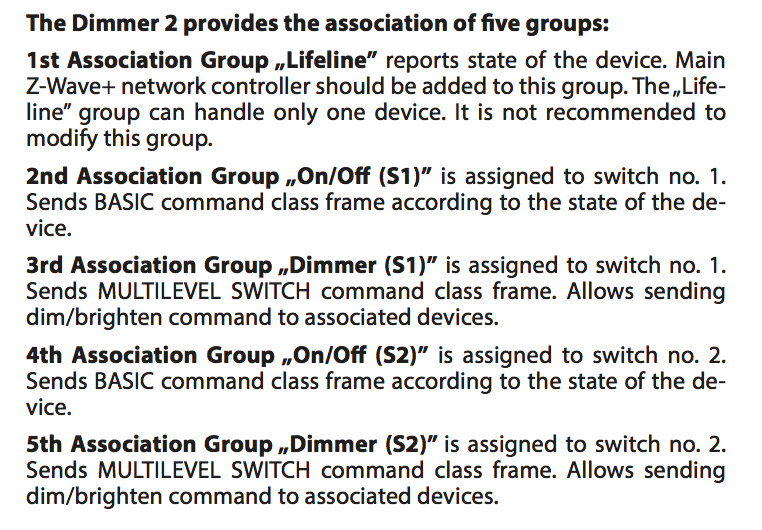
Thanks for the guidance. I think I understand what you mean. I have a Fibaro Dimmer
https://manuals.fibaro.com/content/manu ... T-v1.3.pdf
According to the manual I should add it to group 1:
The attachment Screen Shot 2018-09-12 at 16.31.06.png is no longer available
which it seems it is
The attachment Screen Shot 2018-09-12 at 16.28.14.png is no longer available
However my controller does not seem to belong to any group, is this right?
- Screen Shot 2018-09-12 at 16.31.06.png (159.83 KiB) Viewed 1166 times
Does not seem right if I understand it correctly, is it?
Re: Z-wave auto read switch status light
Posted: Wednesday 12 September 2018 17:43
by jvdz
The controller needs to be in that "lifeline" group to receive the status. Just add that in there and check.
Jos
Re: Z-wave auto read switch status light
Posted: Wednesday 12 September 2018 17:46
by EdddieN
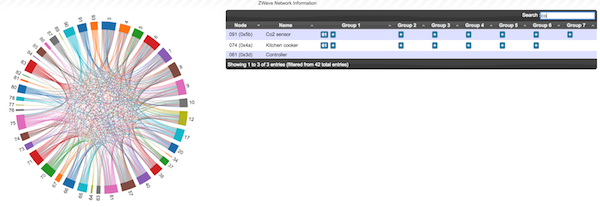
This is what I have, no option for adding group for the controller
- Screen Shot 2018-09-12 at 16.32.32.png (102.5 KiB) Viewed 1163 times
It is all empty
Re: Z-wave auto read switch status light
Posted: Wednesday 12 September 2018 17:54
by jvdz
I am sorry but can't read that screen shot properly. It does look like there is a number in Group 1, which is the group the controller needs to be in.
Is that the controller number there?
EDIT: So it is the other way round: in this case the device group 1 needs to have deviceid of the controller in it. This should be the case for all devices, although the group ID can differ per device.
Re: Z-wave auto read switch status light
Posted: Wednesday 12 September 2018 18:14
by EdddieN
Sorry, let's try with bigger pictures.
I want to add this (which is already on group1)

- Screen Shot 2018-09-12 at 17.13.31.png (22.47 KiB) Viewed 1147 times
to report status to the controller
However the controller does not have group:

- Screen Shot 2018-09-12 at 17.13.22.png (36.15 KiB) Viewed 1147 times
Re: Z-wave auto read switch status light
Posted: Wednesday 12 September 2018 18:19
by jvdz
You are a little confused here.

So lets take de Hall. It has in Group1 the device 1 ( did you replace your controller that had deviceid 1 at the time?)
This group1 needs to contain the deviceid of your current controller, so should be 61.
There is no need to add anything to the controller itself, only to each device you want to control and receive the status for!
So when this work for Hall, you need to check/update all ZWAVE devices.
By the way: the CO2 sensor and Kitchen do have the proper value there (61) so guess they work fine?
Any clearer?
Jos
Re: Z-wave auto read switch status light
Posted: Wednesday 12 September 2018 18:41
by EdddieN
aaaahh!
yes, I did change the controller many times a while back (experimenting with different options)
Makes a lot of sense now, thanks so much

Re: Z-wave auto read switch status light
Posted: Wednesday 12 September 2018 19:14
by EdddieN
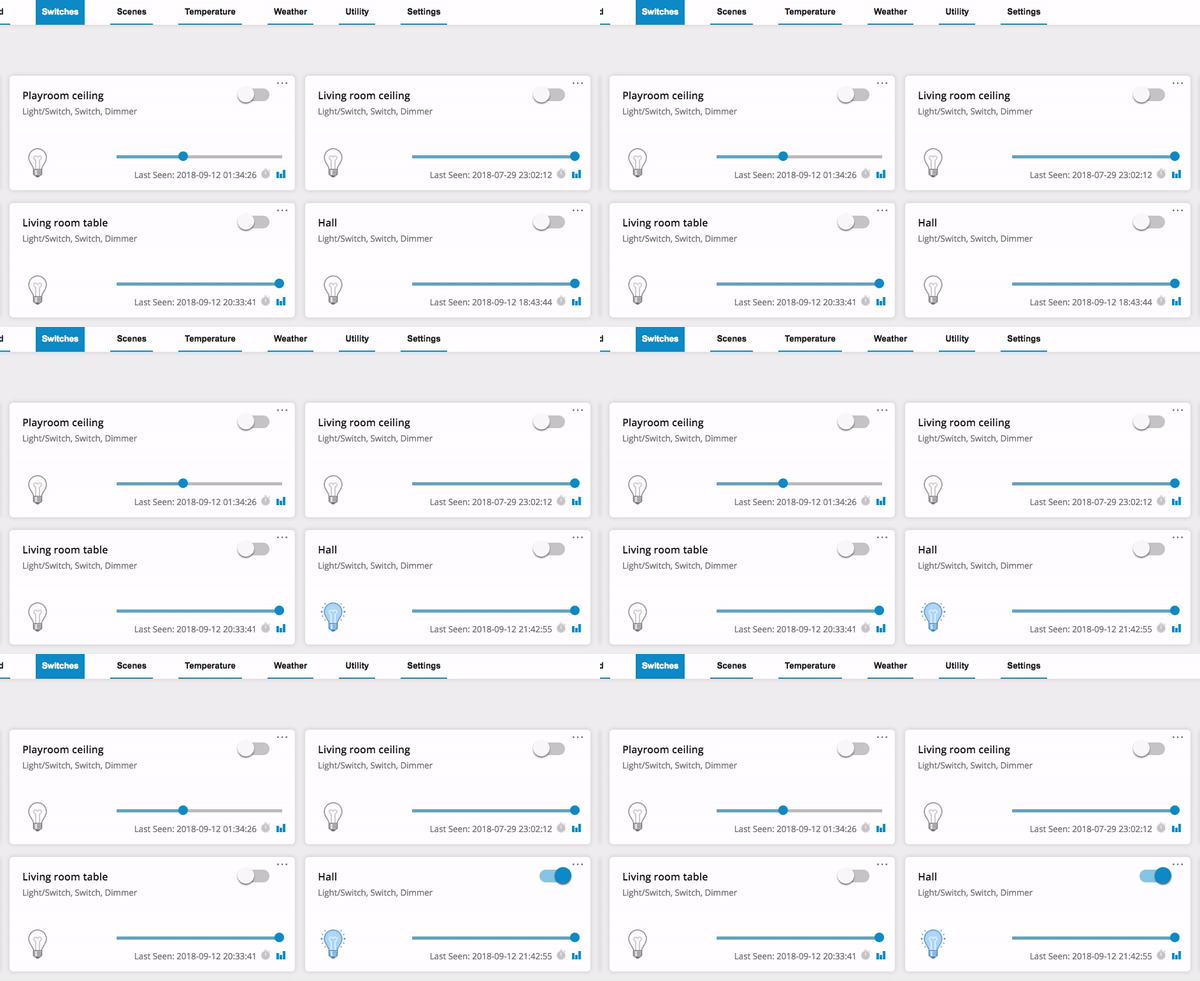
Hey! It turns it actually works!
Thanks so much for the clarification, I never quite understood what the groups did so my Z-wave network was a real mess

. Manually updated it now
I guess the same applies for an alarm, right? so If I have a device alarm ID37, and I want a door to send a signal to it when open, then I would add it to group 37, right?
Anyway, the reporting work great now, updated from manual switch on Domoticz
- hall.gif (91.39 KiB) Viewed 1111 times
Re: Z-wave auto read switch status light
Posted: Wednesday 12 September 2018 21:23
by jvdz
EdddieN wrote: Wednesday 12 September 2018 19:14
Hey! It turns it actually works!
yes of course
(just kidding)
EdddieN wrote: Wednesday 12 September 2018 19:14
I guess the same applies for an alarm, right? so If I have a device alarm ID37, and I want a door to send a signal to it when open, then I would add it to group 37, right?
correct zwave devices can trigger actions directly like that without the controller in the middle.
Jos