Page 1 of 1
Z-Wave Fibaro dimmer & distance?
Posted: Wednesday 01 June 2016 22:24
by rgroothuis
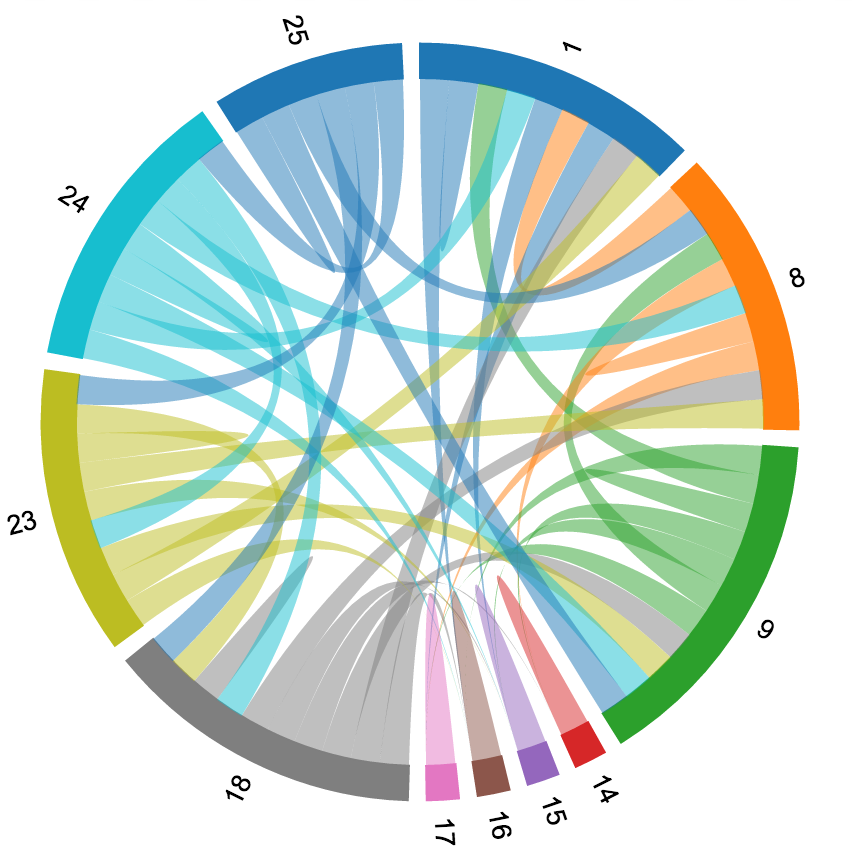
I've put a new/extra dimmer in my house, in the outside barn to be precise. I was able to add the Fibaro dimmer to the Domoticz Openzwave but now I cannot control it (switching on/off). When I checked "Groups and Network" configuration I saw that the new dimmer doesn't have a direct link to the zwave controller. Maybe the distance is to far between the dimmer and the controller. But in between there are a number of other zwave devices that I would expect to retransmit the signal to the controller. Is my understanding correct? How can I configure this?
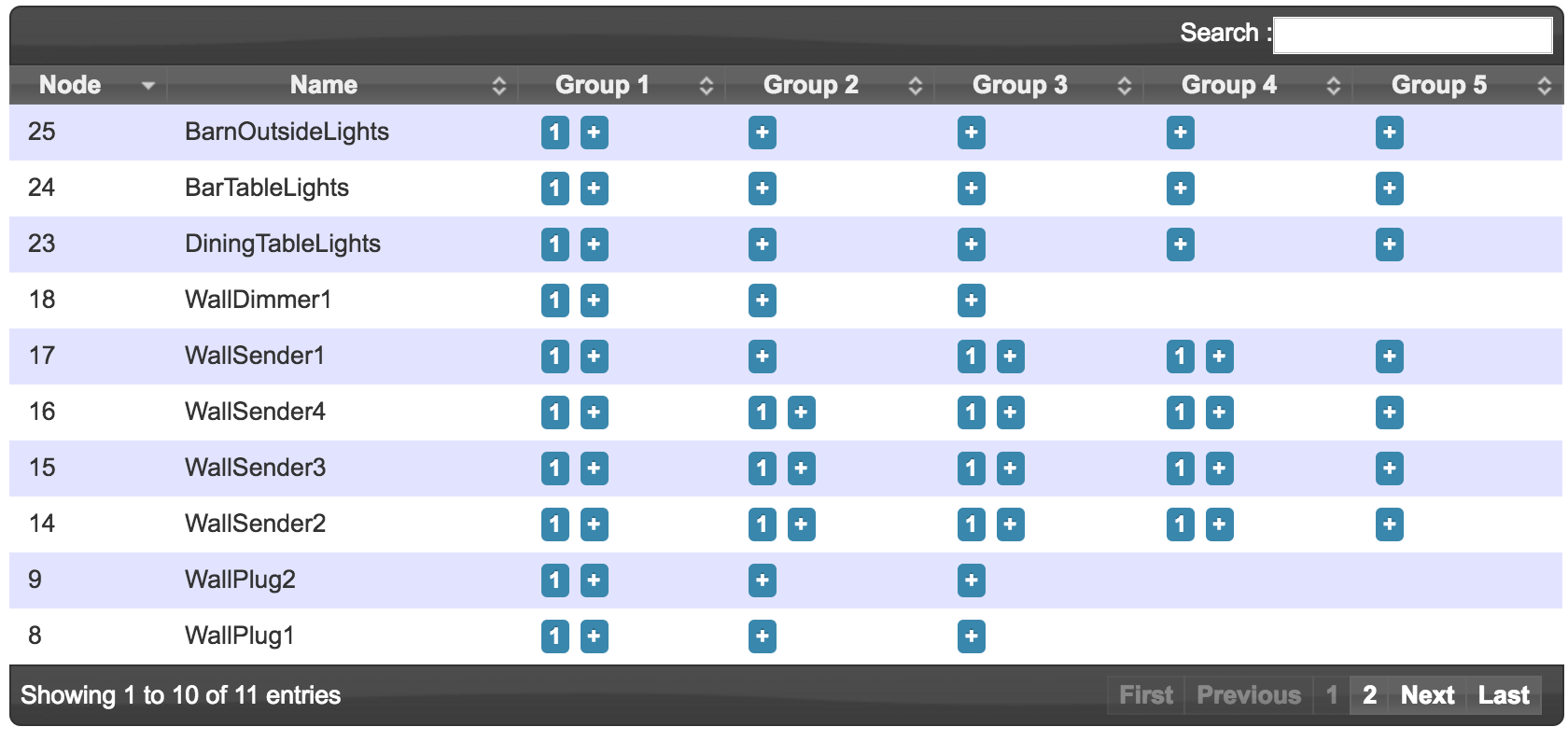
Attached is an overview of my Groups and Network configuration. The new dimmer is node id 25 and my controller is node id 1
- Screen Shot 2016-06-01 at 22.27.34.png (215.58 KiB) Viewed 1652 times
- Screen Shot 2016-06-01 at 22.27.40.png (142.79 KiB) Viewed 1652 times
And in the Domoticz error log I see the following line popping up:
2016-06-01 22:28:00.451 Error: OpenZWave: Internal Node ValueID not found! NodeID: 25 (0x19), instanceID: 55
Re: Z-Wave Fibaro dimmer & distance?
Posted: Thursday 02 June 2016 8:32
by garethhowell
25 is connected to several devices that have direct connections to the controller. 24, 23, 18, 9 and 8.
However, I can't tell which are powered permanently other than 9 and 8. To be a useable repeater, the intermediate node needs to be on all the time and not sleep. I.e. Not battery powered.
Re: Z-Wave Fibaro dimmer & distance?
Posted: Thursday 02 June 2016 11:30
by rgroothuis
Node ID 8 and 9 are Fibaro wall plugs and they are on power 24/7. Node ID 9 is half way between the controller and the Fibaro dimmer in the barn. So this Node ID 9 should relay the command, correct?
Node ID 23 and 24 are also 24/7 powered Fibaro devices.
Is there something that I need to enable in the configuration or so to make clear there is no direct 1 to 1 communication with the controller?
Re: Z-Wave Fibaro dimmer & distance?
Posted: Thursday 02 June 2016 19:05
by rgroothuis
Don't know how and why but it seems I've solved my problem. Removing and adding the dimmer from/to the ZWave network solved my problem. There is also a direct connection from the dimmer to the controller. So it is working now. Perfect. Thanks for thinking along to address this problem.
Re: Z-Wave Fibaro dimmer & distance?
Posted: Thursday 02 June 2016 21:26
by mvveelen
rgroothuis wrote:Don't know how and why but it seems I've solved my problem. Removing and adding the dimmer from/to the ZWave network solved my problem. There is also a direct connection from the dimmer to the controller. So it is working now. Perfect. Thanks for thinking along to address this problem.
Did you remove / add it with the USB controller in the hand, or with Domoticz running and using the options in Domoticz?
Re: Z-Wave Fibaro dimmer & distance?
Posted: Thursday 02 June 2016 21:42
by rgroothuis
I disconnected the USB Zwave stick from the Raspberry, went to the dimmer devices, removed it. Inserted the USB Zwave stick back in the Raspberry, checked if the devices was removed. Took the USB Zwave stick off the Raspberry, went to de dimmer and added to the Zwave/USB again. Inserted the USB stick in the Raspberry and then it was working.