Page 43 of 184
Re: Dashticz v2.0, custom positioning and multiple screens
Posted: Friday 14 April 2017 17:16
by freakshock
robgeerts wrote:Add to config.js
To temporarily fix the problem..
That works, thanks Rob.
Re: Dashticz v2.0, custom positioning and multiple screens
Posted: Friday 14 April 2017 17:23
by SwordFish
I have dashticz running on a rpi and a tablet on the wall. Now i have dashticz also running on my NAS webserver. So i did some dirty custom css and now its fits on my iphone with a different layout as on my tablet

Re: Dashticz v2.0, custom positioning and multiple screens
Posted: Friday 14 April 2017 17:41
by robgeerts
Nice! Ok, who got suggestions for the bkind buttons and media player button? What fits nice in the design? Anyone photoshop skills?
Re: Dashticz v2.0, custom positioning and multiple screens
Posted: Friday 14 April 2017 17:57
by wizjos
Hi SwordFish,
SwordFish wrote:wizjos wrote:SwordFish wrote:Won't it be nice to have a " afval kalender " on your dahboard. So that it shows a date and which container like the one on topic from domoboard.
Just thinking.
Try:
http://www.mijnafvalwijzer.nl/nl/<your postalcode>/<housenumber>/<addition to housnumber>/#jaaroverzicht

Cheers!
Wizjos
That doesn't work, get a 404. but when i fill in my zipcode and housenumber on mijnafvalwijzer.nl its give the right adres?
http://www.mijnafvalwijzer.nl/nl/5708ZW ... roverzicht
I've tried your postalcode and housenumber: it gives no 'afvalwijzer' for that address... Too bad. Maybe complain at town hall

Wizjos
Re: Dashticz v2.0, custom positioning and multiple screens
Posted: Friday 14 April 2017 18:05
by madrian
How do I enable RSS feed? I have var _NEWS_RSSFEED = '
http://www.nu.nl/rss/algemeen'; in config.js, but nothing shows on the dashboard.
Re: Dashticz v2.0, custom positioning and multiple screens
Posted: Friday 14 April 2017 18:10
by SwordFish
wizjos wrote:Hi SwordFish,
I've tried your postalcode and housenumber: it gives no 'afvalwijzer' for that address... Too bad. Maybe complain at town hall
Wizjos
Thanks for trying
Re: Dashticz v2.0, custom positioning and multiple screens
Posted: Friday 14 April 2017 18:33
by wizjos
hpapagaj wrote:How do I enable RSS feed? I have var _NEWS_RSSFEED = '
http://www.nu.nl/rss/algemeen'; in config.js, but nothing shows on the dashboard.
Try something like this:
'news' should do the trick

Wizjos
Re: Dashticz v2.0, custom positioning and multiple screens
Posted: Friday 14 April 2017 19:05
by EdwinK
mAiden88 wrote:@Edko and others who want this:
I add this block to my config:
Code: Select all
blocks[idx] = {}
blocks[idx]['width']=12;

Change [b]idx[/b] to number of youre idx! ;)
Yes, thanks. Found it earlier. Forgot the first line.
Re: Dashticz v2.0, custom positioning and multiple screens
Posted: Friday 14 April 2017 19:18
by Ierlandfan
For the afvalwijzer I modified the script which resides somewhere at the beginning of this topic. I will attach it later.
It's a LUA script that changes the level based on the (manually inserted) dates. So if you change the dates to your needs it's the same idea.
It also tells you paper and trash for example.
Works like a charm! I need to find myself (or create) some fancy colored bins.
Edit:
Out of the top of my head.
Put the attached file in the domoticz/scripts/lua folder.
Change script.xxx.txt to script.xxx.lua (sudo mv script.xxxx.txt script.xxx.lua)
Create a selector switch in Domoticz and change IDX104 in your IDX.
Create the levels (Domoticz page>Switches>click on edit in the selector switch. Dont forget clicking "add" after each level.
Find yourself a trashcalender and change the weeknumbers according to the trashbin (and/or) paper weeks.
Re: Dashticz v2.0, custom positioning and multiple screens
Posted: Friday 14 April 2017 19:22
by SwordFish
Ierlandfan wrote:For the afvalwijzer I modified the script which resides somewhere at the beginning of this topic. I will attach it later.
It's a LUA script that changes the level based on the (manually inserted) dates. So if you change the dates to your needs it's the same idea.
It also tells you paper and trash for example.
Works like a charm! I need to find myself (or create) some fancy colored bins.
Thanks
Verzonden vanaf mijn iPhone met Tapatalk
Re: Dashticz v2.0, custom positioning and multiple screens
Posted: Friday 14 April 2017 19:26
by EdwinK
@Robgeerts is it possible to use a (slightly) font on column 2.

Font is a bit small now.
Re: Dashticz v2.0, custom positioning and multiple screens
Posted: Friday 14 April 2017 19:48
by Blueone
robgeerts wrote:Blueone wrote:I also notice the stand-by view isn't completly black and white, see the screenshot, the text is a bit gray but the dot is really white which makes it a better contrast

Try latest version
I tried it now, the dot is also grey know, I acctually mean the opposite, having the rest of the text in real white in the stand-by screen? Is there maybe a custom ccs rule which I can use to change this?
Re: Dashticz v2.0, custom positioning and multiple screens
Posted: Friday 14 April 2017 19:58
by madrian
wizjos wrote:
Try something like this:
'news' should do the trick
Wizjos
Thanks for the answer. The whole column/block system is not clear to me.
+ enabling RSS should be added to Wikipedia IMHO.
So I added:
var blocks = {}
var columns = {}
columns[1] = {}
columns[1]['blocks'] = ['news']
(without blocks = {}: Can't find variable: blocks main.js:87)
...but I see only the RSS feed module:
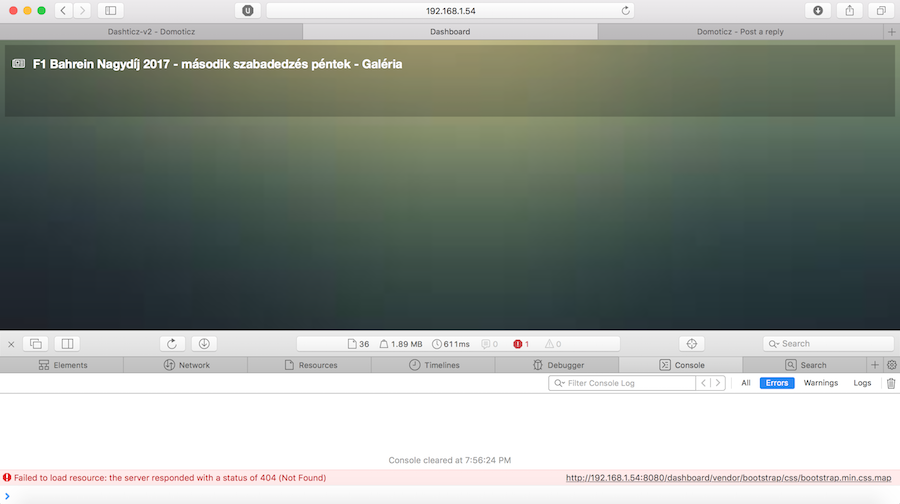
- Screen-Shot-2017-04-14-19-56-41.png (222.02 KiB) Viewed 2023 times
What's wrong here?
Bonus question: It is a normal behaviour that feed items are not clickable? It would be nice to open article in a popup.
Re: Dashticz v2.0, custom positioning and multiple screens
Posted: Friday 14 April 2017 20:39
by EdwinK
Can you post your config.js here, so maybe we could help you better
Re: Dashticz v2.0, custom positioning and multiple screens
Posted: Friday 14 April 2017 20:43
by madrian
I forgot to attach .
Here it is:
config.js
Re: Dashticz v2.0, custom positioning and multiple screens
Posted: Friday 14 April 2017 21:23
by EdwinK
hpapagaj wrote:I forgot to attach .
Here it is:
config.js
It looks like there isn't anything in your config.js columns.
Please, next time post a copy of your config.js file here, between [ code ] and [/ code ] tags. It will make it easier for us to see instead of going to an unknown website.
Re: Dashticz v2.0, custom positioning and multiple screens
Posted: Friday 14 April 2017 21:36
by madrian
Sorry, I thought that it is better to include config file as an external link, rather than flood this topic. If everybody post here their config files the topic quickly becomes unfollowable.
---
Back to the question: so it is not possible to enable only news column and make other columns (switches, date, clock, buttons, weather etc) work automatically like until now?
---
robgeerts: I made some merge requests today, if you find it useful, you can merge it.
Re: Dashticz v2.0, custom positioning and multiple screens
Posted: Friday 14 April 2017 21:47
by htilburgs
hpapagaj wrote:Sorry, I thought that it is better to include config file as an external link, rather than flood this topic. If everybody post here their config files the topic quickly becomes unfollowable.
---
Back to the question: so it is not possible to enable only news column and make other columns (switches, date, clock, buttons, weather etc) work automatically like until now?
---
robgeerts: I made some merge requests today, if you find it useful, you can merge it.
I've looked at your config and tried it with my own settings. It works like you would like to have.
There is no problem for me...?!?

Re: Dashticz v2.0, custom positioning and multiple screens
Posted: Friday 14 April 2017 21:56
by madrian
Guys, before column and block definitions looked like this:
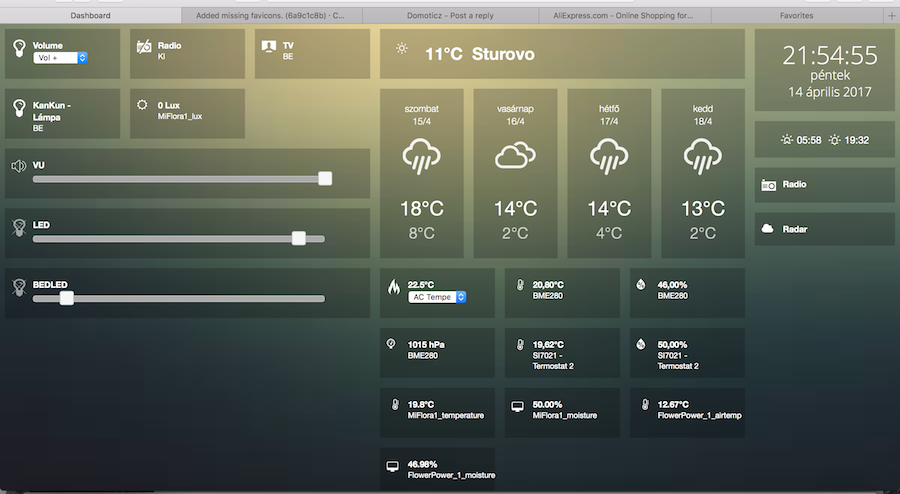
- Screen-Shot-2017-04-14-21-54-55.png (335.95 KiB) Viewed 1991 times
...here I want to add the news column, for example under sliders.
Re: Dashticz v2.0, custom positioning and multiple screens
Posted: Friday 14 April 2017 23:40
by Nautilus
robgeerts wrote:
Download latest version and try this to use iframes:
First, define the frame:
Code: Select all
var frames = {}
frames.weather = {height:500,frameurl:"http://iltasanomat.weatherproof.fi/tutka.php?map=Etel%C3%A4-Suomi",width:12}
Then add that frame to a column, like:
Code: Select all
columns[1]['blocks'] = [frames.weather]
Thanks, I am now able to insert the page to a block via iframe. I wonder if there is any css trick to shrink the source to the available space, that would be awesome...