Page 26 of 184
Re: New Dashboard Design v2, custom positioning and multiple screens
Posted: Saturday 08 April 2017 22:41
by pvm
Did some more testing today (also updated to version of 15 minutes ago)
An idea: can you supply a favicon.ico? that will give a nice icon on my ipad as shortcut
edit: other minor issue, the time isn't centered in the topright date/time box (the 1 at the end fits, a 2 does not fit in the box)
I have an issue, the domoticz data is not displayed on the ipad:
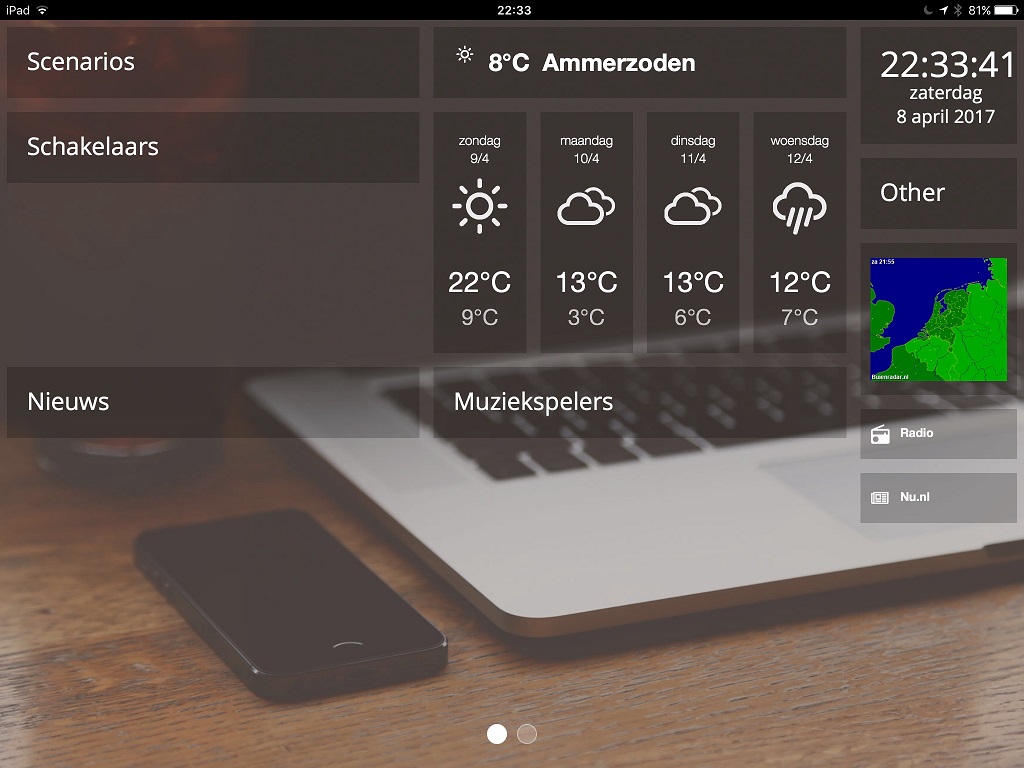
- ipadsafari.jpg (151.25 KiB) Viewed 2486 times
While as I was testing before in chrome with the ipad layout it works correctl, this image is made with the same version/config etc, but using chrome on windows
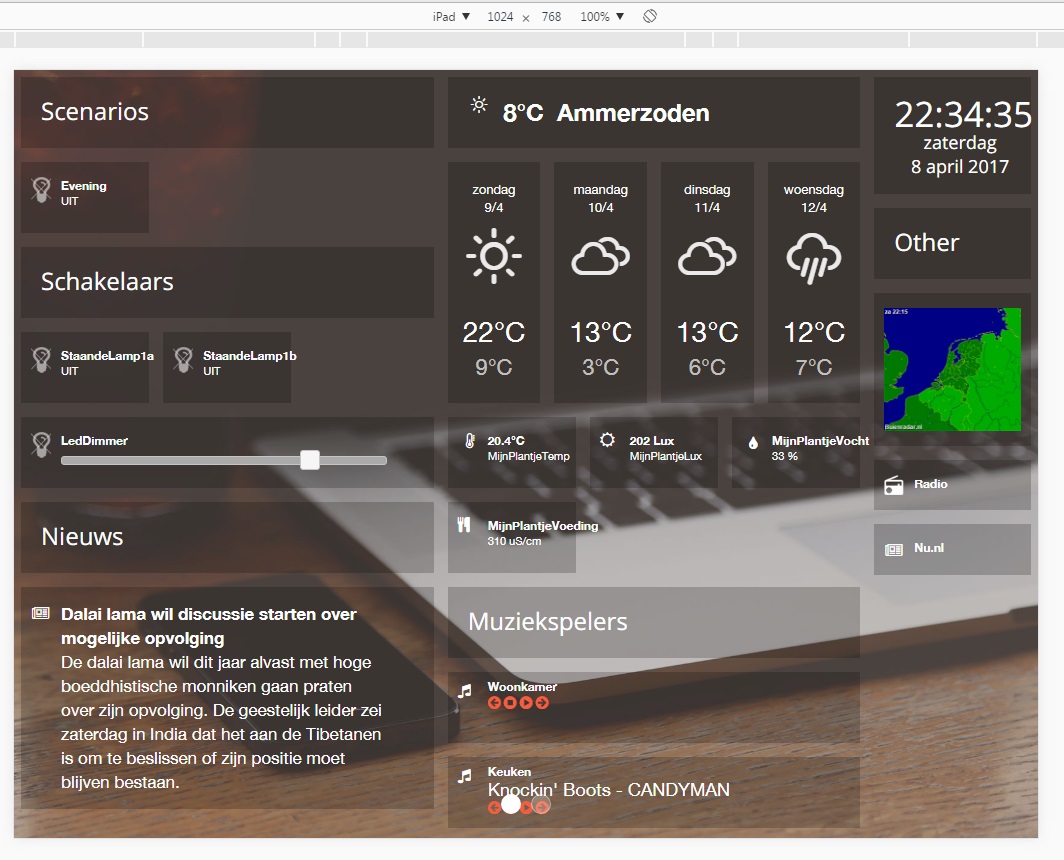
- IpadChromeWindows.jpg (214.33 KiB) Viewed 2486 times
What can I do to analyse this issue?
Re: New Dashboard Design v2, custom positioning and multiple screens
Posted: Saturday 08 April 2017 22:46
by robgeerts
Hold on, I'll check my wife's ipad 2..
Edit: Yes, same issue, will try to fix this asap!
Meanwhile...
GRAPHS ARE LIVE (BETA!!!)
Download latest version from gitlab.
Enter the follow key in the definitions: 'graph_IDX', if your graph in Domoticz is idx 150, use:
Code: Select all
columns[2]['blocks'] = ['graph_150']
ATTENTION: Only tested it with my energy and gas from Toon Thermostat!

Re: New Dashboard Design v2, custom positioning and multiple screens
Posted: Saturday 08 April 2017 22:52
by Clemen
pvm wrote:Did some more testing today (also updated to version of 15 minutes ago)
An idea: can you supply a favicon.ico? that will give a nice icon on my ipad as shortcut
edit: other minor issue, the time isn't centered in the topright date/time box (the 1 at the end fits, a 2 does not fit in the box)
I have an issue, the domoticz data is not displayed on the ipad:
ipadsafari.jpg
While as I was testing before in chrome with the ipad layout it works correctl, this image is made with the same version/config etc, but using chrome on windows
IpadChromeWindows.jpg
What can I do to analyse this issue?
I had same issue on iPad, fixed it by making the last block with 3, and the middle block with 4 instead of 5
Re: New Dashboard Design v2, custom positioning and multiple screens
Posted: Saturday 08 April 2017 22:56
by robgeerts
pvm wrote:
An idea: can you supply a favicon.ico? that will give a nice icon on my ipad as shortcuts
Will do!
pvm wrote:
edit: other minor issue, the time isn't centered in the topright date/time box (the 1 at the end fits, a 2 does not fit in the box)
Fixed!
Re: New Dashboard Design v2, custom positioning and multiple screens
Posted: Saturday 08 April 2017 23:00
by Clemen
robgeerts wrote:Hold on, I'll check my wife's ipad 2..
Edit: Yes, same issue, will try to fix this asap!
Meanwhile...
GRAPHS ARE LIVE (BETA!!!)
Download latest version from gitlab.
Enter the follow key in the definitions: 'graph_IDX', if your graph in Domoticz is idx 150, use:
Code: Select all
columns[2]['blocks'] = ['graph_150']
ATTENTION: Only tested it with my energy and gas from Toon Thermostat!
In latest version i get this 404 in log
http://10.200.0.4:8080/dashboard2/vendo ... in.css.map Failed to load resource: the server responded with a status of 404 (Not Found)
Re: New Dashboard Design v2, custom positioning and multiple screens
Posted: Saturday 08 April 2017 23:02
by EdwinK
Latest version only give me a blank page

Edit: Seems to be fixed
Re: New Dashboard Design v2, custom positioning and multiple screens
Posted: Saturday 08 April 2017 23:06
by robgeerts
EdKo66 wrote:Latest version only give me a blank page
Wich browser are you working in?
Maybe a typo in your config.js? Just testen in chrome, firefox and on my tablet.. works over here?
Although this is not an issue, it should be fixed in latest version.
Re: New Dashboard Design v2, custom positioning and multiple screens
Posted: Saturday 08 April 2017 23:09
by EdwinK
robgeerts wrote:EdKo66 wrote:Latest version only give me a blank page
Wich browser are you working in?
Seems to be working now. Redownloaded the files and now I see a nice graph. :
Re: New Dashboard Design v2, custom positioning and multiple screens
Posted: Saturday 08 April 2017 23:11
by robgeerts
Cool

Screenshot? Just curious!
For now, I'm going to shut down my pc!
Good night everybody!
Re: New Dashboard Design v2, custom positioning and multiple screens
Posted: Saturday 08 April 2017 23:14
by EdwinK
Page 1:

Page 2:

Re: New Dashboard Design v2, custom positioning and multiple screens
Posted: Saturday 08 April 2017 23:15
by Clemen
robgeerts wrote:Cool
Screenshot? Just curious!
For now, I'm going to shut down my pc!
Good night everybody!
Current is not present in every counter.
So for my watt graph it says undefined
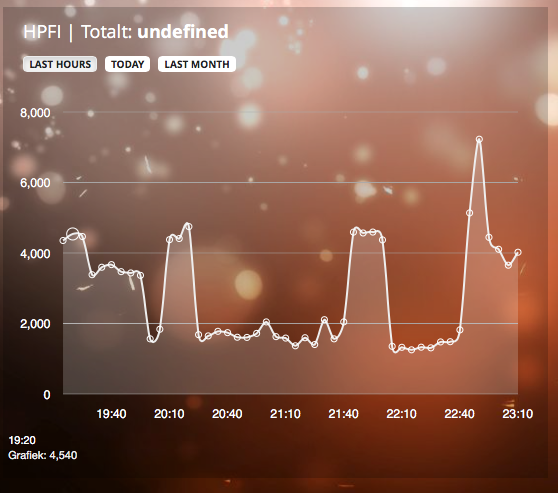
- Screen Shot 2017-04-08 at 23.13.44.png (282.32 KiB) Viewed 2464 times
It can be fixed with this in the graphs.js, its not the cleanest solution but i works
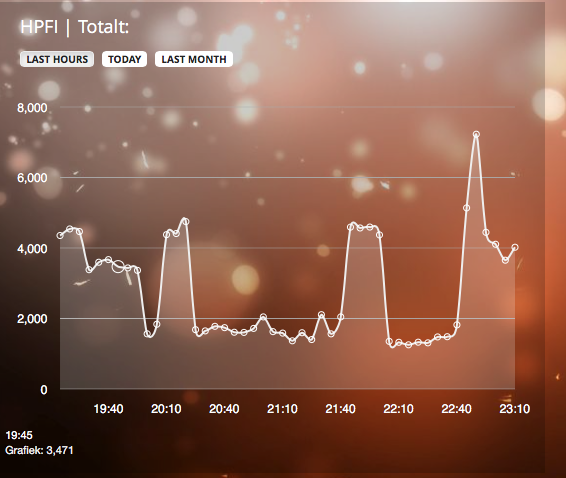
- Screen Shot 2017-04-08 at 23.14.43.png (278.13 KiB) Viewed 2464 times
Re: New Dashboard Design v2, custom positioning and multiple screens
Posted: Saturday 08 April 2017 23:21
by pvm
Thanks for fixing the clock not being centered, Goodnight!
I've tested the graph for PI temperature and CPU usage, it reports "PITemperature: undefined" and does not show a graph
another question, is it possible to show the current weather icon in 'currentweather_big' right now (while it is pretty dark) it shows a nice sunny icon. I'm not sure whether that kind of info is available?
Re: New Dashboard Design v2, custom positioning and multiple screens
Posted: Saturday 08 April 2017 23:27
by robgeerts
Well, I have to extend the graph functionality to support more devices! Soon to come
(Got a notification on my phone. I just had to reply

Re: New Dashboard Design v2, custom positioning and multiple screens
Posted: Saturday 08 April 2017 23:29
by EdwinK
I know you are sleeping right now (or at least should by now), but could you one day find a way to remove the empty field above column 1
(need to find a better image host place)
Re: New Dashboard Design v2, custom positioning and multiple screens
Posted: Saturday 08 April 2017 23:31
by EdwinK

Just kidding
Re: New Dashboard Design v2, custom positioning and multiple screens
Posted: Saturday 08 April 2017 23:34
by robgeerts
Re: New Dashboard Design v2, custom positioning and multiple screens
Posted: Saturday 08 April 2017 23:50
by Clemen
EdKo66 wrote:I know you are sleeping right now (or at least should by now), but could you one day find a way to remove the empty field above column 1
(need to find a better image host place)
Paste your
columns[1]['blocks'] = [.......
Re: New Dashboard Design v2, custom positioning and multiple screens
Posted: Sunday 09 April 2017 1:45
by HansieNL
Hello Rob,
- I tried to us a pattern picture as background, but the picture is just stretched. Can you fix that a pattern can be used? I also tried to load this background via custom.css in the body section, but didn't work either.
Code: Select all
background:
radial-gradient(black 15%, transparent 16%) 0 0,
radial-gradient(black 15%, transparent 16%) 8px 8px,
radial-gradient(rgba(255,255,255,.1) 15%, transparent 20%) 0 1px,
radial-gradient(rgba(255,255,255,.1) 15%, transparent 20%) 8px 9px;
background-color:#282828;
background-size:16px 16px;
- I created a 3rd screen. I see the 3 screen dots at the bottom of the screen, but if I try to load 3rd screen the 2nd screen is shown.
I hope you can fix both some day... Thanks
Re: New Dashboard Design v2, custom positioning and multiple screens
Posted: Sunday 09 April 2017 4:07
by Ierlandfan
Sweet dreams for now and days to come. And I think I speak for all of us when I say we all enjoy and appreciate the hard work you put in this every day! If anybody feels he deserves credits where credits are due..well..there's a button for that!
Re: New Dashboard Design v2, custom positioning and multiple screens
Posted: Sunday 09 April 2017 8:43
by Bob123bob
Is there a way to add Alert device type ?
Alert device
Code: Select all
{
         "AddjMulti" : 1.0,
         "AddjMulti2" : 1.0,
         "AddjValue" : 0.0,
         "AddjValue2" : 0.0,
         "BatteryLevel" : 255,
         "CustomImage" : 0,
         "Data" : "No weather alert",
         "Description" : "",
         "Favorite" : 1,
         "HardwareID" : 5,
         "HardwareName" : "Virtual Switches",
         "HardwareType" : "Dummy (Does nothing, use for virtual switches only)",
         "HardwareTypeVal" : 15,
         "HaveTimeout" : false,
         "ID" : "82106",
         "LastUpdate" : "2017-04-09 08:10:01",
         "Level" : 1,
         "Name" : "Weather alert",
         "Notifications" : "true",
         "PlanID" : "0",
         "PlanIDs" : [ 0 ],
         "Protected" : false,
         "ShowNotifications" : true,
         "SignalLevel" : "-",
         "SubType" : "Alert",
         "Timers" : "false",
         "Type" : "General",
         "TypeImg" : "Alert",
         "Unit" : 1,
         "Used" : 1,
         "XOffset" : "0",
         "YOffset" : "0",
         "idx" : "107"
      },
