Page 20 of 49
Re: Dashticz - Module - Garbage collector
Posted: Monday 01 January 2018 20:25
by Derik
mm did update my dashticz to last beta.
look there are some other setting needed...
Only i cannot use the "old" css for adjust image and place and the css for tomorrow and today font.
I used this settings:
Code: Select all
.trash .state div.trashtoday 		{ font-size: 30px; font-weight: 3; color: blue;margin-left: 29px; font-weight: bold; font-variant: small-caps;}
.trash .state div.trashtomorrow=	{ font-size: 27px; font-weight: 2; color: white; margin-left: 29px; font-variant: small-caps;}
.trash .state div.trashrow 		{ font-size: 25px; font-weight: 1; color: red; margin-left: 29px; font-variant: small-caps;} /// alle tekst
.trashcan				{ height: 65px; width: 65px; margin-left:; margin-top: 20px;}
Only that is not function any more.
Someone have new css for the latest garbage js?
xx
Re: Dashticz - Module - Garbage collector
Posted: Monday 01 January 2018 21:02
by aiolos
Ah, those classes are accidentally removed in the whole refactor. I create a
PR for it.
Also note that after 'trashtomorrow' you have an '=', that's not valid css.
Re: Dashticz - Module - Garbage collector
Posted: Monday 01 January 2018 21:16
by Derik
mm thanks for the typo..
Only the image is see very small in my setup.
And no color and i set the color on true in the config:
Code: Select all
config['garbage_use_names'] 	= true;
config['garbage_use_colors']	= true;
config['garbage_icon_use_colors'] = true;
Just a very smal "kliko" in the left upper corner. without a color...
And i see in the img. map all the jpg that he can should use.
Re: Dashticz - Module - Garbage collector
Posted: Monday 01 January 2018 21:57
by timyboyb
Hello,
Since my town Groningen is also not digital available I try to get the ical from google working and make my own. He says only "loading". What to do? how to check the diffrent parts?
Re: Dashticz - Module - Garbage collector
Posted: Monday 01 January 2018 22:05
by JacEngels
timyboyb wrote: Monday 01 January 2018 21:57
Hello,
Since my town Groningen is also not digital available I try to get the ical from google working and make my own. He says only "loading". What to do? how to check the diffrent parts?
Maybe for Groningen this link can be used and implemented:
https://gemeente.groningen.nl/afvalwijzer/groningen
Re: Dashticz - Module - Garbage collector
Posted: Monday 01 January 2018 22:32
by timyboyb
JacEngels wrote: Monday 01 January 2018 22:05
timyboyb wrote: Monday 01 January 2018 21:57
Hello,
Since my town Groningen is also not digital available I try to get the ical from google working and make my own. He says only "loading". What to do? how to check the diffrent parts?
Maybe for Groningen this link can be used and implemented:
https://gemeente.groningen.nl/afvalwijzer/groningen
thanks for the idea but this is only a table view page, no ical orso.
I tried the google API as well but that one is also not loading...
Re: Dashticz - Module - Garbage collector
Posted: Monday 01 January 2018 22:34
by Derik
you have to set all into the last beta
Re: Dashticz - Module - Garbage collector
Posted: Monday 01 January 2018 22:49
by timyboyb
Derik wrote: Monday 01 January 2018 22:34
you have to set all into the last beta
what is the best way to install that last version? just starting up with this but know some basics here and there. Sourcetree? working in atom but also new there.
Re: Dashticz - Module - Garbage collector
Posted: Monday 01 January 2018 22:52
by Derik
mmm I don't now.
My way.
Save the custom and custom css and perhaps your custom images.
Then remove all the dash maps
Then upload the new dash map
The replace all the custom
Re: Dashticz - Module - Garbage collector
Posted: Monday 01 January 2018 23:09
by timyboyb
Derik wrote: Monday 01 January 2018 22:52
mmm I don't now.
My way.
Save the custom and custom css and perhaps your custom images.
Then remove all the dash maps
Then upload the new dash map
The replace all the custom
oh, thanks man, it's working.
Re: Dashticz - Module - Garbage collector
Posted: Monday 01 January 2018 23:28
by Derik
timyboyb wrote: Monday 01 January 2018 23:09
Derik wrote: Monday 01 January 2018 22:52
mmm I don't now.
My way.
Save the custom and custom css and perhaps your custom images.
Then remove all the dash maps
Then upload the new dash map
The replace all the custom
oh, thanks man, it's working.
Change your "old" setting in to the new in the wiki..
There are some bugs..
Re: Dashticz - Module - Garbage collector
Posted: Monday 01 January 2018 23:38
by timyboyb
Derik wrote:timyboyb wrote: Monday 01 January 2018 23:09
Derik wrote: Monday 01 January 2018 22:52
mmm I don't now.
My way.
Save the custom and custom css and perhaps your custom images.
Then remove all the dash maps
Then upload the new dash map
The replace all the custom
oh, thanks man, it's working.
Change your "old" setting in to the new in the wiki..
There are some bugs..
Ah oké, what specifically? Where do I look for?
Verstuurd vanaf mijn HTC 10 met Tapatalk
Re: Dashticz - Module - Garbage collector
Posted: Tuesday 02 January 2018 14:46
by Derik
Rob..
I do have the latest beta...
Only my icon is very small.
And when i use my old css there is no change of any hing..
config:
Code: Select all
config['garbage_use_names'] 	= true;
config['garbage_use_colors']	= true;
config['garbage_icon_use_colors'] = true;


/*//////////////////////////// Afval  \\\\\\\\\\\\\\\\\\\\\\\\\\\\\\\\*/

config['garbage_company'] 	= 'mijnafvalwijzer';
config['garbage_zipcode'] 	= '6656AW';
config['garbage_street'] 	= 'park33';
config['garbage_housenumber'] 	= '29';
config['garbage_maxitems'] 	= '3';
config['garbage_width'] 	= '6';
config['garbage_hideicon'] 	= 0;

config['garbage'] = {
    gft:	{kliko: 'green', 	code: '#375b23', name: 'GFT-Folie'},
    pmd: 	{kliko: 'orange', 	code: '#db5518', name: 'PMD'},
    rest: 	{kliko: 'grey', 	code: '#5e5d5c', name: 'Restafval'},
    papier: 	{kliko: 'blue', 	code: '#153477', name: 'Papier'},
    kca:	{kliko: 'red', 		code: '#b21807', name: 'Chemisch afval'},
    brown: 	{kliko: 'brown', 	code: '#7c3607', name: 'Bruin'},
    black: 	{kliko: 'black',	code: '#000000', name: 'Zwart'},};
and..
css:
Code: Select all
.trash .state div.trashtoday 		{ font-size: 30px; font-weight: 3; margin-left: 29px; font-weight: bold; font-variant: small-caps;}
.trash .state div.trashtomorrow		{ font-size: 27px; font-weight: 2; margin-left: 29px; font-variant: small-caps;}
.trash .state div.trashrow 		{ font-size: 25px; font-weight: 1; margin-left: 29px; font-variant: small-caps;} /// alle tekst
.img.trashcan				{ height: 65px; width: 65px; margin-left:; margin-top: 20px;}
So perhaps i need a total new css??
Or?
Re: Dashticz - Module - Garbage collector
Posted: Tuesday 02 January 2018 17:41
by aiolos
Derik wrote: Tuesday 02 January 2018 14:46
Rob..
I do have the latest beta...
Only my icon is very small.
And when i use my old css there is no change of any hing..
....
So perhaps i need a total new css??
Or?
I just checked your config and css. Seems to work with the latest beta (please note that the changes to make this work were merged this morning.)
The given postalcode/housenumber doesn't give a result, but if I try another one, I see results. The layout is changed by the css then.
Re: Dashticz - Module - Garbage collector
Posted: Tuesday 02 January 2018 18:08
by Derik
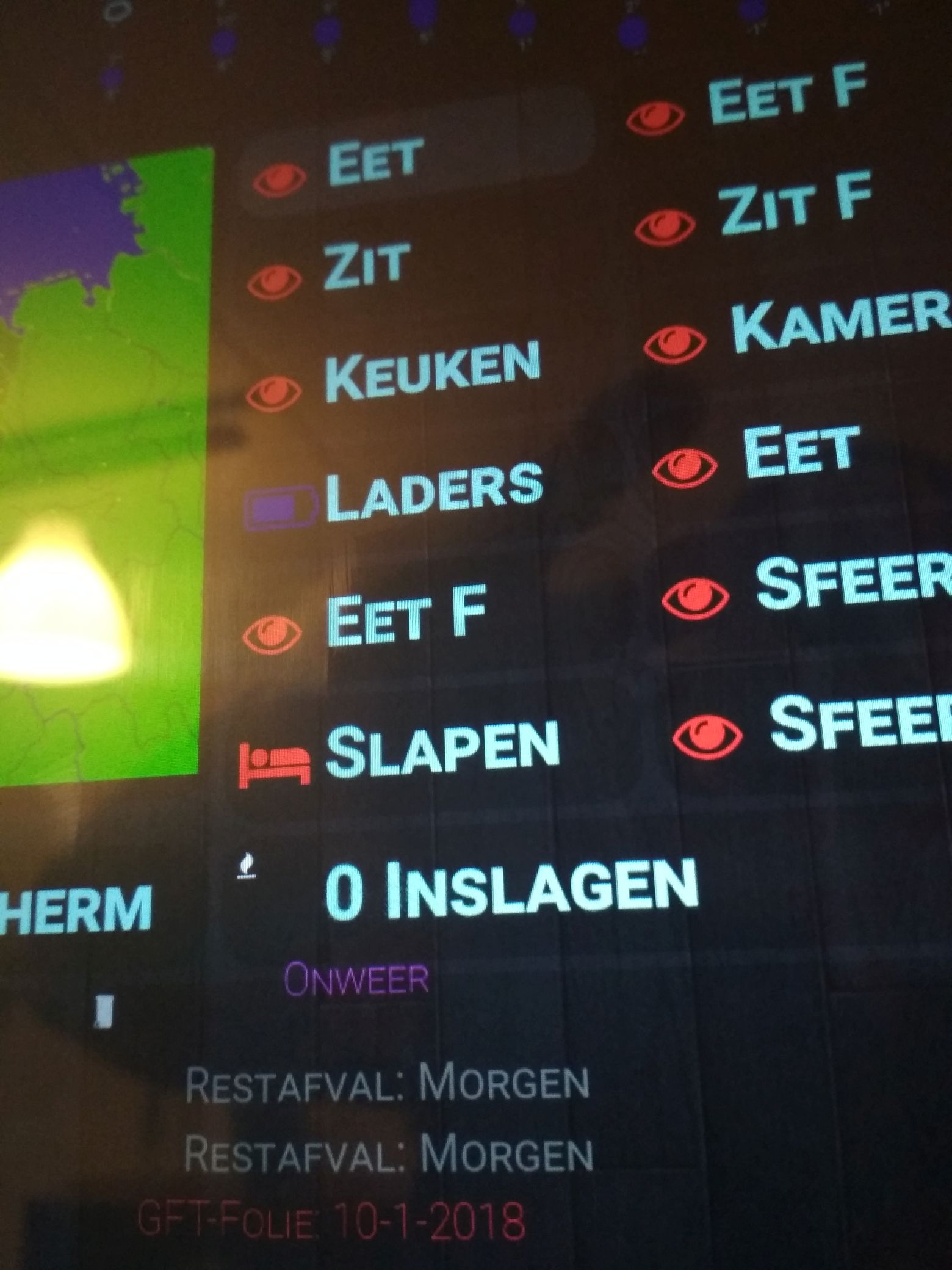
- klein.jpg (243.51 KiB) Viewed 2151 times
This is what i have..
Perhaps you can share your settings?
Re: Dashticz - Module - Garbage collector
Posted: Tuesday 02 January 2018 20:08
by jdemas
Hi Rob,
sinds 1 of january rd4 isn't working at all.
can you look into it?
regards Jeffrey
Re: Dashticz - Module - Garbage collector
Posted: Wednesday 03 January 2018 0:40
by aiolos
Derik wrote: Tuesday 02 January 2018 18:08
klein.jpg
This is what i have..
Perhaps you can share your settings?
Ah, I thought no css at all was working, but it is only the image. Use
Code: Select all
div.col-icon { width: 100px !important;}
in your custom.css to also adapt the div around the icon. That one is by default fixed to max 50px width. (by using the 'inspect element' option in your browser and playing around with the elements you can see what happens if you disable on change css values)
Re: Dashticz - Module - Garbage collector
Posted: Wednesday 03 January 2018 0:47
by Luxtux
I've created another pull request. so the scripts can assign garbagetypes to my city's ICAL file. I'm wondering if it maybe wouldnt be a better idea to have some config option for each type of garbage; instead of keep on adding different regex words for each language.
I have one little issue that I haven't been able to solve yet. I was able to hide some entries in the previous version of the garbage module (before nov 2017) by not defining some garbage types. The ICAL file that the city provides contains all types of bins that exist in their system; but not all of them interest me. E.g. I live in an apartment, so i don't care that they come and pick up cut grass.
Re: Dashticz - Module - Garbage collector
Posted: Wednesday 03 January 2018 0:56
by aiolos
Thanks. Now that it gets some usage we can figure out what's handy to use. You are right about the adding stuff, I think we can solve it by adding a matching element in the config. That way everyone can change it to their specific situation.
For your problem with too much information a hiding option should be added, that makes sense. The earlier config had that option indeed.
And good news for the people in Groningen: implementation is on its way...
Re: Dashticz - Module - Garbage collector
Posted: Wednesday 03 January 2018 1:07
by Derik
aiolos wrote: Wednesday 03 January 2018 0:40
Derik wrote: Tuesday 02 January 2018 18:08
klein.jpg
This is what i have..
Perhaps you can share your settings?
Ah, I thought no css at all was working, but it is only the image. Use
Code: Select all
div.col-icon { width: 100px !important;}
in your custom.css to also adapt the div around the icon. That one is by default fixed to max 50px width. (by using the 'inspect element' option in your browser and playing around with the elements you can see what happens if you disable on change css values)
Thanks for the tip try it tomorrow..
Only i cannot see the dash in my pc because the screen setting are different on my pc and my tablet..
Perhaps a solution for that?