The Xemex CSMB (Current Sense to Modbus) is a current converter in a DIN-rail housing that translates readings from current transformers (CTs) into RS485 / Modbus RTU signals, used for active load balancing at charging stations.
The PUSR-DR134 (USR-DR134) is a compact serial device server that converts data from an RS485 port to Ethernet (10/100 Mbps).
The PUSR-DR164 (USR-DR164) is a compact industrial serial converter that connects data from an RS485 port to a dual-band WiFi network (2.4 GHz and 5.8 GHz).
Intro
I had the Xemex CSMB in my possession for a long time (it was never installed with the Newmotion/Shell charging station), and last year I added the PUSR-DR134 and PUSR-DR164 to my stock collection. Just last week, I also managed to get hold of a 12-volt power supply from a KPN Arris set-top box. So no additional investment was needed.
 .
With the help of Google AI, I have now created two setups—one for the DR134 and one for the DR164—to utilize the Xemex CSMB for measuring current and integrating those readings into Domoticz.
These setups are interchangeable.
The Xemex CSMB features:
- a measurement range of 1 – 80 Amperes
- an error margin of < 5%
- a requirement for calibration.
How it works
Data are retrieved from the :
- USR134 via its built-in "light-edge" function (requiring two JSON payloads), or
- USR164 via separate Python container (Docker).
The data are then delivered via MQTT and processed in Domoticz using MqttMapper.
Raw data are pre-calibrated using a clamp meter and processed via a dzVents script to produce:
- calibrated current values, and
- power (wattage), based on voltage per fase from P1 meter (data already in Domoticz).
Cumulative measurement data can be reset using a dedicated button.
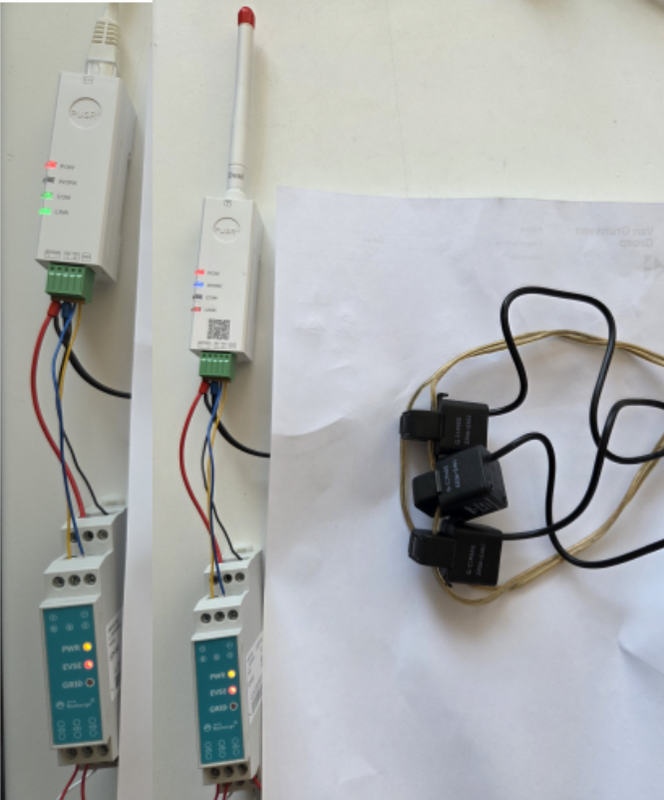
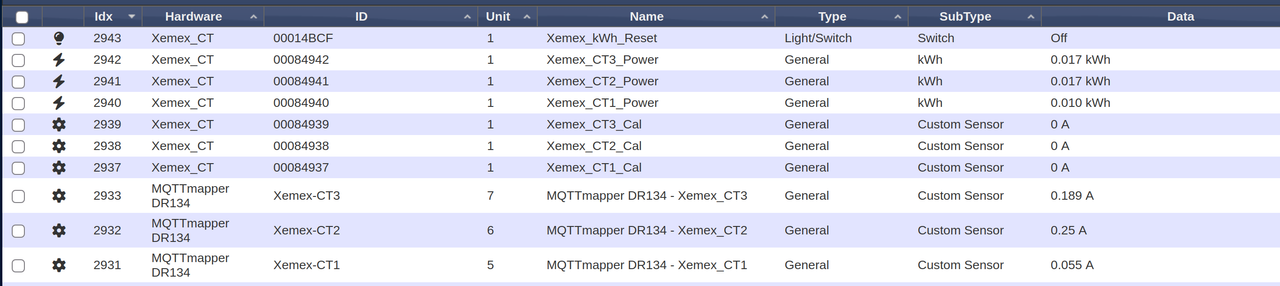
Since I don't expect many similar configurations to be sitting around in a cupboard waiting to be put to use, please let me know if there is any interest in a more detailed description or explanation.
It is not plug and play and needs some tuning to fit your own Domoticz system.