
I built it because a normal utility meter can't tell you how much of your solar went straight into the car versus back to the grid. The myenergi app shows that, but Domoticz had no good way to log and graph it over time. So the main goal was accurate, restart-proof counters rather than just live wattage.
What it does
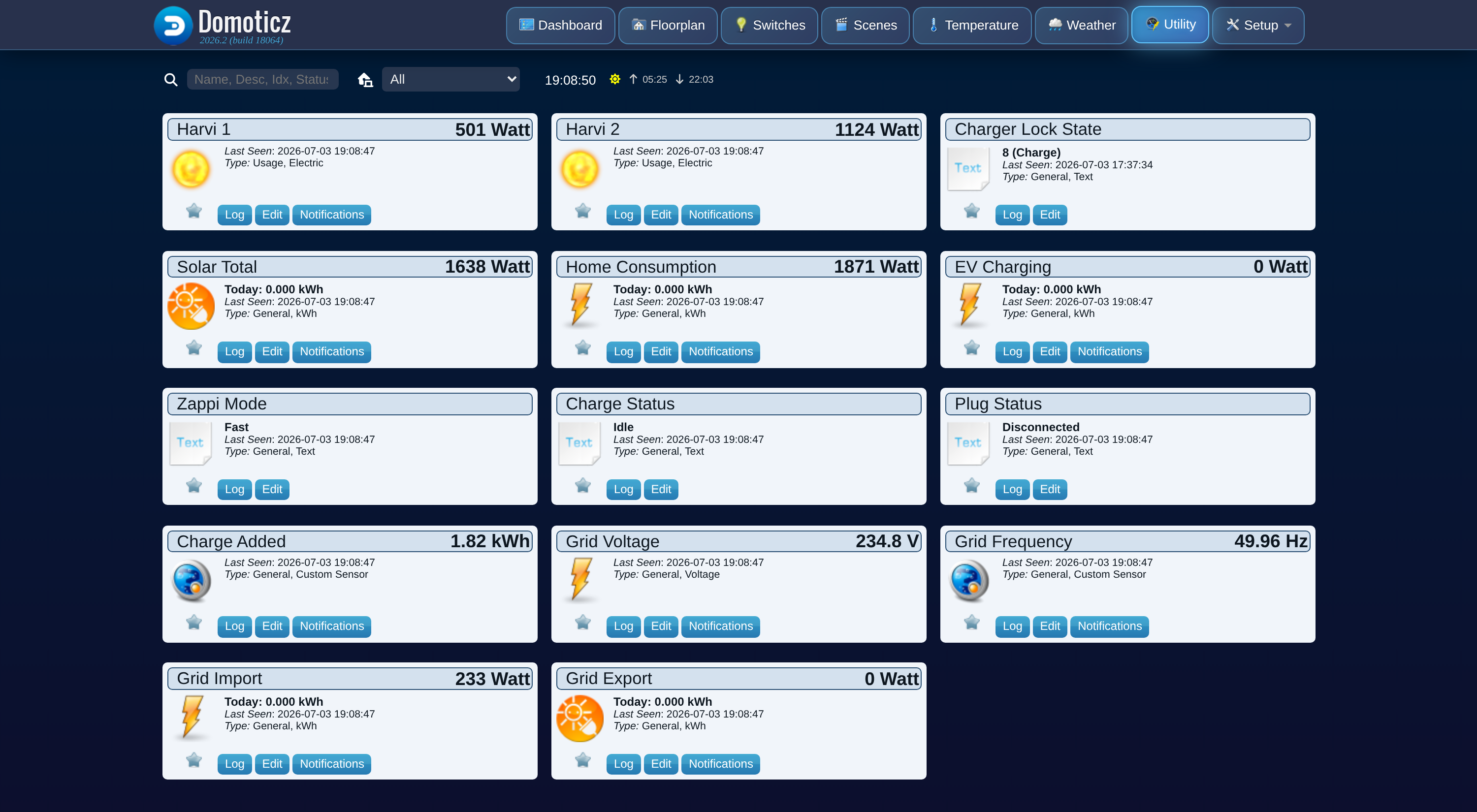
- Solar generation across all inverters on the hub, as power and a running kWh counter
- EV charging power, plus energy added this session and cumulative
- Home consumption, derived from generation, grid flow, and EV charging (Domoticz has no separate meter for this)
- Grid import and export, both directions, power and kWh
- One live-power device per harvi, styled for generation or battery/load
- Grid voltage and frequency, plus charge status, plug status, and zappi mode as text
- Device names and status text in English or Dutch
Devices
Everything is created automatically on the first successful poll. Nothing to add by hand.
Code: Select all
Unit  | Device            | What it shows
------|-------------------|------------------------------------------------
1     | Solar Total       | Total PV generation, all inverters (W + kWh)
2     | Grid Import       | Power drawn from the grid (W + kWh)
3     | Grid Export       | Power fed back to the grid (W + kWh)
4     | Home Consumption  | Derived rest-of-house usage (W + kWh)
5     | EV Charging       | Power delivered to the car (W + kWh)
6     | Charge Added      | Energy added this charging session (kWh)
7     | Zappi Mode        | Fast / Eco / Eco+ / Stop
8     | Charge Status     | Idle / Paused / Diverting / Boosting / Complete
9     | Plug Status       | Disconnected / Connected / Charging / Fault
10    | Grid Voltage      | Mains voltage
11    | Grid Frequency    | Mains frequency
20+   | Harvi <serial>    | One live-power device per harvi
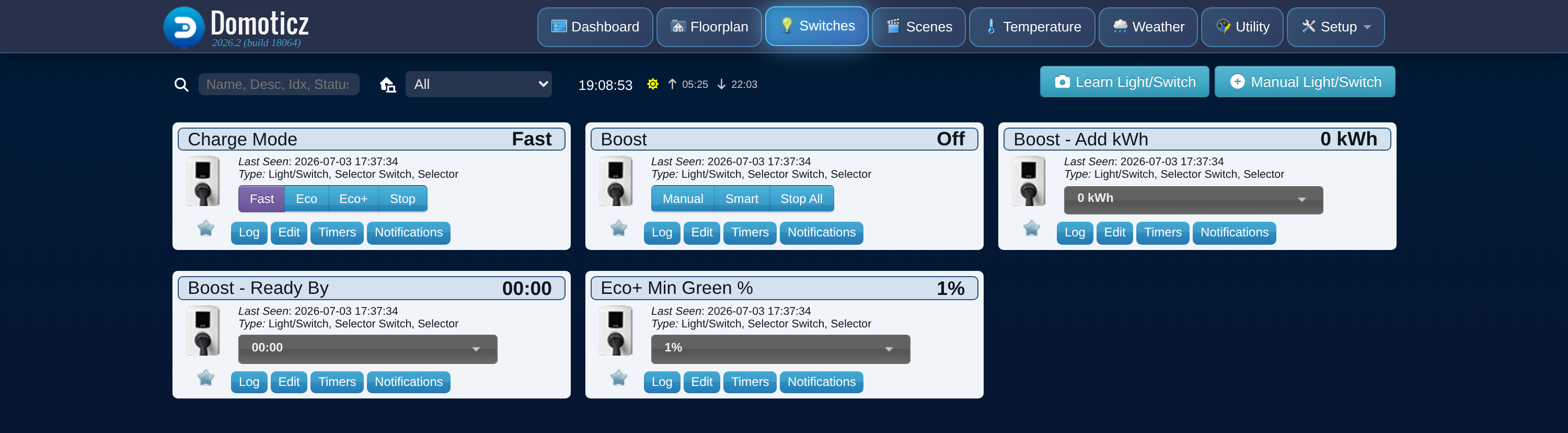
Control is opt-in. There's an "Allow Control" setting that is off by default, and while it's off the plugin never sends anything to your charger, it only reads. Turn it on and you get a few extra devices:
Code: Select all
12    | Charge Mode        | Set Fast / Eco / Eco+ / Stop
13    | Boost              | Start or cancel: Manual, Smart, Stop All
14    | Boost - Add kWh    | kWh to add on the next boost
15    | Boost - Ready By   | Target finish time for a Smart boost
16    | Eco+ Min Green %   | Minimum green level for Eco+
18    | Charger Lock State | Lock status (read-only)
- A myenergi hub with at least one zappi
- Your hub serial and an API key (myenergi app: Account, then Advanced, then API key)
- Internet access from the Domoticz host
Install
Code: Select all
cd /opt/domoticz/plugins
git clone -b dist https://github.com/Rouzax/myenergi-domoticz-plugin myenergi
sudo systemctl restart domoticzScreenshots
Monitoring devices:
Charger control devices (with Allow Control on):
Documentation
Install guide, every setting, the full device reference, FAQ, and security notes (it also links back to the GitHub repository):
https://rouzax.github.io/myenergi-domoticz-plugin/