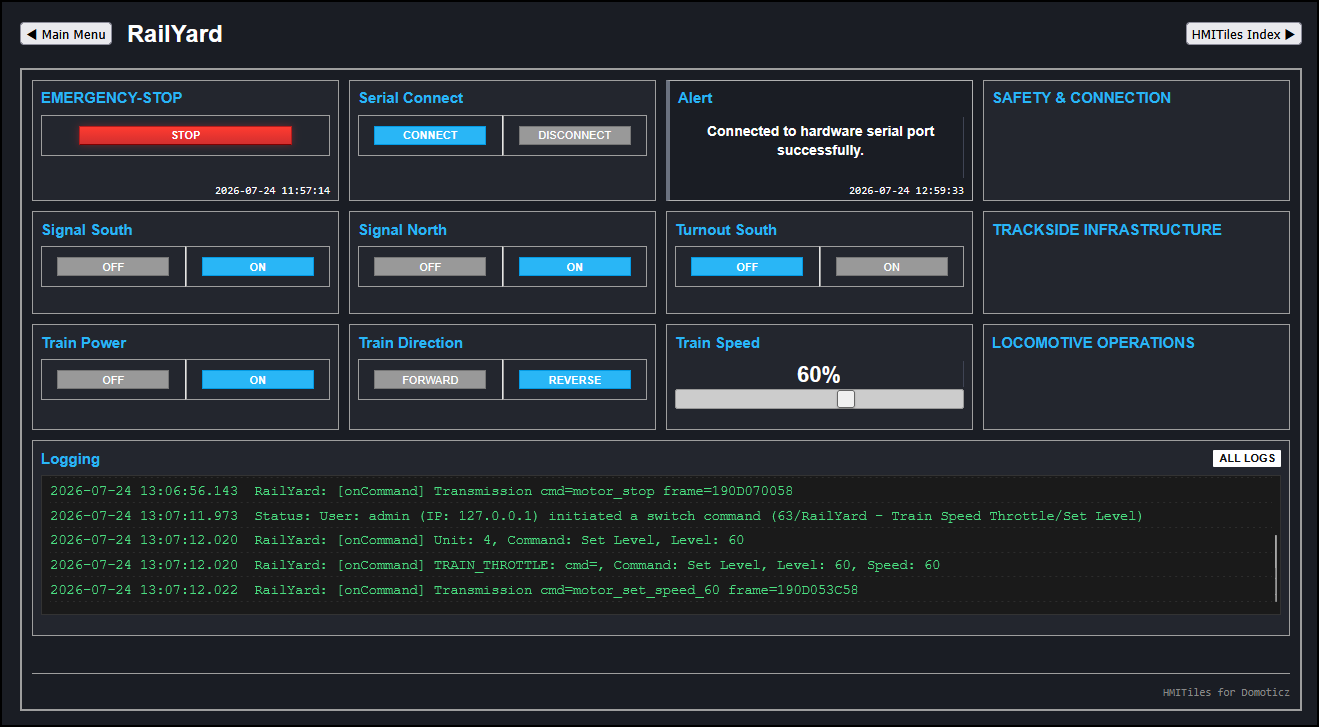
I’d like to share an open-source framework that might be useful as inspiration or a blueprint for building Domoticz custom pages.
HMITiles Custom Pages Framework is a lightweight, decoupled HTML/CSS/JS framework designed to visualize and control your smart home devices using structured, high-density tiles.
This framework brings High-Performance Human Machine Interface (HMI) principles to the smart home. The focus is clarity, situational awareness, and disciplined layout—not visual special effects or decorative UI clutter.
Screenshots
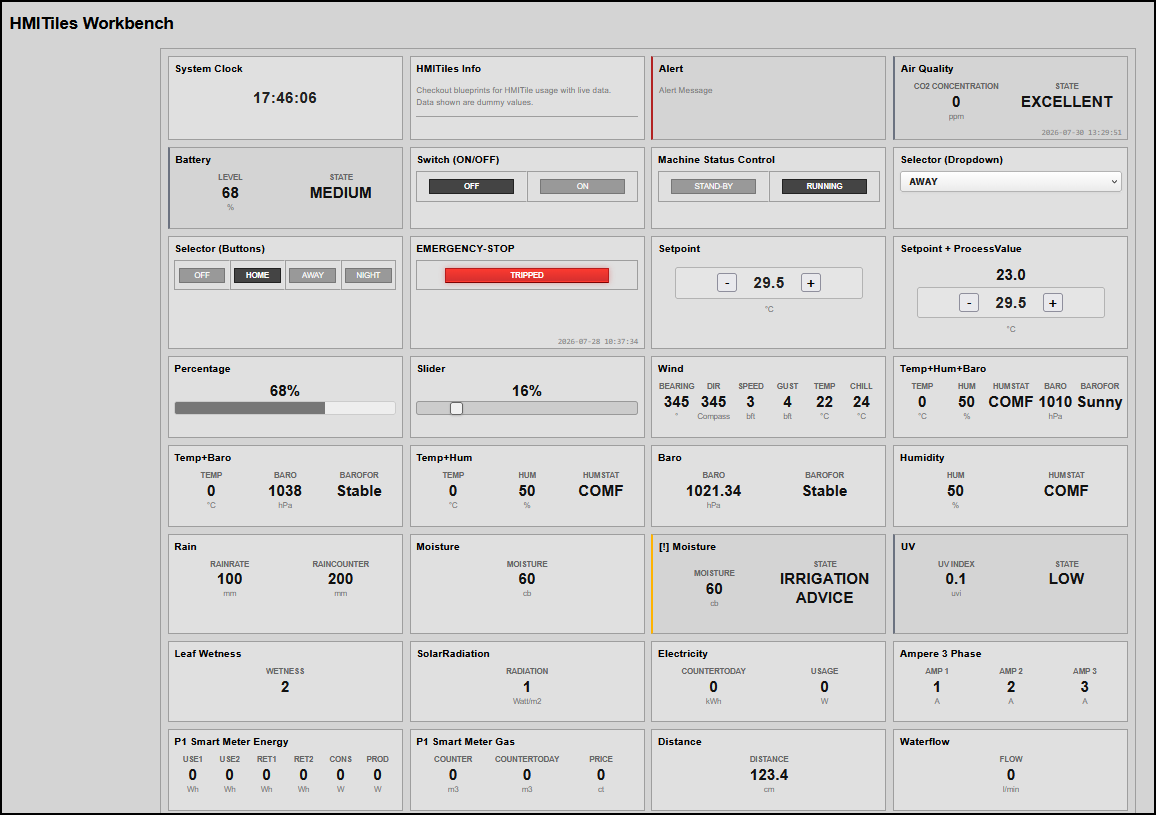
Blueprint Framework Workbench (Development & Testing Area)
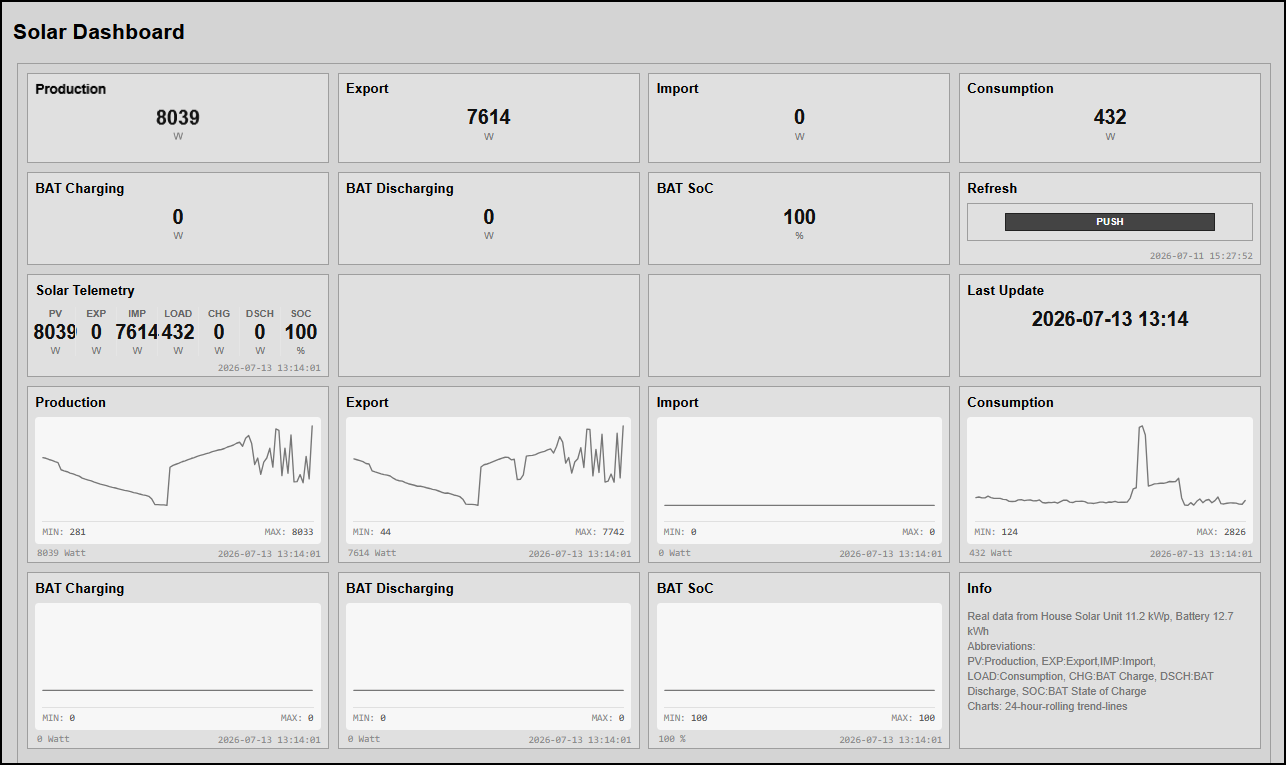
Example Solar Dashboard (live data)
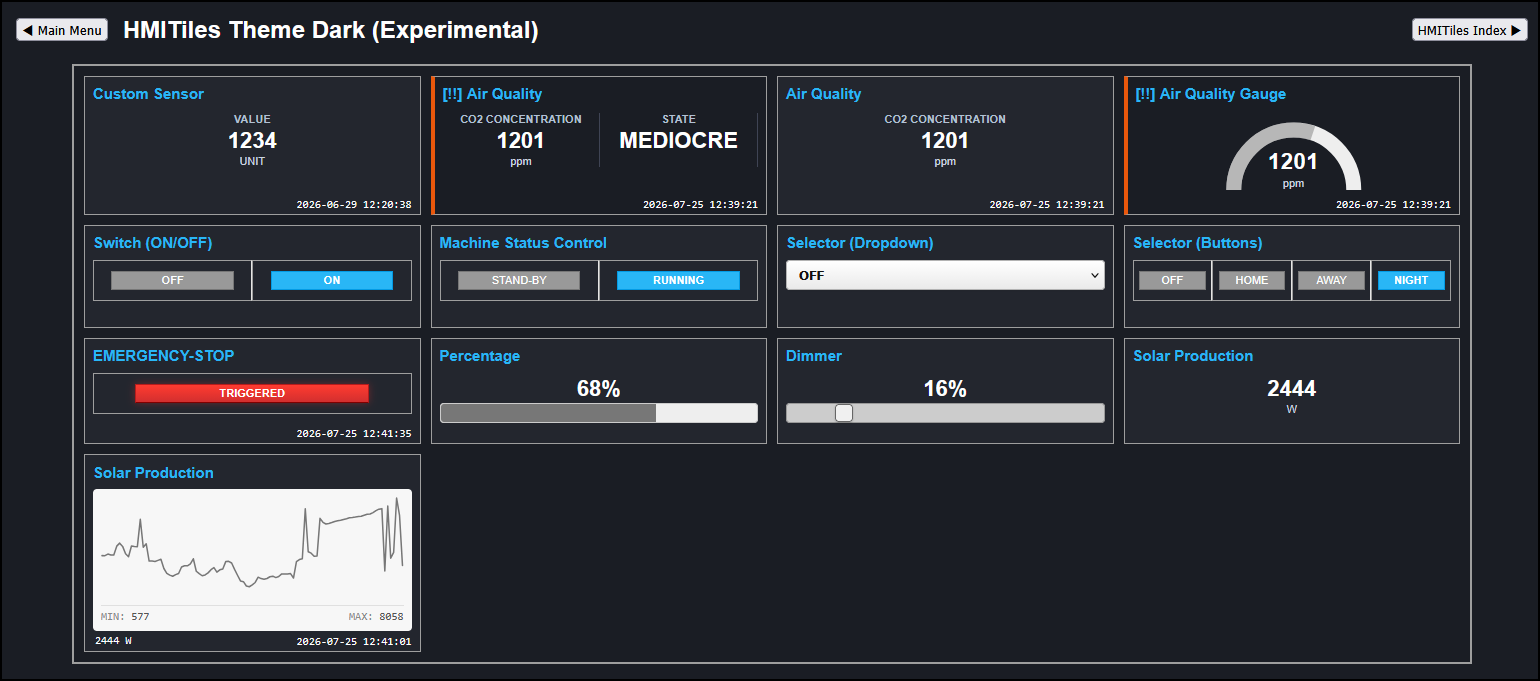
Experimental Dark Theme
Design Philosophy
This framework bypasses typical flashy smart-home trends to strictly mirror modern industrial HMI standards - using muted baselines (flat 4px rounded shapes) to reduce eye strain and reserving high-contrast colors exclusively for active process alarms.
Core Architecture
- High-Performance HMI: Muted charcoal baselines with color shifts and alert symbols reserved strictly for active alarm thresholds.
- Decoupled Engine Loop: Visual presentation parameters are isolated completely from back-end server data fetches using a fast registry map lookup.
- Declarative DOM Injection: Hardware registries bind instantly to HTML tags via standard data-device-idx attributes, now supported by an adaptive, overflow-proof CSS Grid panel layout.
- Ecosystem Extension Hooks: Central callback intercepts data to inject text inputs or multiple semicolon-separated device indices without extra loops.
- Generic State Validation: Automated alarm handlers evaluate limits natively based on embedded metadata tags.
Included Page Blueprints & Widget Engines (Selected & Updated)
- Alarm: Consolidates thresholds, labels, warning symbols (! and ▲), and severity borders into a single loop. Removes full background fills to lock cleanly into muted theme baselines.
- Dimmer Sliders & Progress Bars: Linear horizontal fill indicators and range tracks with fully configurable min, max, step, and minimalist scales.
- Gauge: Renders real-time sensor metrics using high-contrast vector arc indicators, 90-degree needles, or compass tracks.
- Info: Displays explicit textual log data sourced natively from a device string or defined directly inside the HTML layout container.
- Inputs Text, Number & Color types: Fields supporting strings, decimals, and #RRGGBB hex wheels for color/WW hardware that temporarily lock focus during edits to block background refresh interference.
- Logmonitor: A full-page high-density component for real-time tracking of the server log database, featuring level filter menus, clearing, and dark-theme keyword color-matching.
- Switches & Selectors: Manages binary or multi-level control arrays using grid-aligned buttons defined as responsive badges. The core engine scans elements and attaches hardware command click handlers to nodes with `data-action` tokens (supporting Toggle, Blinds, and Pulse/Push On).
- Set-point Steppers with PV: Dual-variable panels pairing step buttons directly next to live sensor feedback, guarded safely by infinity bounding constraints.
- Trends: Renders telemetry logs as high-density, full-width single-line SVG sparkline vector graphs. Calculates internal coordinates natively to map baseline indicators and stats without distortion.
- Theme Dark: An experimental dark mode theme optimizing text contrast, hardware-accelerated rendering, and custom component layout visibility.
- Values: Dynamically scales to support high-density metric rows, ranging from a single value up to 7 horizontal layout columns (multi-values).
Source Code & Documentation
The complete core system tree along with step-by-step setup tutorials, self-contained ready-to-run dashboard files, and the new standalone RailYard train control testing dashboard client are hosted on GitHub:
 GitHub Repository
Notes
- The repository folder blueprints is a good place to start as each HMITile is described with examples.
- This project is under continuous development. Updates, tweaks, and optimizations are pushed directly to GitHub as they happen, without separate forum announcements. Check the repository for the latest code revisions.
Robert

 ).
).