There was a minor compatibility issue between Domoticz and Python 3.11. This has now been resolved in the latest Domoticz update. I've also updated the plugin accordingly. Make sure to update both to ensure proper functionality.reinestein wrote:
Python Plugin: Domoticz-TinyTUYA-Plugin (Cloud)
Moderator: leecollings
-
Xenomes

- Posts: 448
- Joined: Tuesday 27 November 2018 19:05
- Target OS: Linux
- Domoticz version: 2025.2
- Location: Netherlands
- Contact:
Re: Python Plugin: Domoticz-TinyTUYA-Plugin (Cloud)
HP T630 (256GB SSD/8GB Mem) - Ubuntu 24.04.3 LTS (64Bit) - Domoticz 2025.2 (Docker) Machinon theme - RFLink - KaKu - Sonoff - Tasmota - Shelly - MQTT2Zigbee - OpenTherm Gateway - Tinytuya - IR Blaster - P1 Smart Meter - NPN Watermeter - Google Assistant
-
reinestein
- Posts: 17
- Joined: Friday 01 April 2022 8:52
- Target OS: NAS (Synology & others)
- Domoticz version: 2023.1
- Contact:
Re: Python Plugin: Domoticz-TinyTUYA-Plugin (Cloud)
It works! No errors anymoreXenomes wrote: Tuesday 03 June 2025 19:34 There was a minor compatibility issue between Domoticz and Python 3.11. This has now been resolved in the latest Domoticz update. I've also updated the plugin accordingly. Make sure to update both to ensure proper functionality.

-
Varazir

- Posts: 482
- Joined: Friday 20 February 2015 22:23
- Target OS: Raspberry Pi / ODroid
- Domoticz version: Beta
- Contact:
Re: Python Plugin: Domoticz-TinyTUYA-Plugin (Cloud)
I updated the plugin
First I got this
so I moved the folder mv Domoticz-TinyTUYA-Plugin ~/ so I have a backup
All looks OK so far
This is just a warning but still,
Just to ignore it ?
I'm running in docker.
To note I didn't change to install the pyton plugin in the customstart.sh file.
First I got this
Code: Select all
pi@domoticz:~/domoticz/data/plugins/Domoticz-TinyTUYA-Plugin $ git pull
remote: Enumerating objects: 114, done.
remote: Counting objects: 100% (113/113), done.
remote: Compressing objects: 100% (69/69), done.
remote: Total 104 (delta 42), reused 94 (delta 34), pack-reused 0 (from 0)
Receiving objects: 100% (104/104), 497.89 KiB | 1.25 MiB/s, done.
Resolving deltas: 100% (42/42), completed with 6 local objects.
From https://github.com/Xenomes/Domoticz-TinyTUYA-Plugin
   0aa22fc..06b5aac  Master     -> origin/Master
   e0a7efa..62c8e7a  pulsar     -> origin/pulsar
Updating 0aa22fc..06b5aac
error: The following untracked working tree files would be overwritten by merge:
        __pycache__/plugin.cpython-311.pyc
Please move or remove them before you merge.
AbortingCode: Select all
pi@domoticz:~/domoticz/data/plugins $ git clone https://github.com/Xenomes/Domoticz-TinyTUYA-Plugin.git
Cloning into 'Domoticz-TinyTUYA-Plugin'...
remote: Enumerating objects: 1560, done.
remote: Counting objects: 100% (340/340), done.
remote: Compressing objects: 100% (152/152), done.
remote: Total 1560 (delta 237), reused 286 (delta 188), pack-reused 1220 (from 2)
Receiving objects: 100% (1560/1560), 857.64 KiB | 1.11 MiB/s, done.
Resolving deltas: 100% (842/842), done.
This is just a warning but still,
Code: Select all
2025-06-12 10:19:07.560 Status: TinyTUYA: Initialized version 2.2.2, author 'Xenomes'
2025-06-12 10:19:07.571 Error: TinyTUYA: !! Warning Plugin overruled by local json files !!
I'm running in docker.
To note I didn't change to install the pyton plugin in the customstart.sh file.
Raspberry PI 4 with RaZberry Controller 2016 ZWave+ and CC2531(zigbee)
Several IKEA devices/z-wave devices
Several IKEA devices/z-wave devices
Re: Python Plugin: Domoticz-TinyTUYA-Plugin (Cloud)
Hallo, I need some help.
I have installed the plugin and everything works except for two roller shutter controls. These are from the brand Nedis and work in the Tuya app without any problems. On the Tuya Developers Platform I can control them. Can I change something myself to make them work?
List of devices:
[
{
"name": "Rolluik zijkant",
"id": "62331156ecfabc691541",
"key": "Deleted",
"mac": "ec:fa:bc:69:15:41",
"uuid": "62331156ecfabc691541",
"sn": "PGBG28KZH0005B",
"category": "cl",
"product_name": "Curtain controller",
"product_id": "AXnFs1bJQITWAPA4",
"biz_type": 0,
"model": "WIFIWC10WT",
"sub": false,
"icon": "https://images.tuyaeu.com/smart/icon/15 ... br0h_0.png"
},
]
Properties of device: 62331156ecfabc691541
{
"result": {
"category": "cl",
"functions": [
{
"code": "status",
"desc": "{\"range\":[\"1\",\"2\",\"3\"]}",
"name": "Status",
"type": "Enum",
"values": "{\"range\":[\"1\",\"2\",\"3\"]}"
}
],
"status": [
{
"code": "status",
"name": "Status",
"type": "Enum",
"values": "{\"range\":[\"1\",\"2\",\"3\"]}"
}
]
},
"success": true,
"t": 1748204664968,
"tid": "3ffc149c39a611f0b50a8ad9f66a9c16"
}
Status of device: 62331156ecfabc691541
{
"result": [
{
"code": "status",
"value": "2"
}
],
"success": true,
"t": 1748204665301,
"tid": "402d947539a611f0b7363af2f1e8cfff"
I have installed the plugin and everything works except for two roller shutter controls. These are from the brand Nedis and work in the Tuya app without any problems. On the Tuya Developers Platform I can control them. Can I change something myself to make them work?
List of devices:
[
{
"name": "Rolluik zijkant",
"id": "62331156ecfabc691541",
"key": "Deleted",
"mac": "ec:fa:bc:69:15:41",
"uuid": "62331156ecfabc691541",
"sn": "PGBG28KZH0005B",
"category": "cl",
"product_name": "Curtain controller",
"product_id": "AXnFs1bJQITWAPA4",
"biz_type": 0,
"model": "WIFIWC10WT",
"sub": false,
"icon": "https://images.tuyaeu.com/smart/icon/15 ... br0h_0.png"

},
]
Properties of device: 62331156ecfabc691541
{
"result": {
"category": "cl",
"functions": [
{
"code": "status",
"desc": "{\"range\":[\"1\",\"2\",\"3\"]}",
"name": "Status",
"type": "Enum",
"values": "{\"range\":[\"1\",\"2\",\"3\"]}"
}
],
"status": [
{
"code": "status",
"name": "Status",
"type": "Enum",
"values": "{\"range\":[\"1\",\"2\",\"3\"]}"
}
]
},
"success": true,
"t": 1748204664968,
"tid": "3ffc149c39a611f0b50a8ad9f66a9c16"
}
Status of device: 62331156ecfabc691541
{
"result": [
{
"code": "status",
"value": "2"
}
],
"success": true,
"t": 1748204665301,
"tid": "402d947539a611f0b7363af2f1e8cfff"
-
Xenomes
- Posts: 448
- Joined: Tuesday 27 November 2018 19:05
- Target OS: Linux
- Domoticz version: 2025.2
- Location: Netherlands
- Contact:
Re: Python Plugin: Domoticz-TinyTUYA-Plugin (Cloud)
There was an error in the latest push. Please perform a new pull - this should resolve the message you're seeing.Varazir wrote: Thursday 12 June 2025 10:28 I updated the plugin
First I got this
so I moved the folder mv Domoticz-TinyTUYA-Plugin ~/ so I have a backupCode: Select all
pi@domoticz:~/domoticz/data/plugins/Domoticz-TinyTUYA-Plugin $ git pull
remote: Enumerating objects: 114, done.
remote: Counting objects: 100% (113/113), done.
remote: Compressing objects: 100% (69/69), done.
remote: Total 104 (delta 42), reused 94 (delta 34), pack-reused 0 (from 0)
Receiving objects: 100% (104/104), 497.89 KiB | 1.25 MiB/s, done.
Resolving deltas: 100% (42/42), completed with 6 local objects.
From https://github.com/Xenomes/Domoticz-TinyTUYA-Plugin
   0aa22fc..06b5aac  Master     -> origin/Master
   e0a7efa..62c8e7a  pulsar     -> origin/pulsar
Updating 0aa22fc..06b5aac
error: The following untracked working tree files would be overwritten by merge:
        __pycache__/plugin.cpython-311.pyc
Please move or remove them before you merge.
Aborting
All looks OK so farCode: Select all
pi@domoticz:~/domoticz/data/plugins $ git clone https://github.com/Xenomes/Domoticz-TinyTUYA-Plugin.git
Cloning into 'Domoticz-TinyTUYA-Plugin'...
remote: Enumerating objects: 1560, done.
remote: Counting objects: 100% (340/340), done.
remote: Compressing objects: 100% (152/152), done.
remote: Total 1560 (delta 237), reused 286 (delta 188), pack-reused 1220 (from 2)
Receiving objects: 100% (1560/1560), 857.64 KiB | 1.11 MiB/s, done.
Resolving deltas: 100% (842/842), done.
This is just a warning but still,
Just to ignore it ?Code: Select all
2025-06-12 10:19:07.560 Status: TinyTUYA: Initialized version 2.2.2, author 'Xenomes'
2025-06-12 10:19:07.571 Error: TinyTUYA: !! Warning Plugin overruled by local json files !!
I'm running in docker.
To note I didn't change to install the pyton plugin in the customstart.sh file.
HP T630 (256GB SSD/8GB Mem) - Ubuntu 24.04.3 LTS (64Bit) - Domoticz 2025.2 (Docker) Machinon theme - RFLink - KaKu - Sonoff - Tasmota - Shelly - MQTT2Zigbee - OpenTherm Gateway - Tinytuya - IR Blaster - P1 Smart Meter - NPN Watermeter - Google Assistant
-
Xenomes
- Posts: 448
- Joined: Tuesday 27 November 2018 19:05
- Target OS: Linux
- Domoticz version: 2025.2
- Location: Netherlands
- Contact:
Re: Python Plugin: Domoticz-TinyTUYA-Plugin (Cloud)
The json appears to be low in values. Did you try configure the device using DP instructions?bertv wrote: Thursday 12 June 2025 11:08 Hallo, I need some help.
I have installed the plugin and everything works except for two roller shutter controls. These are from the brand Nedis and work in the Tuya app without any problems. On the Tuya Developers Platform I can control them. Can I change something myself to make them work?
List of devices:
[
{
"name": "Rolluik zijkant",
"id": "62331156ecfabc691541",
"key": "Deleted",
"mac": "ec:fa:bc:69:15:41",
"uuid": "62331156ecfabc691541",
"sn": "PGBG28KZH0005B",
"category": "cl",
"product_name": "Curtain controller",
"product_id": "AXnFs1bJQITWAPA4",
"biz_type": 0,
"model": "WIFIWC10WT",
"sub": false,
"icon": "https://images.tuyaeu.com/smart/icon/15 ... br0h_0.png"
},
]
Properties of device: 62331156ecfabc691541
{
"result": {
"category": "cl",
"functions": [
{
"code": "status",
"desc": "{\"range\":[\"1\",\"2\",\"3\"]}",
"name": "Status",
"type": "Enum",
"values": "{\"range\":[\"1\",\"2\",\"3\"]}"
}
],
"status": [
{
"code": "status",
"name": "Status",
"type": "Enum",
"values": "{\"range\":[\"1\",\"2\",\"3\"]}"
}
]
},
"success": true,
"t": 1748204664968,
"tid": "3ffc149c39a611f0b50a8ad9f66a9c16"
}
Status of device: 62331156ecfabc691541
{
"result": [
{
"code": "status",
"value": "2"
}
],
"success": true,
"t": 1748204665301,
"tid": "402d947539a611f0b7363af2f1e8cfff"
HP T630 (256GB SSD/8GB Mem) - Ubuntu 24.04.3 LTS (64Bit) - Domoticz 2025.2 (Docker) Machinon theme - RFLink - KaKu - Sonoff - Tasmota - Shelly - MQTT2Zigbee - OpenTherm Gateway - Tinytuya - IR Blaster - P1 Smart Meter - NPN Watermeter - Google Assistant
Re: Python Plugin: Domoticz-TinyTUYA-Plugin (Cloud)
[/quote]
The json appears to be low in values. Did you try configure the device using DP instructions?
[/quote]
Yes, all the devices are set to DP instructions.
The DP instruction set is only status nothing els.
The json appears to be low in values. Did you try configure the device using DP instructions?
[/quote]
Yes, all the devices are set to DP instructions.
The DP instruction set is only status nothing els.
-
Xenomes
- Posts: 448
- Joined: Tuesday 27 November 2018 19:05
- Target OS: Linux
- Domoticz version: 2025.2
- Location: Netherlands
- Contact:
Re: Python Plugin: Domoticz-TinyTUYA-Plugin (Cloud)
Maybe 1 is up, 2 is stop/hold, and 3 is down... Could added to see what it does.bertv wrote: Thursday 12 June 2025 23:02 The json appears to be low in values. Did you try configure the device using DP instructions?
Yes, all the devices are set to DP instructions.
The DP instruction set is only status nothing els.
HP T630 (256GB SSD/8GB Mem) - Ubuntu 24.04.3 LTS (64Bit) - Domoticz 2025.2 (Docker) Machinon theme - RFLink - KaKu - Sonoff - Tasmota - Shelly - MQTT2Zigbee - OpenTherm Gateway - Tinytuya - IR Blaster - P1 Smart Meter - NPN Watermeter - Google Assistant
Re: Python Plugin: Domoticz-TinyTUYA-Plugin (Cloud)
Maybe 1 is up, 2 is stop/hold, and 3 is down... Could added to see what it does.
[/quote]
If possible please. 1 is up, 2 is down and 3 is stop.
Thanks
-
Xenomes
- Posts: 448
- Joined: Tuesday 27 November 2018 19:05
- Target OS: Linux
- Domoticz version: 2025.2
- Location: Netherlands
- Contact:
Re: Python Plugin: Domoticz-TinyTUYA-Plugin (Cloud)
Added in version 2.2.4bertv wrote: Saturday 14 June 2025 8:28 If possible please. 1 is up, 2 is down and 3 is stop.
Thanks
HP T630 (256GB SSD/8GB Mem) - Ubuntu 24.04.3 LTS (64Bit) - Domoticz 2025.2 (Docker) Machinon theme - RFLink - KaKu - Sonoff - Tasmota - Shelly - MQTT2Zigbee - OpenTherm Gateway - Tinytuya - IR Blaster - P1 Smart Meter - NPN Watermeter - Google Assistant
Re: Python Plugin: Domoticz-TinyTUYA-Plugin (Cloud)
Everything is working fine now, may I thank you very much for adjusting the software.
-
Varazir
- Posts: 482
- Joined: Friday 20 February 2015 22:23
- Target OS: Raspberry Pi / ODroid
- Domoticz version: Beta
- Contact:
Re: Python Plugin: Domoticz-TinyTUYA-Plugin (Cloud)
I have trying to install the python modules using customstart.sh file but I get an error
https://gist.github.com/varazir/d67eb61 ... 6f82e58e32
I have moved back to my own solution for the time being.
https://gist.github.com/varazir/d67eb61 ... 6f82e58e32
I have moved back to my own solution for the time being.
Raspberry PI 4 with RaZberry Controller 2016 ZWave+ and CC2531(zigbee)
Several IKEA devices/z-wave devices
Several IKEA devices/z-wave devices
-
Xenomes
- Posts: 448
- Joined: Tuesday 27 November 2018 19:05
- Target OS: Linux
- Domoticz version: 2025.2
- Location: Netherlands
- Contact:
Re: Python Plugin: Domoticz-TinyTUYA-Plugin (Cloud)
Strange, but if you solution works, no problem.Varazir wrote: Tuesday 17 June 2025 10:21 I have trying to install the python modules using customstart.sh file but I get an error
https://gist.github.com/varazir/d67eb61 ... 6f82e58e32
I have moved back to my own solution for the time being.
HP T630 (256GB SSD/8GB Mem) - Ubuntu 24.04.3 LTS (64Bit) - Domoticz 2025.2 (Docker) Machinon theme - RFLink - KaKu - Sonoff - Tasmota - Shelly - MQTT2Zigbee - OpenTherm Gateway - Tinytuya - IR Blaster - P1 Smart Meter - NPN Watermeter - Google Assistant
-
Varazir
- Posts: 482
- Joined: Friday 20 February 2015 22:23
- Target OS: Raspberry Pi / ODroid
- Domoticz version: Beta
- Contact:
Re: Python Plugin: Domoticz-TinyTUYA-Plugin (Cloud)
My solution is to install the modules outside the docker and use this in my compose file ( I # it when I tested with the customstart.sh installation) .Xenomes wrote: Tuesday 17 June 2025 20:25Strange, but if you solution works, no problem.Varazir wrote: Tuesday 17 June 2025 10:21 I have trying to install the python modules using customstart.sh file but I get an error
https://gist.github.com/varazir/d67eb61 ... 6f82e58e32
I have moved back to my own solution for the time being.
Code: Select all
    environment:
      - TZ=Europe/Stockholm
      - PYTHONPATH=/opt/domoticz/userdata/Domoticz_Python_Environment/:/opt/venv/lib/python3.11/site-packages
Raspberry PI 4 with RaZberry Controller 2016 ZWave+ and CC2531(zigbee)
Several IKEA devices/z-wave devices
Several IKEA devices/z-wave devices
-
84dasilva
- Posts: 12
- Joined: Monday 12 February 2024 17:34
- Target OS: Raspberry Pi / ODroid
- Domoticz version:
- Contact:
Re: Python Plugin: Domoticz-TinyTUYA-Plugin (Cloud)
Request for update plugin;
Dehumidifier.
On/off switch works
Mode switch works
Fan speed switch works
Please fix
Set dehumidify value (it shows dropdown values, but doesnt work)
Add: show humidity_indoor, temp_indoor.
Childlock switch.
I see even more functionality in the json...
Thanks in advance.
Dehumidifier.
On/off switch works
Mode switch works
Fan speed switch works
Please fix
Set dehumidify value (it shows dropdown values, but doesnt work)
Add: show humidity_indoor, temp_indoor.
Childlock switch.
I see even more functionality in the json...
Thanks in advance.
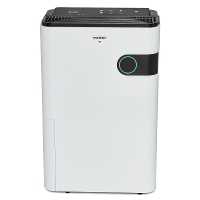
List of devices:
[
{
"name": "MEDION Dehumidifier DH30S",
"id": "bffb66aeb14b86a49edqst",
"key": "Deleted",
"mac": "fc:3c:d7:ef:1e:b7",
"uuid": "d9042d8037864783",
"sn": "10015795002331",
"category": "cs",
"product_name": "MEDION Dehumidifier DH30S",
"product_id": "sime5zc7l7svabdo",
"biz_type": 0,
"model": "DH30S",
"sub": false,
"icon": "https://images.tuyaeu.com/smart/icon/ay ... 904e6a.png"
},
{
"name": "LED HOEK VLOERLAMP",
"id": "bfb09e9ebfb177ae70wvta",
"key": "Deleted",
"mac": "d8:1f:12:40:ee:c2",
"uuid": "3f94d32546702aa8",
"category": "dd",
"product_name": "LED CORNER FLOORLAMP ",
"product_id": "sep7rlajunuqmpbo",
"biz_type": 0,
"model": "3H",
"sub": false,
"icon": "https://images.tuyaeu.com/smart/icon/ay ... 90178d.png"
}
]
Properties of device: bffb66aeb14b86a49edqst
{
"result": {
"category": "cs",
"functions": [
{
"code": "switch",
"desc": "{}",
"name": "\u5f00\u5173",
"type": "Boolean",
"values": "{}"
},
{
"code": "dehumidify_set_value",
"desc": "{\"unit\":\"%\",\"min\":30,\"max\":80,\"scale\":0,\"step\":5}",
"name": "\u6e7f\u5ea6\u8bbe\u7f6e",
"type": "Integer",
"values": "{\"unit\":\"%\",\"min\":30,\"max\":80,\"scale\":0,\"step\":5}"
},
{
"code": "fan_speed_enum",
"desc": "{\"range\":[\"low\",\"high\"]}",
"name": "\u98ce\u901f",
"type": "Enum",
"values": "{\"range\":[\"low\",\"high\"]}"
},
{
"code": "mode",
"desc": "{\"range\":[\"Continuities\",\"Auto\",\"Sleep\"]}",
"name": "\u5de5\u4f5c\u6a21\u5f0f",
"type": "Enum",
"values": "{\"range\":[\"Continuities\",\"Auto\",\"Sleep\"]}"
},
{
"code": "anion",
"desc": "{}",
"name": "\u51c0\u5316",
"type": "Boolean",
"values": "{}"
},
{
"code": "child_lock",
"desc": "{}",
"name": "\u7ae5\u9501",
"type": "Boolean",
"values": "{}"
},
{
"code": "countdown_set",
"desc": "{\"range\":[\"cancel\",\"1h\",\"2h\",\"3h\",\"4h\",\"5h\",\"6h\",\"7h\",\"8h\",\"9h\",\"10h\",\"11h\",\"12h\",\"13h\",\"14h\",\"15h\",\"16h\",\"17h\",\"18h\",\"19h\",\"20h\",\"21h\",\"22h\",\"23h\",\"24h\"]}",
"name": "\u5012\u8ba1\u65f6",
"type": "Enum",
"values": "{\"range\":[\"cancel\",\"1h\",\"2h\",\"3h\",\"4h\",\"5h\",\"6h\",\"7h\",\"8h\",\"9h\",\"10h\",\"11h\",\"12h\",\"13h\",\"14h\",\"15h\",\"16h\",\"17h\",\"18h\",\"19h\",\"20h\",\"21h\",\"22h\",\"23h\",\"24h\"]}"
},
{
"code": "filter_reset",
"desc": "{}",
"name": "\u6ee4\u82af\u590d\u4f4d",
"type": "Boolean",
"values": "{}"
},
{
"code": "temp_unit_convert",
"desc": "{\"range\":[\"c\",\"f\"]}",
"name": "\u6e29\u6807\u5207\u6362",
"type": "Enum",
"values": "{\"range\":[\"c\",\"f\"]}"
},
{
"code": "runtime_total_reset",
"desc": "{}",
"name": "\u91cd\u7f6e\uff08\u5de5\u4f5c\u65f6\u95f4\uff09",
"type": "Boolean",
"values": "{}"
}
],
"status": [
{
"code": "switch",
"name": "\u5f00\u5173",
"type": "Boolean",
"values": "{}"
},
{
"code": "dehumidify_set_value",
"name": "\u6e7f\u5ea6\u8bbe\u7f6e",
"type": "Integer",
"values": "{\"unit\":\"%\",\"min\":30,\"max\":80,\"scale\":0,\"step\":5}"
},
{
"code": "fan_speed_enum",
"name": "\u98ce\u901f",
"type": "Enum",
"values": "{\"range\":[\"low\",\"high\"]}"
},
{
"code": "mode",
"name": "\u5de5\u4f5c\u6a21\u5f0f",
"type": "Enum",
"values": "{\"range\":[\"Continuities\",\"Auto\",\"Sleep\"]}"
},
{
"code": "humidity_indoor",
"name": "\u5ba4\u5185\u6e7f\u5ea6",
"type": "Integer",
"values": "{\"unit\":\"%\",\"min\":20,\"max\":90,\"scale\":0,\"step\":1}"
},
{
"code": "temp_indoor",
"name": "\u5ba4\u5185\u6e29\u5ea6",
"type": "Integer",
"values": "{\"unit\":\"\u2103\",\"min\":5,\"max\":38,\"scale\":0,\"step\":1}"
},
{
"code": "anion",
"name": "\u51c0\u5316",
"type": "Boolean",
"values": "{}"
},
{
"code": "child_lock",
"name": "\u7ae5\u9501",
"type": "Boolean",
"values": "{}"
},
{
"code": "countdown_set",
"name": "\u5012\u8ba1\u65f6",
"type": "Enum",
"values": "{\"range\":[\"cancel\",\"1h\",\"2h\",\"3h\",\"4h\",\"5h\",\"6h\",\"7h\",\"8h\",\"9h\",\"10h\",\"11h\",\"12h\",\"13h\",\"14h\",\"15h\",\"16h\",\"17h\",\"18h\",\"19h\",\"20h\",\"21h\",\"22h\",\"23h\",\"24h\"]}"
},
{
"code": "fault",
"name": "\u6545\u969c\u544a\u8b66",
"type": "Bitmap",
"values": "{\"label\":[\"FULL\",\"Cleaning\",\"E1\",\"CL\",\"CH\",\"LO\",\"COIL\",\"MOTOR\"],\"maxlen\":8}"
},
{
"code": "filter_reset",
"name": "\u6ee4\u82af\u590d\u4f4d",
"type": "Boolean",
"values": "{}"
},
{
"code": "filter_life",
"name": "\u6ee4\u7f51\u5bff\u547d",
"type": "Integer",
"values": "{\"unit\":\"%\",\"min\":0,\"max\":100,\"scale\":0,\"step\":1}"
},
{
"code": "temp_unit_convert",
"name": "\u6e29\u6807\u5207\u6362",
"type": "Enum",
"values": "{\"range\":[\"c\",\"f\"]}"
},
{
"code": "runtime_total_reset",
"name": "\u91cd\u7f6e\uff08\u5de5\u4f5c\u65f6\u95f4\uff09",
"type": "Boolean",
"values": "{}"
},
{
"code": "client_id",
"name": "\u5ba2\u6237\u673a\u578b",
"type": "Integer",
"values": "{\"unit\":\"\",\"min\":0,\"max\":99,\"scale\":0,\"step\":1}"
},
{
"code": "type_of_equipment",
"name": "\u8bbe\u5907\u7c7b\u578b",
"type": "Integer",
"values": "{\"unit\":\"\",\"min\":0,\"max\":99,\"scale\":0,\"step\":1}"
}
]
},
"success": true,
"t": 1757073198813,
"tid": "ea0feb8b8a4e11f0a25e9ed280a40f39"
}
Status of device: bffb66aeb14b86a49edqst
{
"result": [
{
"code": "switch",
"value": true
},
{
"code": "dehumidify_set_value",
"value": 55
},
{
"code": "fan_speed_enum",
"value": "low"
},
{
"code": "mode",
"value": "Auto"
},
{
"code": "humidity_indoor",
"value": 56
},
{
"code": "temp_indoor",
"value": 26
},
{
"code": "anion",
"value": false
},
{
"code": "child_lock",
"value": false
},
{
"code": "countdown_set",
"value": "cancel"
},
{
"code": "fault",
"value": 0
},
{
"code": "filter_reset",
"value": false
},
{
"code": "filter_life",
"value": 0
},
{
"code": "temp_unit_convert",
"value": "c"
},
{
"code": "runtime_total_reset",
"value": false
},
{
"code": "client_id",
"value": 0
},
{
"code": "type_of_equipment",
"value": 0
}
],
"success": true,
"t": 1757073199100,
"tid": "ea2bb0cf8a4e11f0a25e9ed280a40f39"
}
Properties of device: bfb09e9ebfb177ae70wvta
{
"result": {
"category": "dd",
"functions": [
{
"code": "switch_led",
"desc": "{}",
"name": "\u5f00\u5173",
"type": "Boolean",
"values": "{}"
},
{
"code": "work_mode",
"desc": "{\"range\":[\"color\",\"dynamic_mod\",\"scene_mod\",\"music\"]}",
"name": "\u6a21\u5f0f",
"type": "Enum",
"values": "{\"range\":[\"color\",\"dynamic_mod\",\"scene_mod\",\"music\"]}"
},
{
"code": "colour_data",
"desc": "{\"maxlen\":255}",
"name": "\u5f69\u5149",
"type": "String",
"values": "{\"maxlen\":255}"
},
{
"code": "music",
"desc": "{\"maxlen\":255}",
"name": "\u97f3\u4e50\u6a21\u5f0f",
"type": "String",
"values": "{\"maxlen\":255}"
},
{
"code": "RGB_order",
"desc": "{\"unit\":\"\",\"min\":1,\"max\":6,\"scale\":1,\"step\":1}",
"name": "\u7ebf\u5e8f\u8c03\u6574",
"type": "Integer",
"values": "{\"unit\":\"\",\"min\":1,\"max\":6,\"scale\":1,\"step\":1}"
},
{
"code": "LED_QTY",
"desc": "{\"unit\":\"\",\"min\":10,\"max\":200,\"scale\":1,\"step\":1}",
"name": "\u706f\u5e26\u70b9\u6570",
"type": "Integer",
"values": "{\"unit\":\"\",\"min\":10,\"max\":200,\"scale\":1,\"step\":1}"
},
{
"code": "dynamic_mod",
"desc": "{\"maxlen\":255}",
"name": "\u706f\u5e26\u6a21\u5f0f",
"type": "String",
"values": "{\"maxlen\":255}"
},
{
"code": "scene_mod",
"desc": "{\"range\":[\"CJ_YD\",\"CJ_QC\",\"CJ_WA\",\"CJ_XK\",\"CJ_JH\",\"CJ_YS\"]}",
"name": "\u573a\u666f\u6a21\u5f0f",
"type": "Enum",
"values": "{\"range\":[\"CJ_YD\",\"CJ_QC\",\"CJ_WA\",\"CJ_XK\",\"CJ_JH\",\"CJ_YS\"]}"
}
],
"status": [
{
"code": "switch_led",
"name": "\u5f00\u5173",
"type": "Boolean",
"values": "{}"
},
{
"code": "work_mode",
"name": "\u6a21\u5f0f",
"type": "Enum",
"values": "{\"range\":[\"color\",\"dynamic_mod\",\"scene_mod\",\"music\"]}"
},
{
"code": "colour_data",
"name": "\u5f69\u5149",
"type": "String",
"values": "{\"maxlen\":255}"
},
{
"code": "music",
"name": "\u97f3\u4e50\u6a21\u5f0f",
"type": "String",
"values": "{\"maxlen\":255}"
},
{
"code": "RGB_order",
"name": "\u7ebf\u5e8f\u8c03\u6574",
"type": "Integer",
"values": "{\"unit\":\"\",\"min\":1,\"max\":6,\"scale\":1,\"step\":1}"
},
{
"code": "LED_QTY",
"name": "\u706f\u5e26\u70b9\u6570",
"type": "Integer",
"values": "{\"unit\":\"\",\"min\":10,\"max\":200,\"scale\":1,\"step\":1}"
},
{
"code": "dynamic_mod",
"name": "\u706f\u5e26\u6a21\u5f0f",
"type": "String",
"values": "{\"maxlen\":255}"
},
{
"code": "scene_mod",
"name": "\u573a\u666f\u6a21\u5f0f",
"type": "Enum",
"values": "{\"range\":[\"CJ_YD\",\"CJ_QC\",\"CJ_WA\",\"CJ_XK\",\"CJ_JH\",\"CJ_YS\"]}"
}
]
},
"success": true,
"t": 1757073199253,
"tid": "ea57a5aa8a4e11f0a25e9ed280a40f39"
}
Status of device: bfb09e9ebfb177ae70wvta
{
"result": [
{
"code": "switch_led",
"value": false
},
{
"code": "work_mode",
"value": "color"
},
{
"code": "colour_data",
"value": "0000000001ec"
},
{
"code": "music",
"value": ""
},
{
"code": "RGB_order",
"value": 1
},
{
"code": "LED_QTY",
"value": 30
},
{
"code": "dynamic_mod",
"value": ""
},
{
"code": "scene_mod",
"value": "CJ_JH"
}
],
"success": true,
"t": 1757073199421,
"tid": "ea7183fd8a4e11f08e5dda57e8f5d0ed"
}

-
Xenomes
- Posts: 448
- Joined: Tuesday 27 November 2018 19:05
- Target OS: Linux
- Domoticz version: 2025.2
- Location: Netherlands
- Contact:
Re: Python Plugin: Domoticz-TinyTUYA-Plugin (Cloud)
Hi 84dasilva, the device is updated in version 2.2.884dasilva wrote: Friday 05 September 2025 14:36 Request for update plugin;
Dehumidifier.
On/off switch works
Mode switch works
Fan speed switch works
Please fix
Set dehumidify value (it shows dropdown values, but doesnt work)
Add: show humidity_indoor, temp_indoor.
Childlock switch.
I see even more functionality in the json...
Thanks in advance.
The send looks like it is working
Code: Select all
2025-09-08 21:39:09.639 Tuya Cloud: Command send to tuya :bffb66aeb14b86a49edqst, {'commands': [{'code': 'dehumidify_set_value', 'value': '50'}]}, iot-03/devices/HP T630 (256GB SSD/8GB Mem) - Ubuntu 24.04.3 LTS (64Bit) - Domoticz 2025.2 (Docker) Machinon theme - RFLink - KaKu - Sonoff - Tasmota - Shelly - MQTT2Zigbee - OpenTherm Gateway - Tinytuya - IR Blaster - P1 Smart Meter - NPN Watermeter - Google Assistant
-
84dasilva
- Posts: 12
- Joined: Monday 12 February 2024 17:34
- Target OS: Raspberry Pi / ODroid
- Domoticz version:
- Contact:
Re: Python Plugin: Domoticz-TinyTUYA-Plugin (Cloud)
Hi 84dasilva, the device is updated in version 2.2.8
The send looks like it is working
[/quote]
Hi Xeno,
Thanks for the update!
Poweron/off;works
Modus;works
Fan speed;works
Status;works
Sensor status temp/humid;works
Childlock;works
Ionizer on/off;works
Set dehumify value; Does not work.
It refreshes after a while to the current value so that is correct. In domoticz it shows as a selector switch. On selection nothing happens.
Could it be that its mapped to the wrong type of switch? I see a color option which doesnt seem logical.
Is there some debug manual option available so I can test the command myself? Or do checks...
The send looks like it is working
Code: Select all
2025-09-08 21:39:09.639 Tuya Cloud: Command send to tuya :bffb66aeb14b86a49edqst, {'commands': [{'code': 'dehumidify_set_value', 'value': '50'}]}, iot-03/devices/Hi Xeno,
Thanks for the update!
Poweron/off;works
Modus;works
Fan speed;works
Status;works
Sensor status temp/humid;works
Childlock;works
Ionizer on/off;works
Set dehumify value; Does not work.
It refreshes after a while to the current value so that is correct. In domoticz it shows as a selector switch. On selection nothing happens.
Could it be that its mapped to the wrong type of switch? I see a color option which doesnt seem logical.
Is there some debug manual option available so I can test the command myself? Or do checks...
-
Xenomes
- Posts: 448
- Joined: Tuesday 27 November 2018 19:05
- Target OS: Linux
- Domoticz version: 2025.2
- Location: Netherlands
- Contact:
Re: Python Plugin: Domoticz-TinyTUYA-Plugin (Cloud)
I see something, code of device is in steps of five the selector switch is steps of one, can you test 50,55,60 see if that works. I check the code why it skip the step size.84dasilva wrote: Thursday 11 September 2025 17:21 Set dehumify value; Does not work.
It refreshes after a while to the current value so that is correct. In domoticz it shows as a selector switch. On selection nothing happens.
Could it be that its mapped to the wrong type of switch? I see a color option which doesnt seem logical.
Is there some debug manual option available so I can test the command myself? Or do checks...
- Schermafdruk van 2025-09-11 21-03-02.png (28.08 KiB) Viewed 62 times
Last edited by Xenomes on Thursday 11 September 2025 21:17, edited 1 time in total.
HP T630 (256GB SSD/8GB Mem) - Ubuntu 24.04.3 LTS (64Bit) - Domoticz 2025.2 (Docker) Machinon theme - RFLink - KaKu - Sonoff - Tasmota - Shelly - MQTT2Zigbee - OpenTherm Gateway - Tinytuya - IR Blaster - P1 Smart Meter - NPN Watermeter - Google Assistant
-
waltervl

- Posts: 6677
- Joined: Monday 28 January 2019 18:48
- Target OS: Linux
- Domoticz version: 2025.1
- Location: NL
- Contact:
Re: Python Plugin: Domoticz-TinyTUYA-Plugin (Cloud)
@Xenomes: for the dehumify setting perhaps use the new setpoint device (based on thermostat) where you can configure min- ,max value, step size etc
Domoticz running on Udoo X86 (on Ubuntu)
Devices/plugins: ZigbeeforDomoticz (with Xiaomi, Ikea, Tuya devices), Nefit Easy, Midea Airco, Omnik Solar, Goodwe Solar
Devices/plugins: ZigbeeforDomoticz (with Xiaomi, Ikea, Tuya devices), Nefit Easy, Midea Airco, Omnik Solar, Goodwe Solar
-
Xenomes
- Posts: 448
- Joined: Tuesday 27 November 2018 19:05
- Target OS: Linux
- Domoticz version: 2025.2
- Location: Netherlands
- Contact:
Re: Python Plugin: Domoticz-TinyTUYA-Plugin (Cloud)
Thanks, I didn't try that, I'll check it out.waltervl wrote: Thursday 11 September 2025 21:16 @Xenomes: for the dehumify setting perhaps use the new setpoint device (based on thermostat) where you can configure min- ,max value, step size etc
Edit: Changed the device to the new thermostat with a water image and a humidity symbol.
HP T630 (256GB SSD/8GB Mem) - Ubuntu 24.04.3 LTS (64Bit) - Domoticz 2025.2 (Docker) Machinon theme - RFLink - KaKu - Sonoff - Tasmota - Shelly - MQTT2Zigbee - OpenTherm Gateway - Tinytuya - IR Blaster - P1 Smart Meter - NPN Watermeter - Google Assistant
Who is online
Users browsing this forum: No registered users and 1 guest