Thanks, it works, but shows incorrect data. I created a separate topic with bug:MikeF wrote:Ah, I wonder if you've got 'Hide Disabled Hardware Sensors' checked in Settings?
http://www.domoticz.com/forum/viewtopic ... 45#p120645
Moderator: leecollings
Thanks, it works, but shows incorrect data. I created a separate topic with bug:MikeF wrote:Ah, I wonder if you've got 'Hide Disabled Hardware Sensors' checked in Settings?
Code: Select all
#!/usr/bin/python
from time import sleep
import pycurl
import subprocess
import os
import time
import unicodedata
import urllib, json
import datetime
# Configuration
cfgDomoticzHost = "192.168.3.200:8080"
cfgEspEasy = "http://192.168.3.120/control?cmd="
cfgSpeed = 4
TotalScreens = 3
deg = chr(223)+"C"
def get_domoticz_sensor(idx):
url = "http://"+str(cfgDomoticzHost)+"/json.htm?type=devices&rid="+str(idx)
response = urllib.urlopen(url);
data = json.loads(response.read())
if data["status"] == "OK":
return data["result"][0]
def get_domoticz_info(result):
url = "http://"+str(cfgDomoticzHost)+"/json.htm?type=command¶m=checkforupdate&forced=true"
response = urllib.urlopen(url);
data = json.loads(response.read())
if data["status"] == "OK":
return data[result]
# Create screens
def screen_1():
c.setopt(c.URL, str(cfgEspEasy)+"lcdcmd,clear")
c.perform()
c.setopt(c.URL, str(cfgEspEasy)+"lcd,1,1,TEMP1%20OUT:%20"+str(get_domoticz_sensor(4)["Temp"])+str(deg))
c.perform()
c.setopt(c.URL, str(cfgEspEasy)+"lcd,2,1,TEMP2%20OUT:%20"+str(get_domoticz_sensor(5)["Temp"])+str(deg))
c.perform()
c.setopt(c.URL, str(cfgEspEasy)+"lcd,3,1,TEMP3%20IN:%20"+str(get_domoticz_sensor(1)["Temp"])+str(deg))
c.perform()
c.setopt(c.URL, str(cfgEspEasy)+"lcd,4,1,TEMP4%20IN:%20"+str(get_domoticz_sensor(2)["Temp"])+str(deg))
c.perform()
def screen_2():
c.setopt(c.URL, str(cfgEspEasy)+"lcdcmd,clear")
c.perform()
c.setopt(c.URL, str(cfgEspEasy)+"lcd,1,1,TEMP5%20IN:%20"+str(get_domoticz_sensor(27)["Temp"])+str(deg))
c.perform()
c.setopt(c.URL, str(cfgEspEasy)+"lcd,2,1,TEMP6%20AMP:%20"+str(get_domoticz_sensor(25)["Temp"])+str(deg))
c.perform()
c.setopt(c.URL, str(cfgEspEasy)+"lcd,3,1,TEMP7%20AMP:%20"+str(get_domoticz_sensor(26)["Temp"])+str(deg))
c.perform()
c.setopt(c.URL, str(cfgEspEasy)+"lcd,4,1,TEMP8%20ICE:%20"+str(get_domoticz_sensor(6)["Temp"])+str(deg))
c.perform()
def screen_3():
c.setopt(c.URL, str(cfgEspEasy)+"lcdcmd,clear")
c.perform()
c.setopt(c.URL, str(cfgEspEasy)+"lcd,1,1,TEMP9%20ICE:%20"+str(get_domoticz_sensor(3)["Temp"])+str(deg))
c.perform()
c.setopt(c.URL, str(cfgEspEasy)+"lcd,2,1,HUMID4%20IN:%20"+str(get_domoticz_sensor(2)["Humidity"])+"%20%")
c.perform()
c.setopt(c.URL, str(cfgEspEasy)+"lcd,3,1,PRES3%20IN:%20"+str(get_domoticz_sensor(1)["Barometer"])+"%20hPa")
c.perform()
c.setopt(c.URL, str(cfgEspEasy)+"lcd,4,1,APC:%20"+str(get_domoticz_sensor(17)["Current"])+"%20A")
c.perform()
# Determine order of the screens
screens = {
1 : screen_1,
2 : screen_2,
3 : screen_3,
}
# Start LCD
c = pycurl.Curl()
# Display screens
i=0
while 1:
try:
screens[i]()
except:
pass
sleep(cfgSpeed)
i+=1
if i == TotalScreens+1:
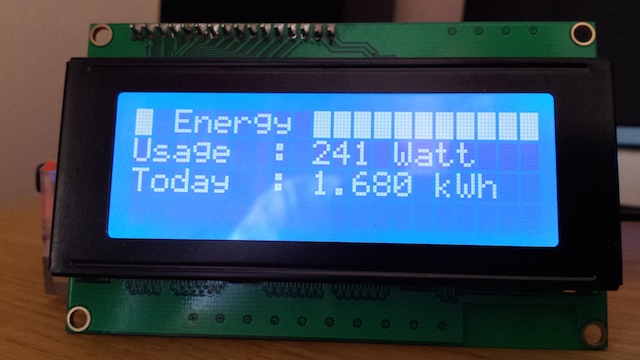
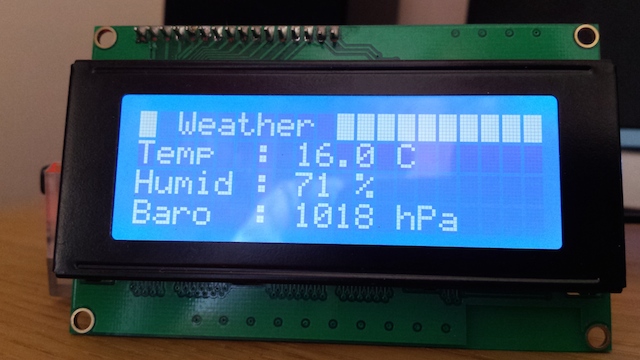
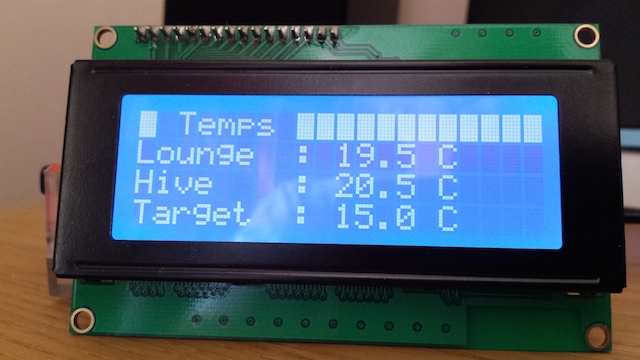
i=0MikeF wrote: Sunday 25 October 2015 23:35 I've modified my Python script, so that I am now pulling in data from a range of devices via Domoticz. Below are some screenshots:
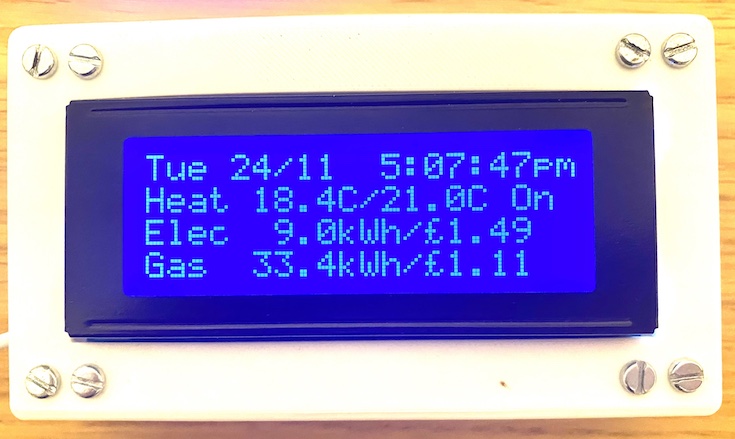
I've also mounted the display and the RPi driving it inside a (Hammond translucent) box; with a WiFi dongle plugged in, the only external wiring is the USB power cable.


Greetings,pepijn wrote: Sunday 17 May 2015 22:51 This is a nice tutorial (in Dutch) on how-to connect the screen.
http://www.gejanssen.com/howto/i2c_disp ... index.html
I also attached my Python scripts.
Hi Mike,MikeF wrote: Friday 20 November 2020 12:22 Here’s a good article (found by Googling ‘Raspberry Pi 20x4 LCD’): https://maker.pro/raspberry-pi/tutoria ... -converter. This applies equally to 20x2 LCDs. Important to use the level shifter, as the LCD operates at 5V, whereas the RPi’s i2c operates at 3.3V.
Good luck!