I have the Xiaomi Wireless Switch and I want one click to turn on a lamp at 30 % and second click to turn it off. Then I want double click to set the lamp to 60 % and one click to turn it off again. What's a good way to do that in Blockly? My beginning attempt turns the light on and off like it should, but from the logs I see that it's actually turning it on/off/on or off/on/off.
At the moment all the selector actions are empty and I have set Off delay to 1 second.
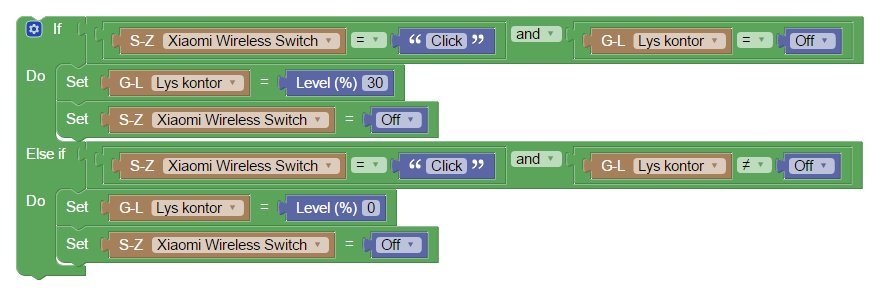
- Domoticz (2).png (34.62 KiB) Viewed 1591 times